

Processing refunds
OpenCourt makes it easy to handle refunds automatically according to your club’s cancellation policy.
How Automatic Refunds Work
-
When a player books a reservation, they’ll see your cancellation policy (for example: 24 hours in advance).
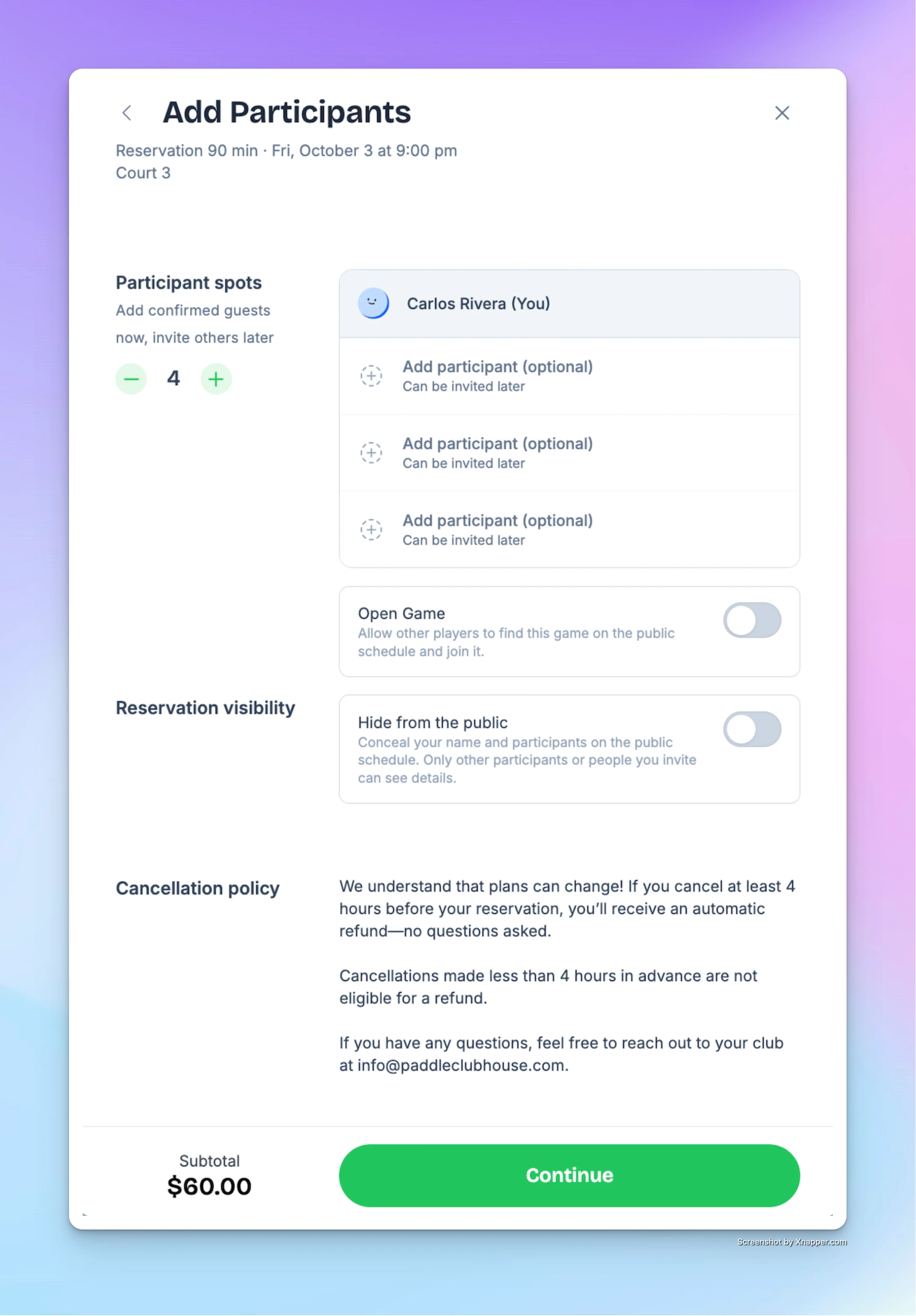
-
If they cancel at least x hours before the start time (depends on your cancellation policy), the system will:
-
Automatically refund the payment.
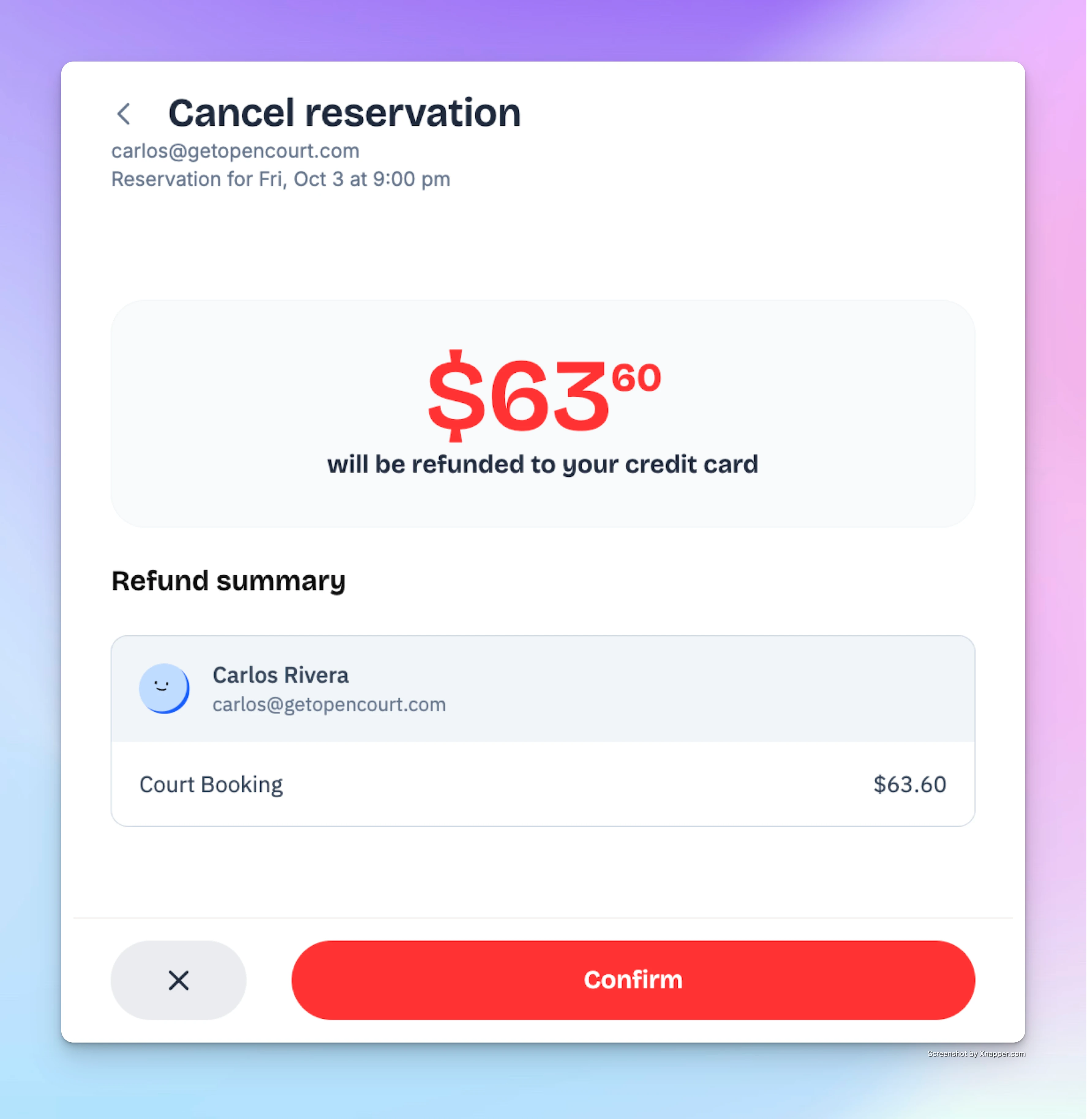
-
Send them a confirmation email.
-
Mark the transaction as Refunded in your admin dashboard (with a red “Refunded” status line).
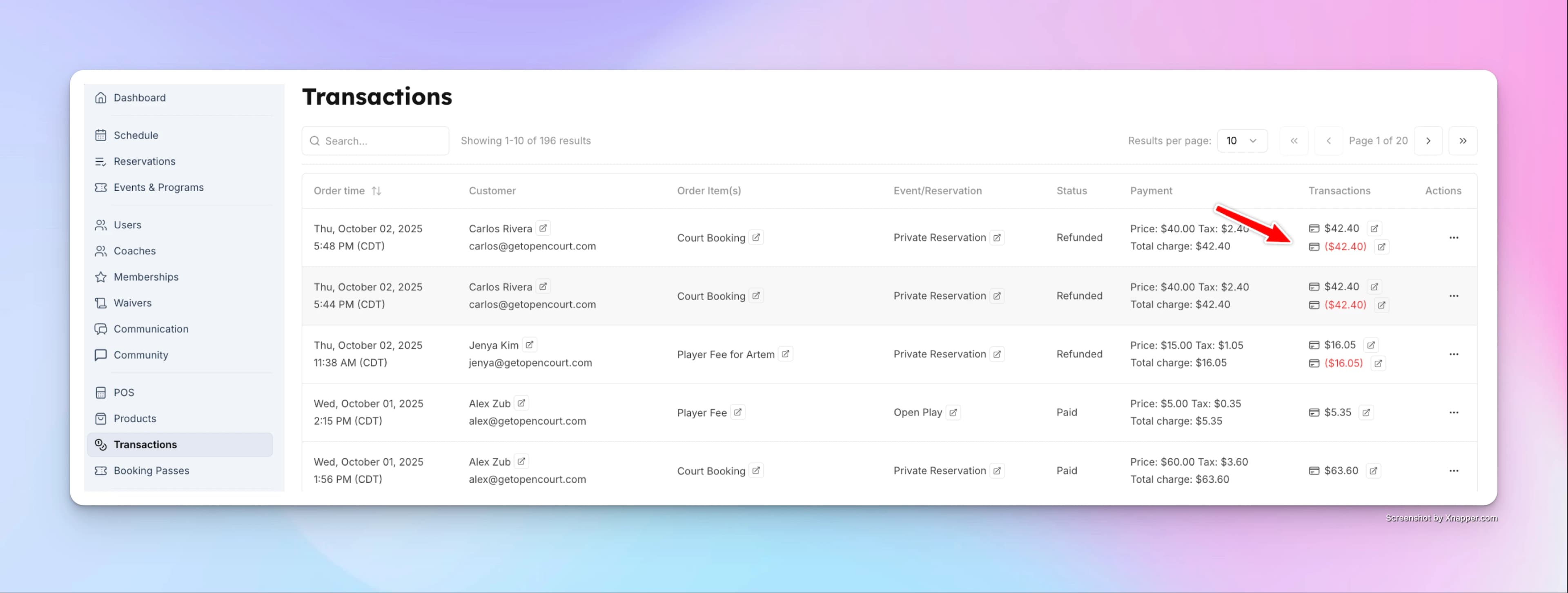
-
How Manual Refunds Work
If a player cancels less than x hours before the start time (depends on your cancellation policy), the system will not issue a refund automatically. However, admins can still process one manually if desired:
-
Go to the Transactions tab.
-
Find the reservation in the list.
-
Click the three dots at the end of its row.
-
Select Refund. You can also open the order with View and click Refund at the bottom of the order.
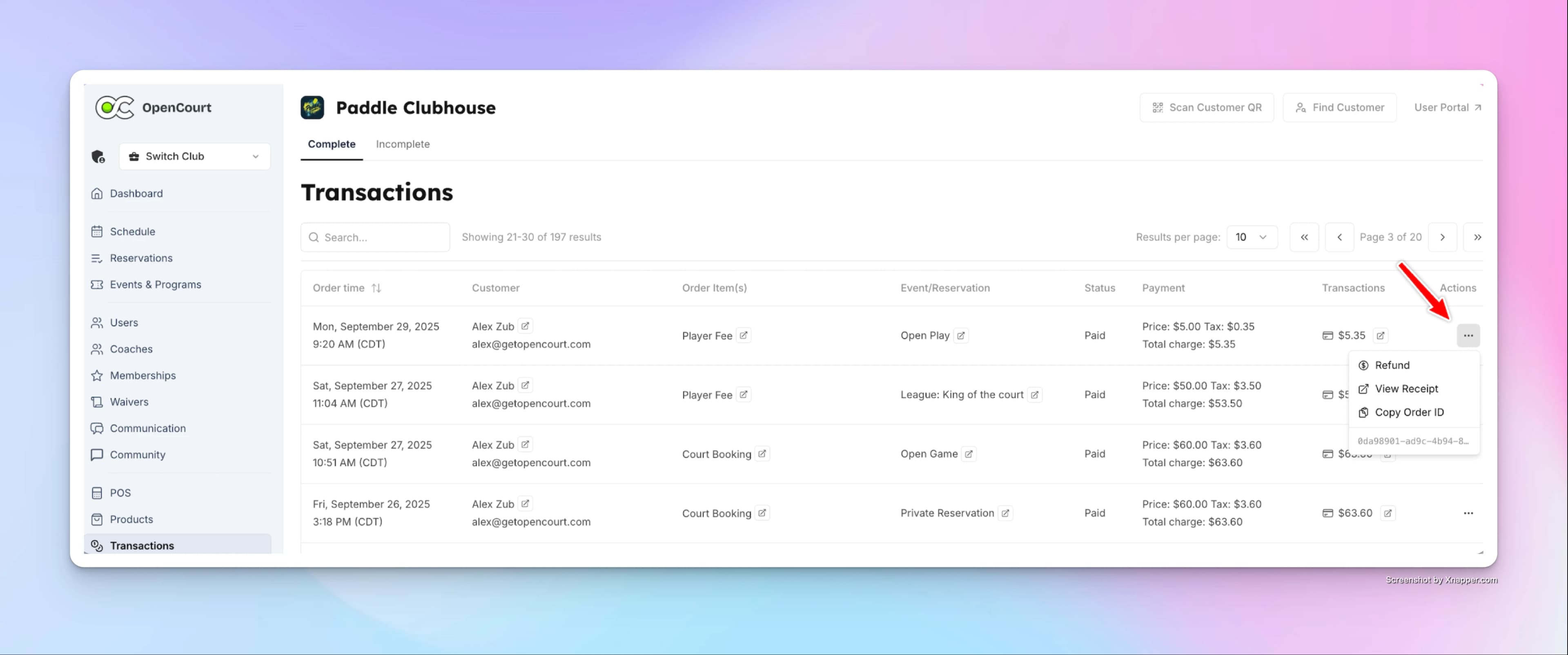
-
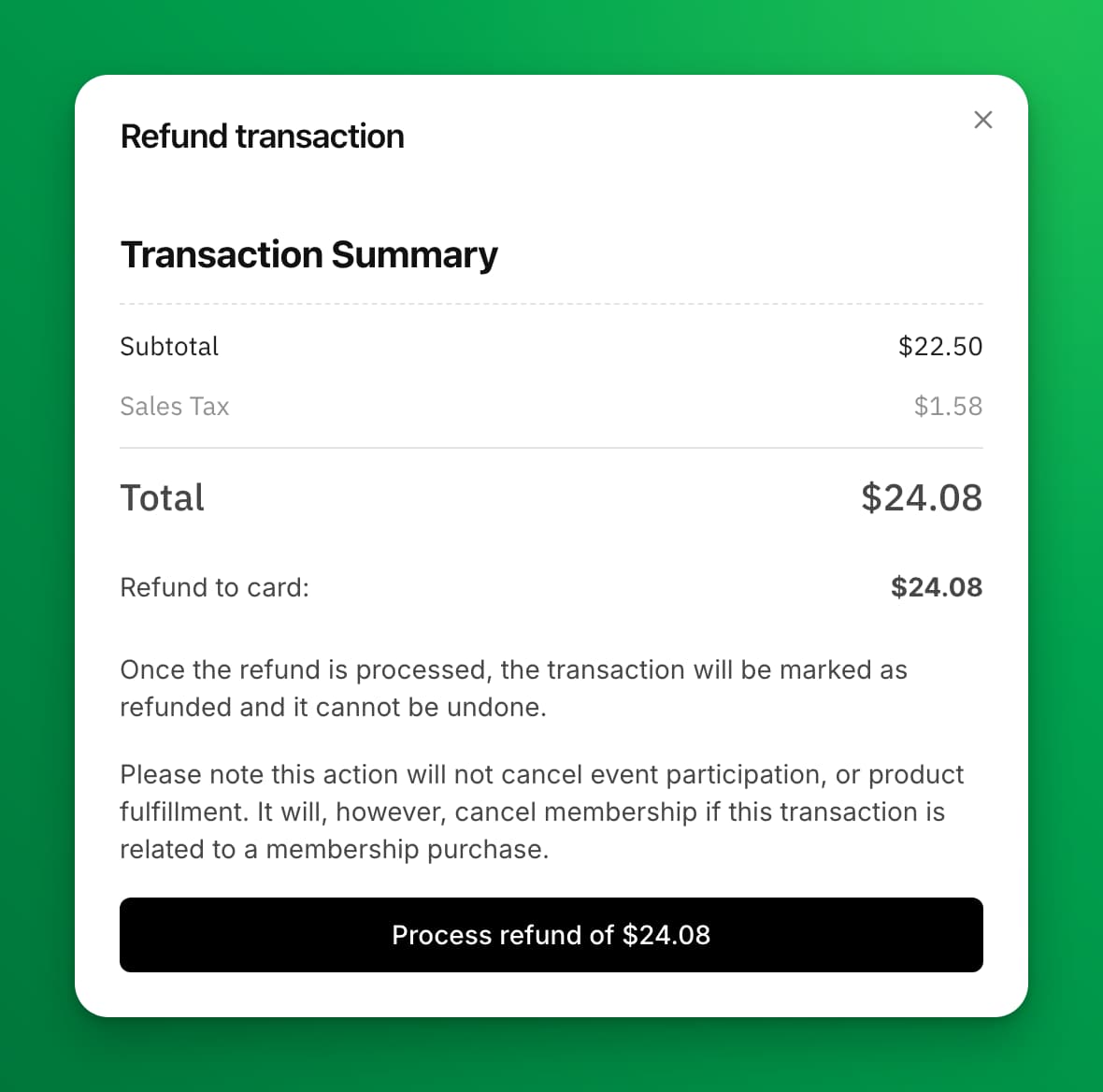
Check the amounts in the Refund transaction dialog. OpenCourt works them out for you:
- Refund to card — the money that goes back to the customer's card.
- Refund as club credit — the club credit the customer used on this order, which goes back to their balance.
- If part of the order was already returned, for example by an earlier refund or when a booking moved to a cheaper time, the dialog says so. The refund then returns only the rest.
-
Click Process refund of $X.
The refund will then be issued and recorded in the Transactions log.
The dialog refunds everything on the order that is not yet refunded. You can't choose single items or type an amount.
If the dialog shows a message and only a Close button, the order can't be refunded from here. For example: Everything on this order has already been refunded. If the dialog says This order changed since the dialog opened, check the new amount and click the button again.
Refunding a Cash Payment
No card is involved when a customer paid in cash, so OpenCourt does not send money anywhere. You give the cash back from your till, and OpenCourt records it.
-
Open Refund on the order, as above.
-
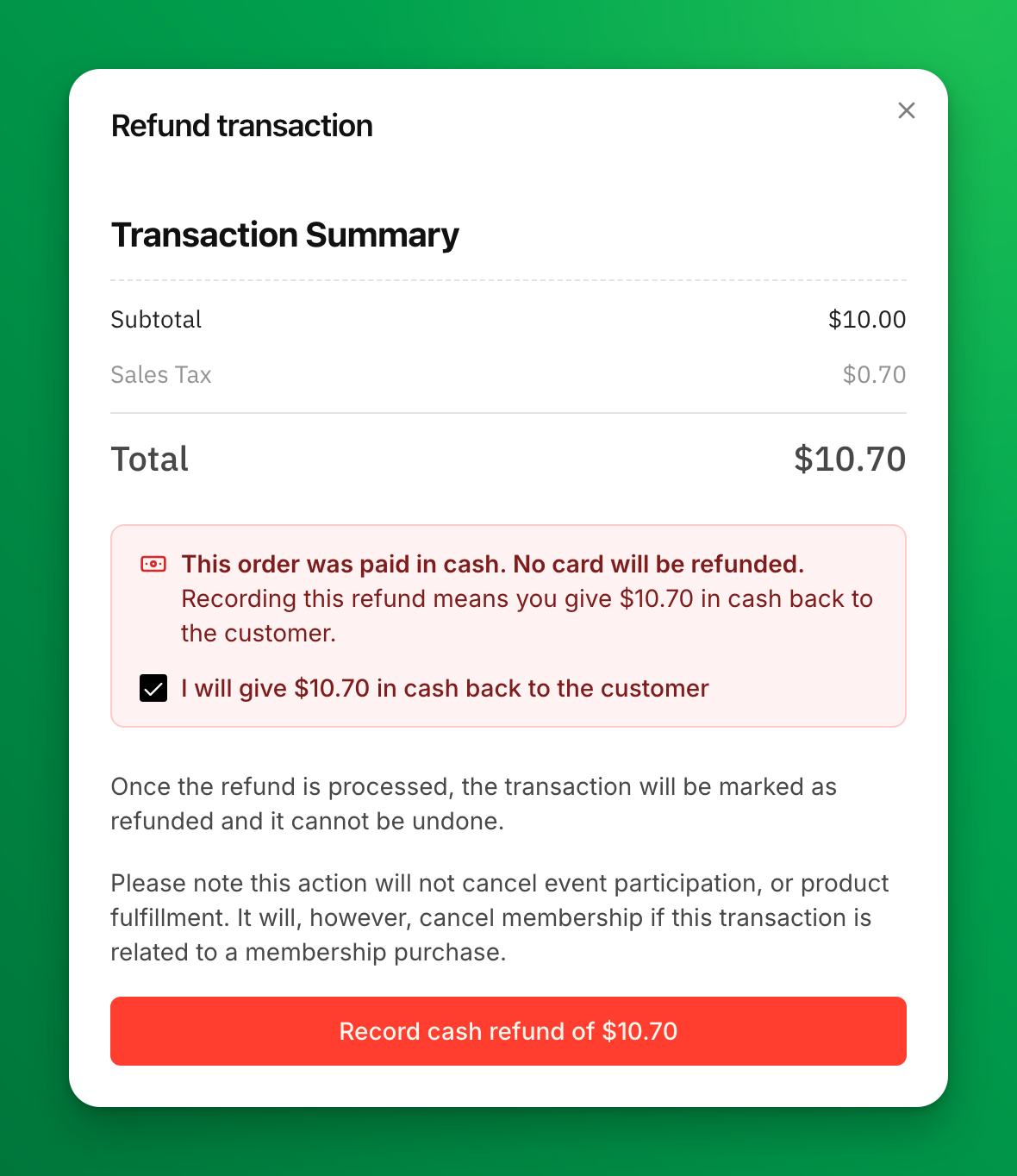
The dialog says the order was paid in cash and shows the exact amount to give back.
-
Tick I will give $X in cash back to the customer, then select Record cash refund of $X.
-
When the dialog says Cash refund recorded. Give $X in cash to the customer now., hand the cash over. Then click Done.
Paid partly in cash and partly with club credit? For most orders, OpenCourt refunds the whole order in one step. The club credit goes back to the customer's balance automatically, and you give back only the cash part. The dialog shows both amounts, and the button reads Record refund: $X cash + $Y club credit.
Some orders can't be refunded from the dialog. The dialog says why, and shows only a Close button. These are:
- Orders paid partly in cash and partly by card.
- Split orders that were already partly refunded.
- A membership paid partly in cash and partly with club credit.
- Orders that paid for more than one membership.
- A cash order that was already partly returned, for example when a booking moved to a cheaper time, if the amount left does not match whole items on the order.
- A gift card that the recipient already redeemed.
- Club credit the customer bought with cash. To give that money back, choose Deduct and turn on I gave the customer cash for this credit on the customer's Club Credit tab.
For the first five, contact OpenCourt support to refund the order.
No refund email goes to the customer for a cash refund.
In your reports, a cash refund appears under Cash Refunds, and club credit returned appears under Club Credits Refunds.
Things to Keep in Mind
- The automatic refund window depends on the cancellation policy you’ve set (e.g., 24 hours, 48 hours, etc.).
- If your club’s policy is no refunds within 24 hours, only the automatic system applies—players won’t get a refund unless you issue one manually.
- All refunded transactions are clearly marked in red for easy tracking.
✅ With this setup, players have clarity on refunds, and admins stay in full control when exceptions need to be made.
Limit a promo code to specific booking dates
Set a booking-date window so a promo code discounts only reservations, events, and coach lessons that start on the dates you choose, separately from the dates the code itself can be redeemed.
Skill Rating
Learn how to use skill ratings to run better events — from having coaches assign verified ratings to your customers, to gating events by skill level using self-rated, club-verified, DUPR, or WorldPadelRating scores.