

Club Credit
Club Credit lets customers store value in their OpenCourt account and use that balance to pay for almost anything at the club — from court bookings and event registrations to POS purchases in the pro shop.
Players can receive Club Credit in several ways:
- By redeeming a gift card
- By receiving a refund issued as club credit
- By paying cash for it at the front desk, or keeping their cash change as credit
- Or other types of credit, e.g. compensation, promo credit, gift from another member, etc.
For Admins: Managing Club Credit
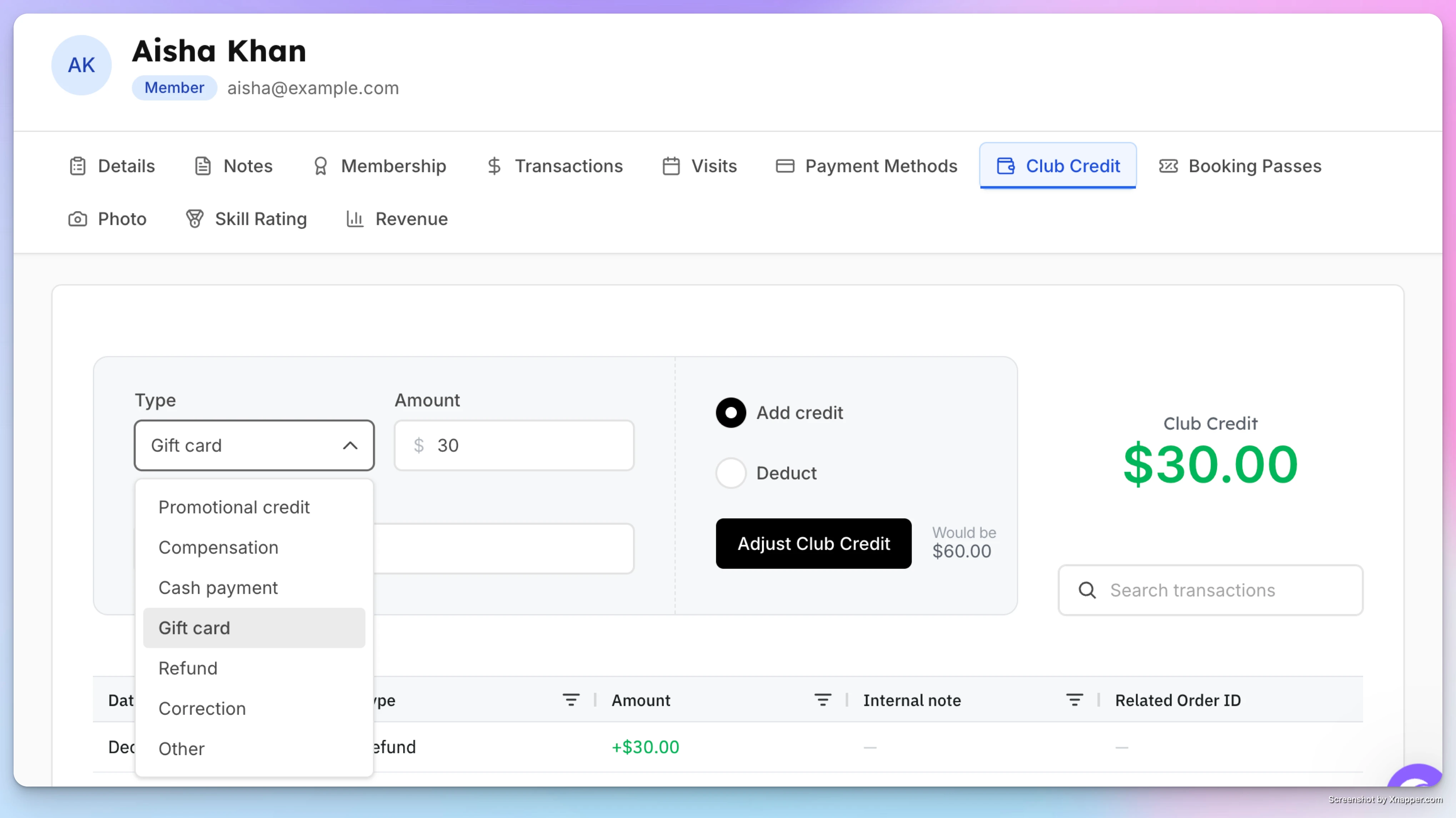
Adding or Adjusting a User’s Club Credit Balance
- Go to the User Profile of the member or customer.
- Open the Club Credit tab.
- Choose the Reason:
- Promotional credit
- Compensation
- Gift card
- Refund
- Correction
- Other
- Enter the amount, and choose Add credit or Deduct.
- (Optional) Add an internal note — for example: “Gift card from Alice”.
- Click Adjust Club Credit.
The new balance appears instantly.
These are free adjustments: no money changes hands, and your sales reports do not change. If cash changes hands, use the cash switch instead (see below).
Selling Club Credit for Cash
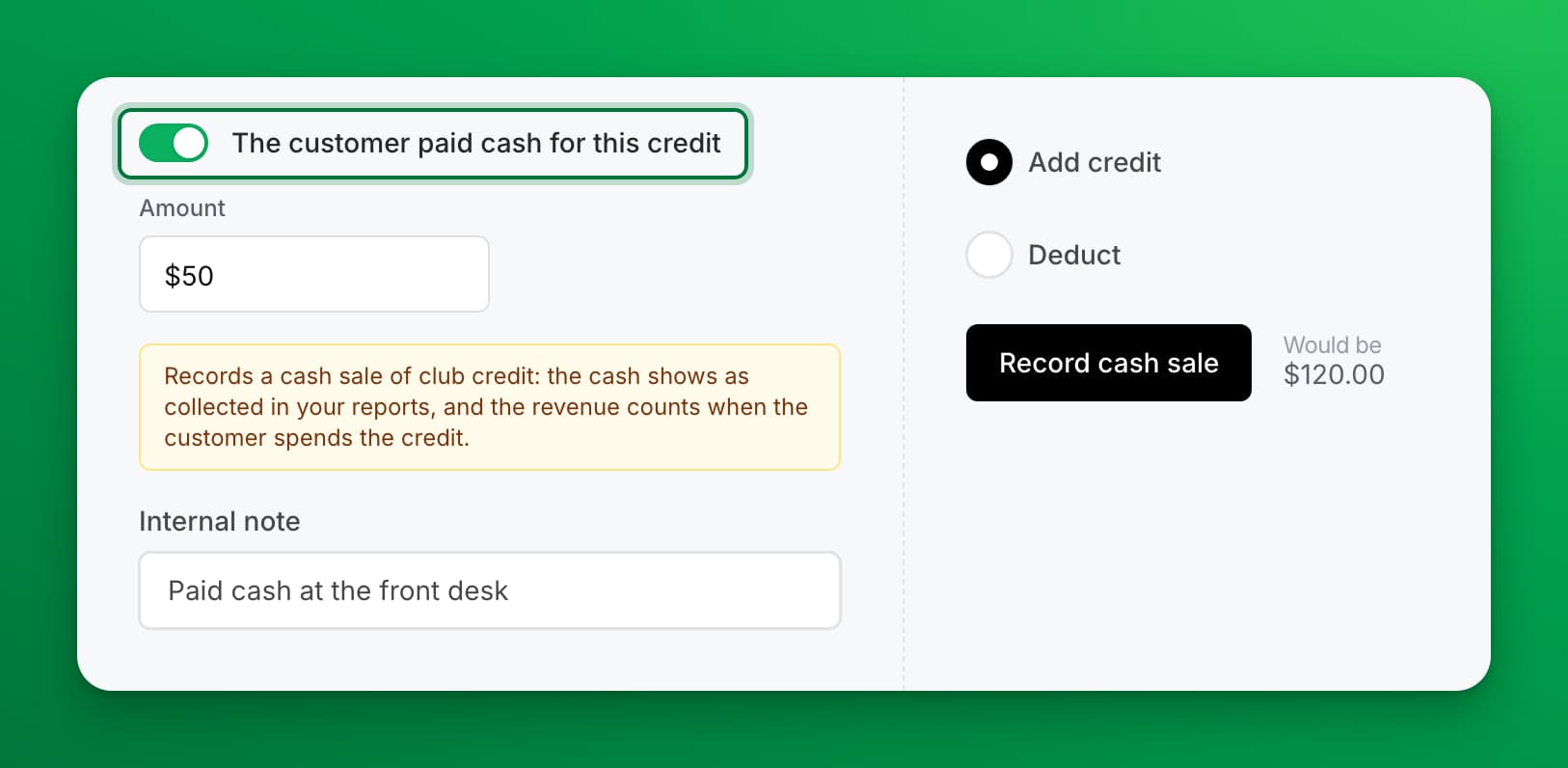
The cash switch at the top of the form is the one setting that records money. Turn it on only when the customer gives you cash for credit, or when you give cash back for credit.
| You choose | The switch reads | What your reports show |
|---|---|---|
| Add credit + switch on | The customer paid cash for this credit | The cash is collected today, under Cash Payments. It is not a sale yet: Net Sales counts it when the customer spends the credit. |
| Deduct + switch on | I gave the customer cash for this credit | The cash is paid out, under Cash Refunds. Net Sales does not change. |
With the switch on, the form hides the Reason list, shows a yellow note about your reports, and the button reads Record cash sale or Record cash hand-back.
Things to know:
- You can hand back only credit the customer holds. If the amount is more than their balance, the form says The customer holds only $X of credit. You can hand back at most $X in cash.
- Credit bought with cash can't be refunded as an order. The customer may already have spent it. To give the money back, choose Deduct and turn the cash switch on instead.
- Cash change can go on the customer's credit. At the POS, tick Add change to club credit after you enter the cash. On a membership invoice, tick Apply change to user's club credit. OpenCourt records the change the same way as a cash sale of credit.
- In the customer's Club Credit history, these rows read Cash payment or Cash handed back.
See How sales numbers are calculated for how credit moves through your reports.
Using Club Credit as an Admin
Whether they’re paying for a reservation, an event, or a POS purchase, you can apply their credits toward the full amount or a partial payment—whichever the customer prefers.
-
At checkout, under Other tenders, click Use club credit and enter the amount to apply.
-
Complete the payment. If the credit doesn't cover the total, charge the rest to a card.
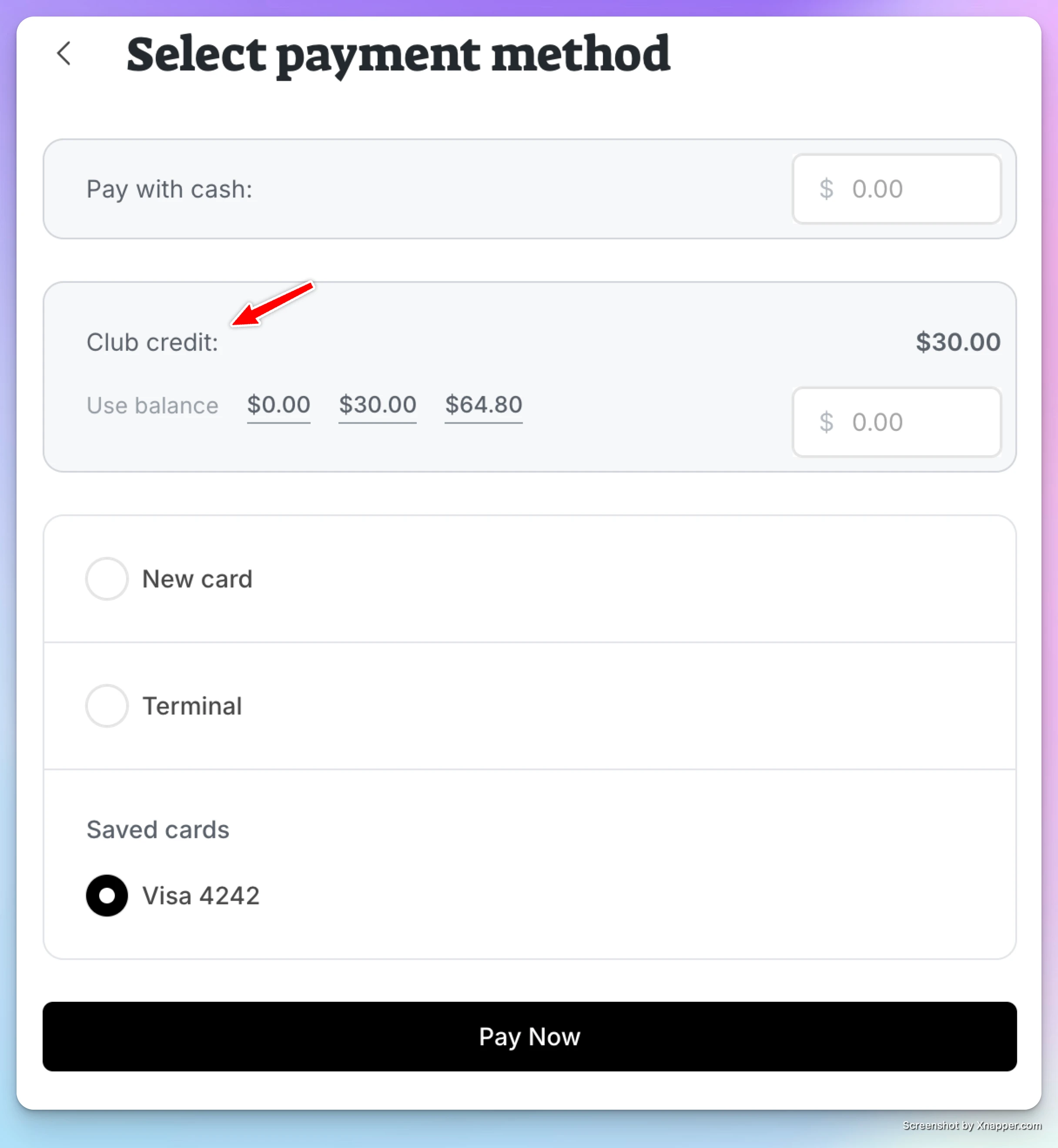
The transaction receipt will show that the payment was made using Club credit.
For Users: Paying With Club Credit
Users can pay for reservations or events directly from their club credit balance.
Using Club Credit for a Booking
-
Start a court reservation or event sign-up.
-
At checkout, the user will see their available Club Credit balance.
-
They can apply club credit toward the purchase.
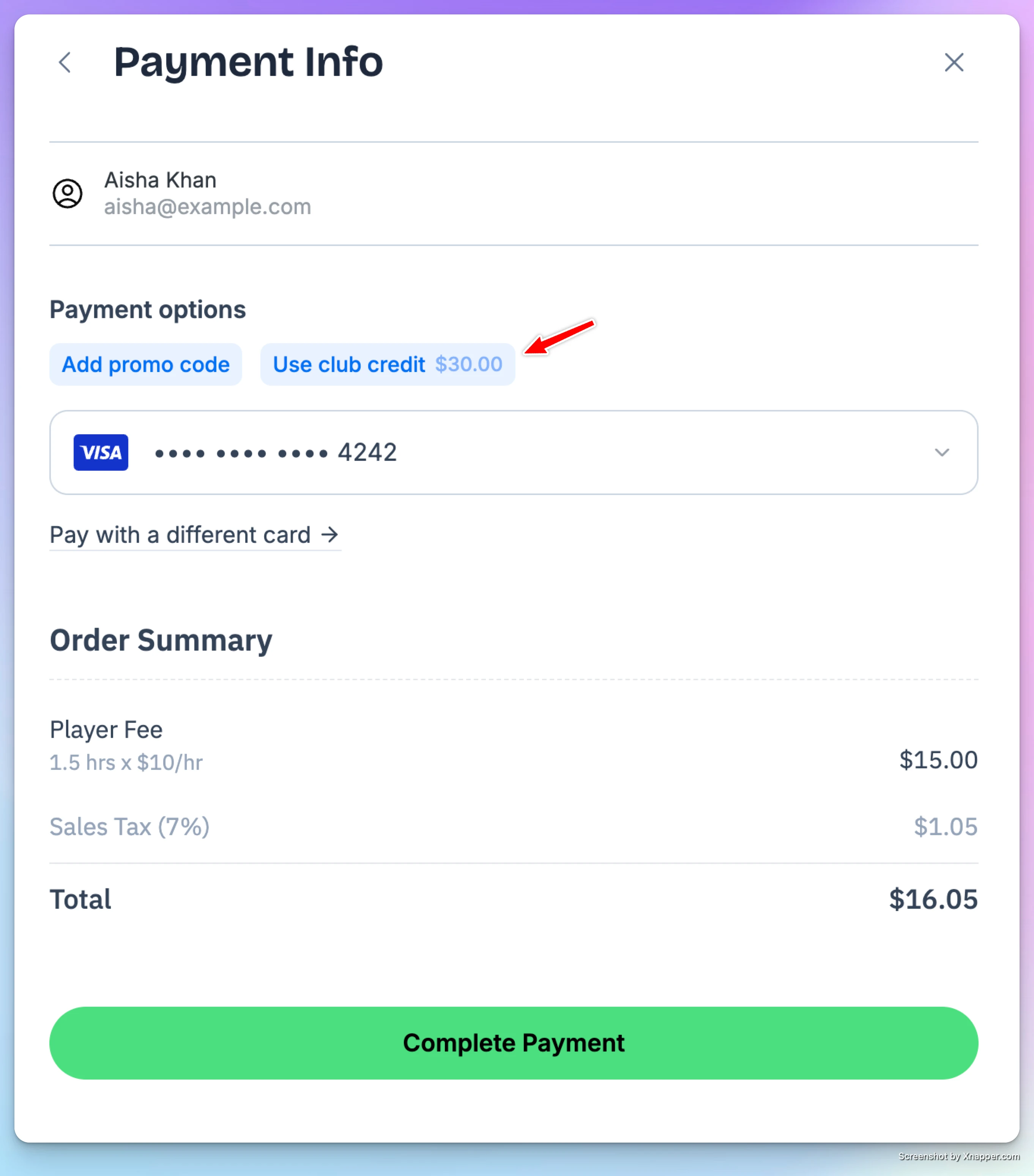
If the credit does not cover the full amount, users can:
-
Use mixed payment, where part of the charge is paid by club credit and the remaining balance is charged to their card.
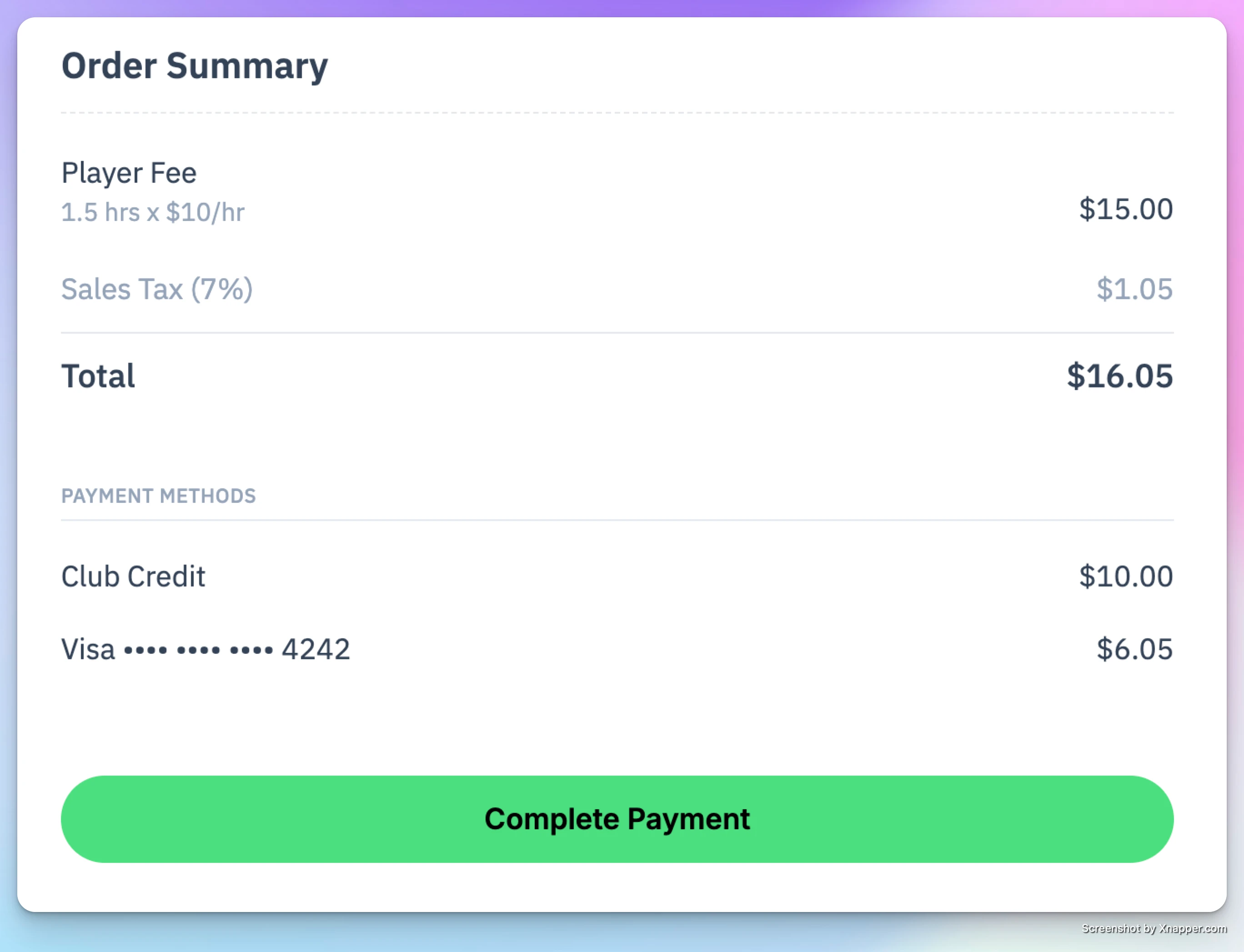
Example
- User has $55 in club credit
- Booking total is $90
- User can apply $55 from club credit and pay the remaining $35 with their saved card
Viewing Club Credit History (User Side)
Users can see all club credit activity under My Profile → Club Credit:
-
Total credit received
-
Source of credit (gift card, refund, admin adjustment)
-
How much was used for each transaction
-
Remaining balance
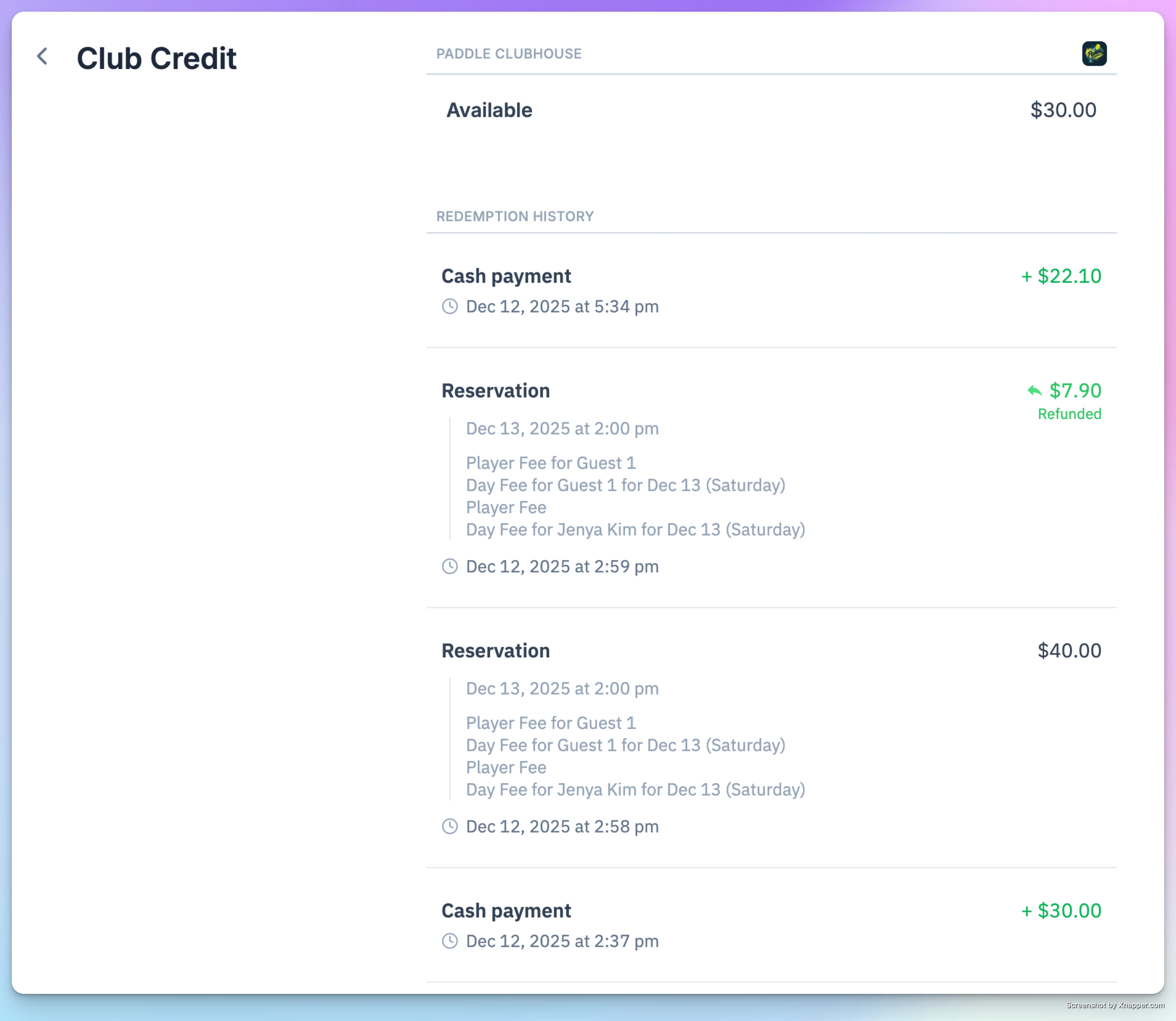
They can also view details in Billing History, where each transaction clearly shows:
- How much was paid using club credit
- How much (if any) was charged to their card
Club Credit offers a flexible and transparent way for players to manage their spending at the club — and give admins a clear way to issue refunds, gift cards, or promotional balances. If your club issues or accepts club credit, this feature ensures a smooth experience on both ends.
Upgrade or downgrade a membership
Move a member to a different membership or pricing plan, or shift their renewal date, now or on a date you choose.
Freeze a membership
Pause a member's billing and benefits while they are away, then resume the membership without cancelling it or charging a new initiation fee.