

Adding a new customer
Most of the time, new customers create an account on OpenCourt on their own within a minute by entering their email and their name.
Most of the time, new customers create an account on OpenCourt on their own within a minute by entering their email and their name.
But if someone calls the front desk or walks in wanting to reserve a court or join an Open Play or tournament, here’s how to add them to the platform.
Method 1 (Recommended)
Ask them to scan QR code of your waiver and fill it out. Once they do it, they're automatically added to the system.
Method 2 (Manually)
-
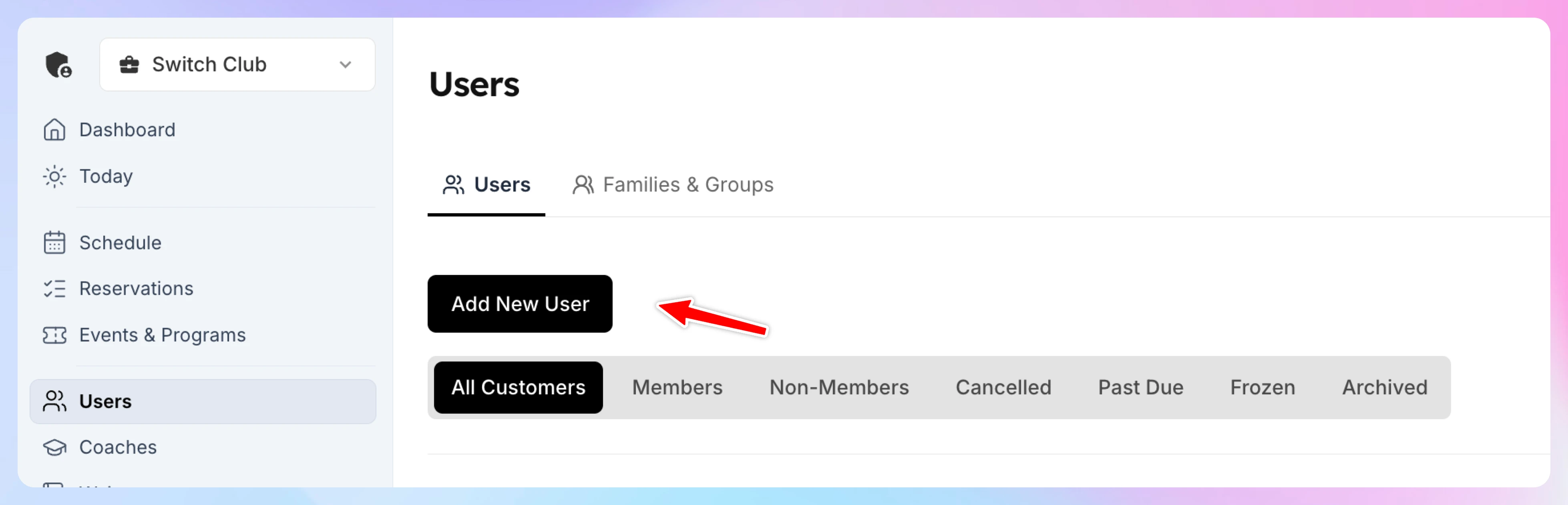
In your admin panel, click Users in the left-hand menu.
-
Click Add New User. The Find or Create Customer window opens.
-
Type the customer's name, email or phone number.
- If they already have an account, it appears in the list. Select it and click Open Customer Profile.
- If they don't, choose Add "their email" as a new customer, enter their First Name and Last Name, and click Create Customer Profile.
You land on the customer's profile.
What you can do next
- Sell them a membership or assign for free
- Book a court for them
- Add them to any event (Open Play, Tournament, Clinic etc)
- Sell them products via POS
Quick Tip
Make sure they signed a waiver before their first game.
How family memberships work
Let one customer share a single membership with their family — spouse, kids, and dependents — on one bill, with optional per-person rule sets and booking passes.
Sell a membership to a customer
Assign a membership from a customer's profile: pick the membership and plan, choose when it starts and when they pay, then take payment or give it for free.