

Managing Lessons as an Admin
Learn how to use the Coach Agenda to view and manage all booked lessons and assigned events in one place. This guide explains how to review participant details, monitor payment status (paid, pending, cancelled, refunded), and collect payments for deferred bookings directly from the admin panel.
Coach Agenda
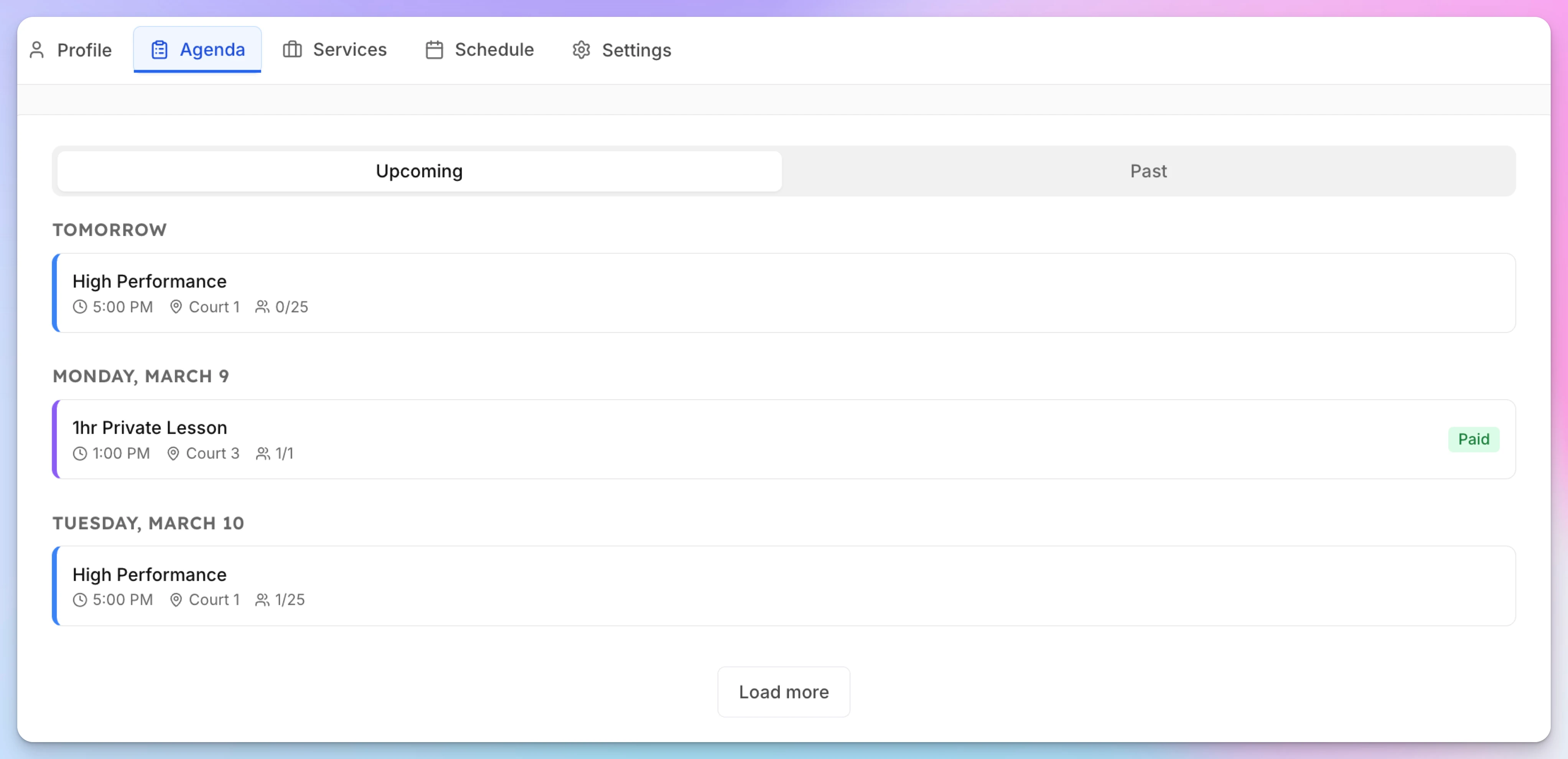
The Agenda tab on each coach's page gives admins a chronological view of all booked lessons and assigned events.
- Go to Coaches → [Coach Name] → Agenda tab
- View upcoming lessons grouped by date — each showing time, court, participants, and payment status
- Click a lesson to open details, check in participants, or manage payments
Payment Status
Each lesson shows its payment status:
- Paid — Payment collected (immediate mode) or manually marked as paid
- Pending — Awaiting payment (deferred mode)
- Cancelled / Refunded
For deferred payment lessons, admins can collect payment through the event participants UI.
How Members Book a Lesson
See the full booking experience from the member’s perspective — from browsing coach profiles and selecting a service to choosing a date, adding participants, and completing payment. This guide walks through each step so you understand exactly how lessons appear and how bookings are confirmed in the app.
Assigning Coaches to Events
Beyond private lessons, you can assign coaches to any event — clinics, group classes, drills, camps, or any other event type. This lets members see who's teaching before they sign up, and gives coaches visibility into their full schedule.