

Coach's Own Schedule View
When a coach has a linked user account, they can view their own schedule at My Profile → Coach Schedule.
When a coach has a linked user account, they can view their own schedule at My Profile → Coach Schedule. This is a unified view showing:
- All their upcoming private and group lessons
- All events (clinics, classes) they're assigned to
- Lessons appear in purple, assigned events in blue
This gives coaches a complete picture of their schedule without needing admin access.
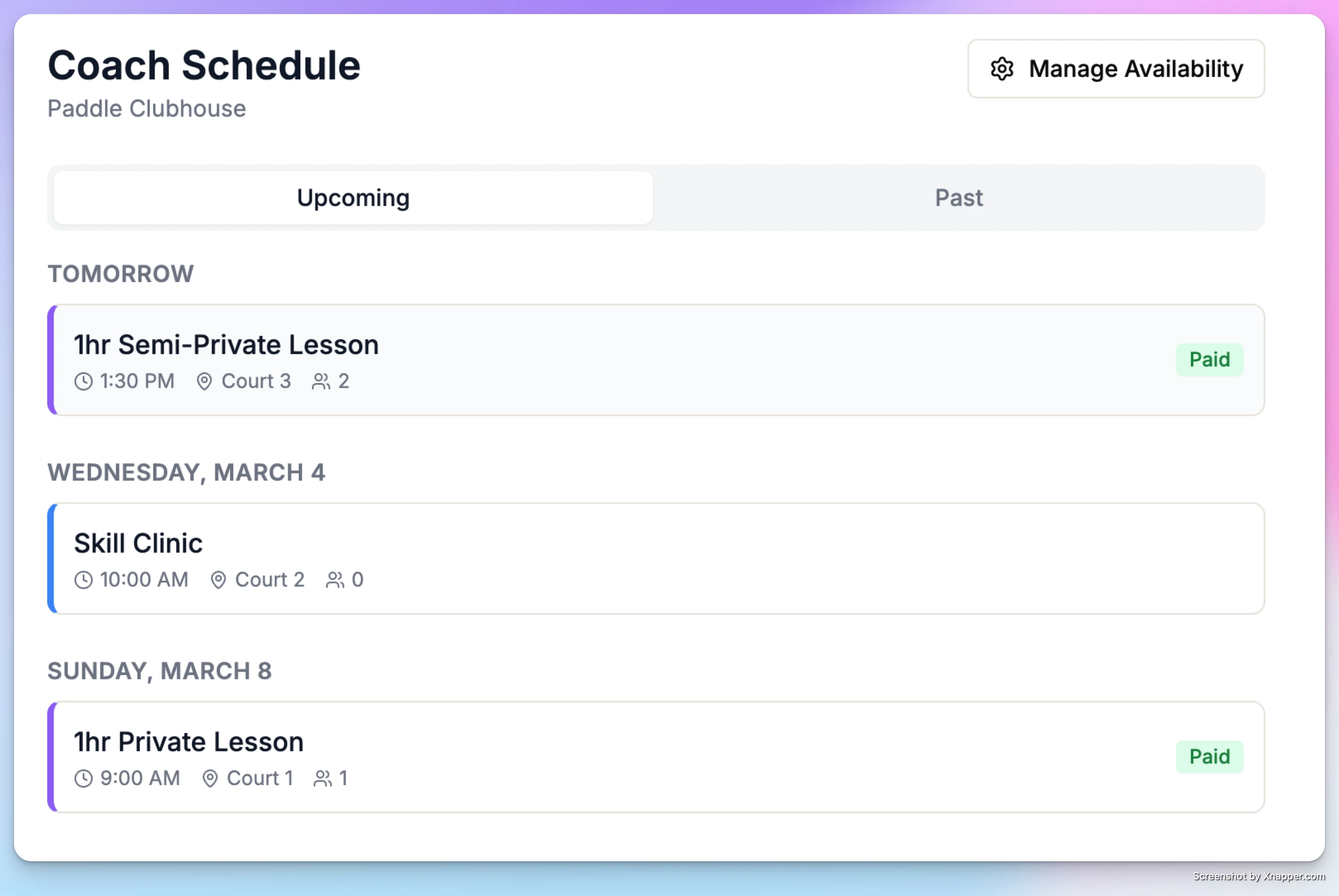
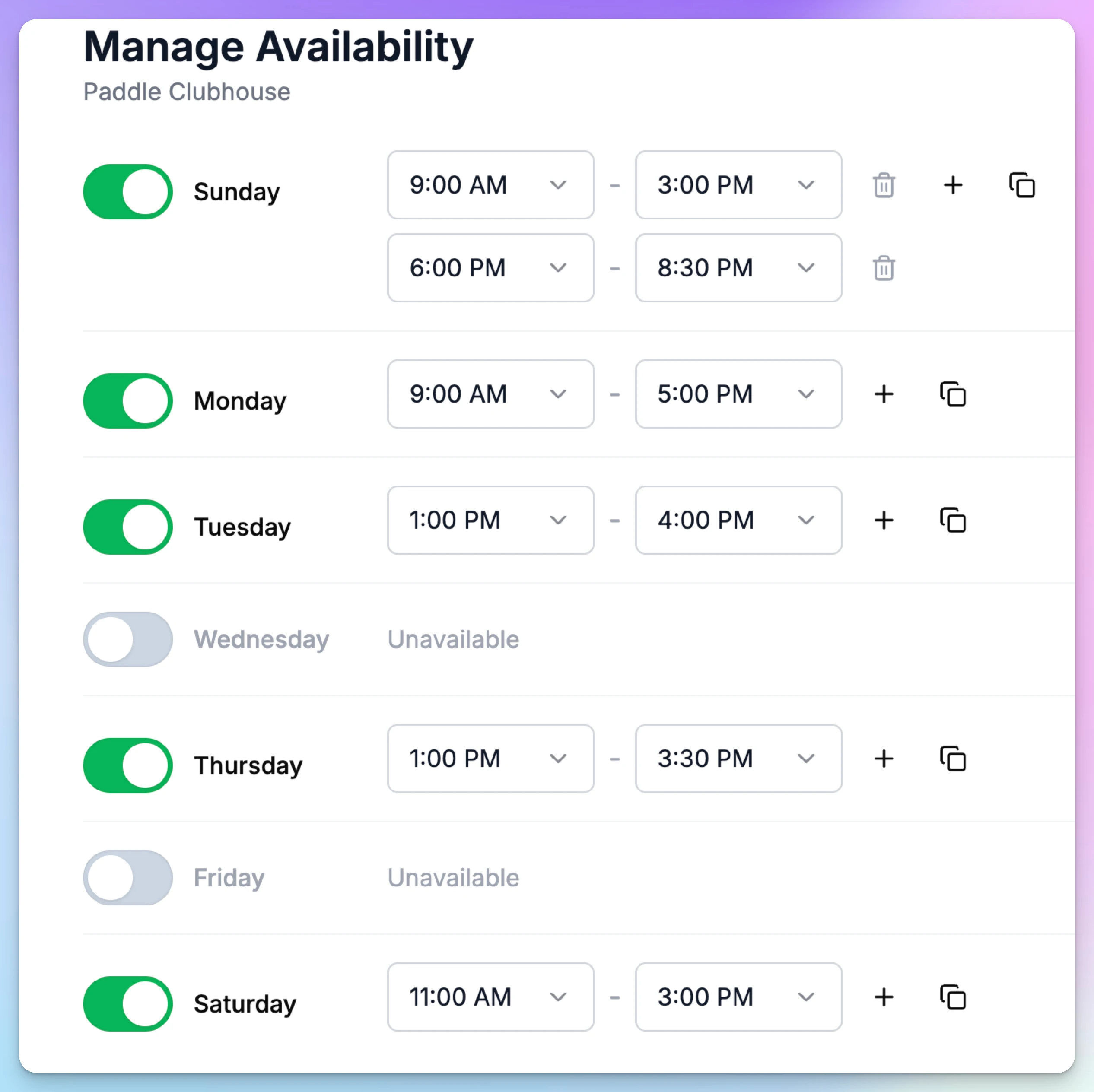
They can change their schedule right there clicking “Manage Availability” button on the top right.
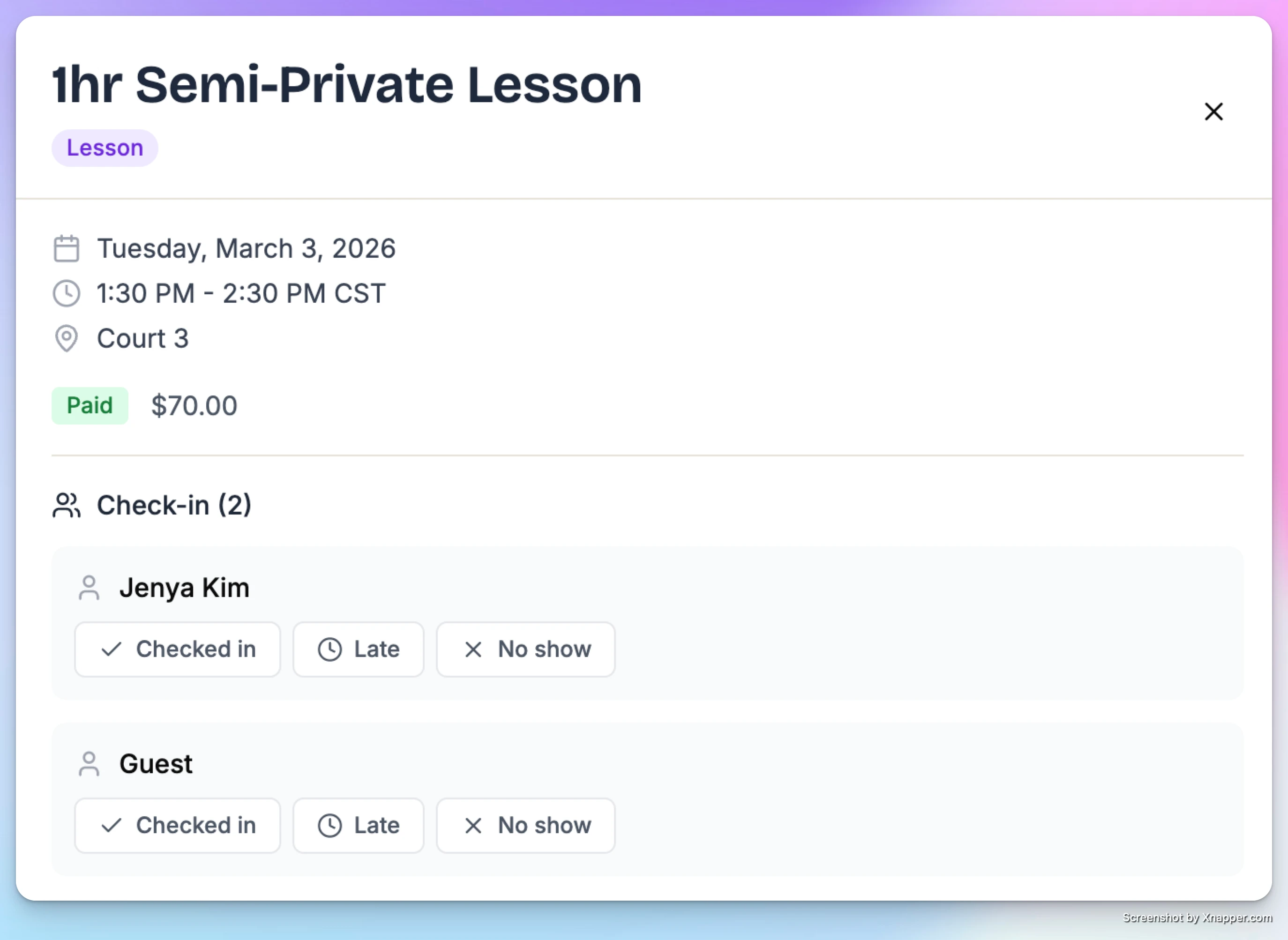
Coach can also check people in when they open a card with a lesson or a clinic.
Assigning Coaches to Events
Beyond private lessons, you can assign coaches to any event — clinics, group classes, drills, camps, or any other event type. This lets members see who's teaching before they sign up, and gives coaches visibility into their full schedule.
Booking & Guest Passes
Learn how to create booking and guest passes, and redeem them.