

Chat in a group
Send messages and photos in a group, react with an emoji, mention people, delete your own messages, and share events with the group.
Send messages and photos to a group, react to what others say, and share events you want people to join. (You need to be a member of the group.)
Send a message
- Tap Groups at the bottom of the app.
- Tap the group.
- Type in the Type a message... box at the bottom.
- Tap the blue arrow to send.
Send a photo
- Tap the image icon to the left of the message box.
- Pick a photo. A preview shows above the box.
- Optional: type a message to go with it.
- Tap the blue arrow to send.
You can send one photo per message. Tap any photo in the chat to see it full size.
React, copy, or delete
Press and hold a message. A menu opens.
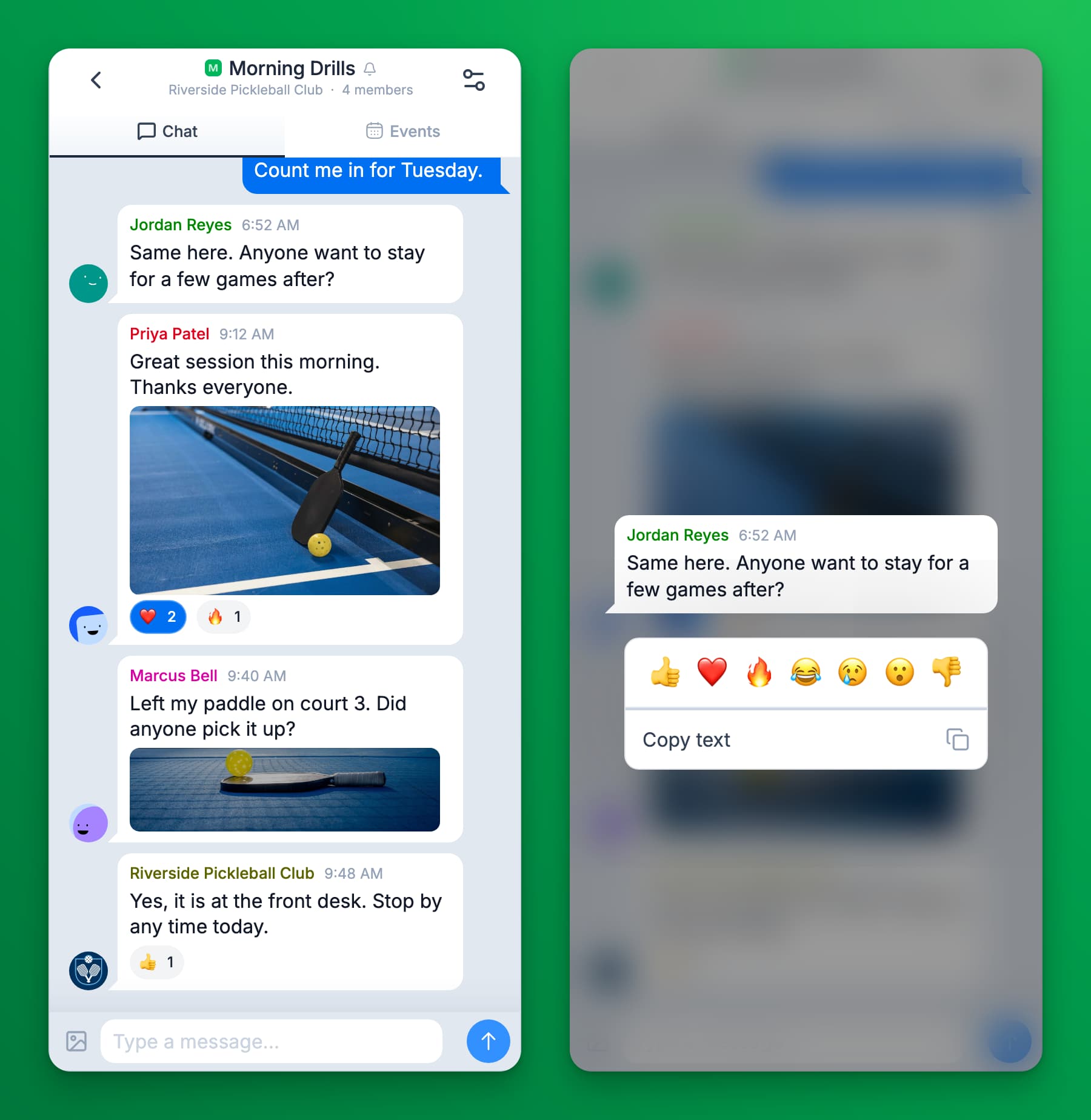
- React: tap one of the seven emoji. Tap the same reaction under the message to remove it. To react with 👍 at once, double-tap a message.
- Copy text: copies the message.
- Delete: shows on your own messages. It removes the message for everyone.
On a computer, point at a message and click the ⋮ button next to it for the same choices.
Mention someone
Type @ and the start of a member's name, then pick them from the list. They get a notification, unless they muted the group. Mentions work in groups, not in direct messages.
Share an event with the group
- Open the event you want to share.
- Tap Share with a group.
- Pick the group, then tap Share.
The event shows in the chat as a card that members can tap to open. It also shows in the group's Events tab, under Upcoming and later Past. You cannot share events to a club channel.
Club channels are read-only
A club channel (it shows Channel under its name) has no message box. Only your club posts there. You can still react to posts.
If something goes wrong
- My message shows "Not delivered. Tap to retry". It did not send, often because of a weak connection. Tap that line when you are back online.
- I cannot find the Delete option on a message. You can delete only your own messages. Ask your club if another message must go.
- I do not get notifications for a group. You may have muted it. See Mute or leave a group.