

Groups & Chat
Groups & chat
How groups and chat work in the OpenCourt app: your club's groups, groups you make yourself, and direct messages.
Groups are chats inside the OpenCourt app. Use them to find people to play with, plan games, and hear news from your club.
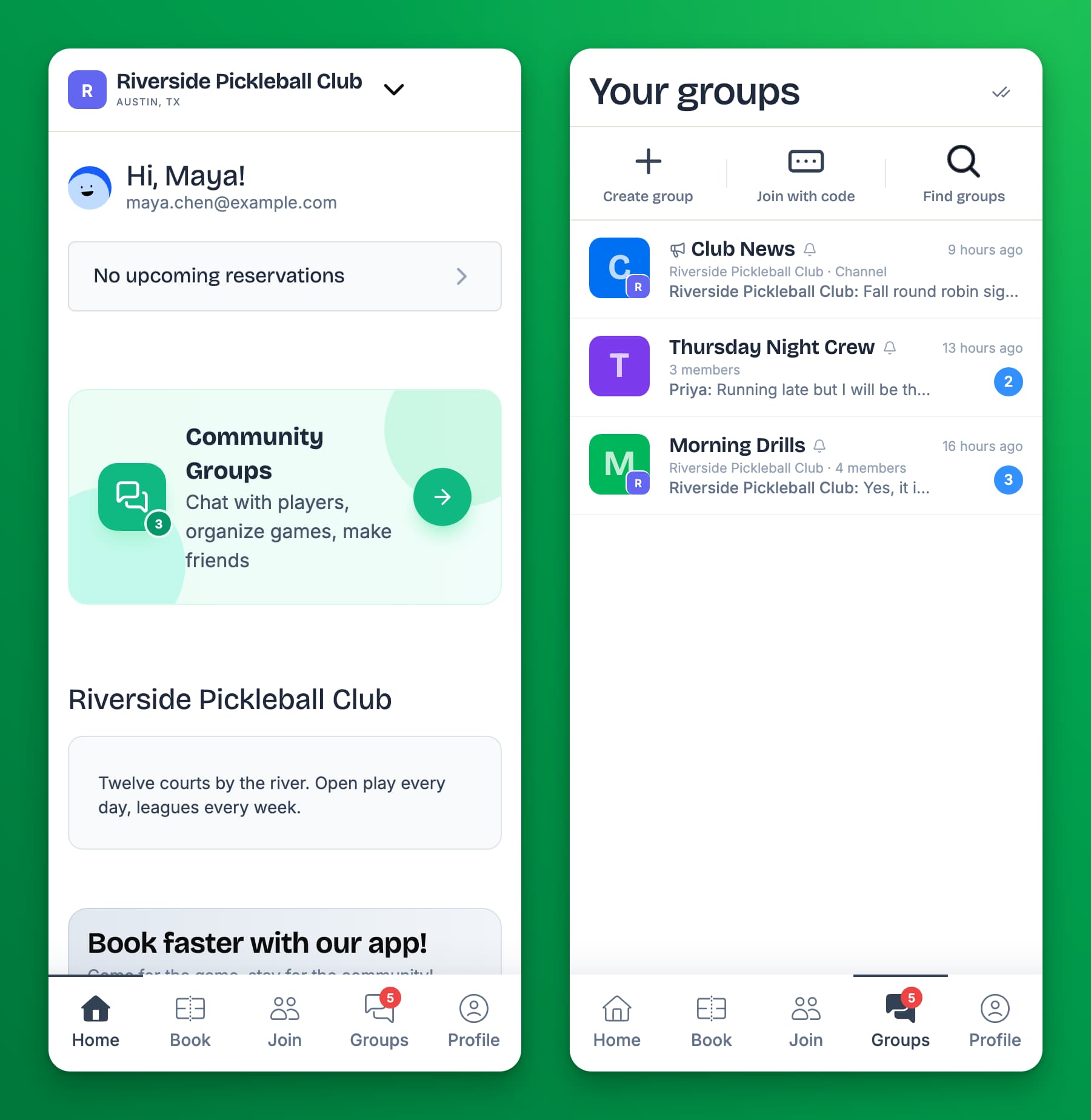
Where to find your groups
Tap Groups in the bar at the bottom of the app. Your groups lists every group and conversation you are in, at every club, with the newest message first. A number shows how many messages you have not read.
At some clubs the tab has a different name. You can also open your club's groups from the Community Groups card on the club's home page, if your club shows it.
The kinds of groups
| Kind | What it is | Can you post? |
|---|---|---|
| Club group | A group your club runs, for example for a league or a skill level. It shows your club's name. | Yes |
| Club channel | Club news. It shows Channel under its name. | No. You read and react. |
| Your own group | A group you or a friend made in the app. You join it with a code. | Yes |
| Direct message | A private conversation between two people. | Yes |
Articles
- Find and join a group — browse your club's groups, or join with a code.
- Chat in a group — send messages and photos, react, mention people, and share events.
- Create your own group — start a group, invite people, and ask your club to take it over.
- Message someone directly and block people — private messages, blocking, and deleting a conversation.
- Mute or leave a group — stop notifications, or leave.
Still stuck? Contact your club, or email support@getopencourt.com.