

Groups & Chat
Find and join a group
Join one of your club's groups from the app, or join a private group with a code, an invite link, or a QR code.
Join a group your club runs, or a private group a friend invited you to. (Under a minute. You need the OpenCourt app, or the website, signed in.)
Before you begin
- Sign in to the OpenCourt app.
- For a private group, get the group's six-character code, invite link, or QR code from someone in the group.
Join one of your club's groups
- Tap Groups at the bottom of the app.
- Tap Find groups. Your club's Community Groups page opens.
- You can also tap the Community Groups card on your club's home page.
- Find a group. Tap Preview to see more about it before you join.
- Tap Join. The group's chat opens.
Groups you are already in show Open Chat instead of Join.
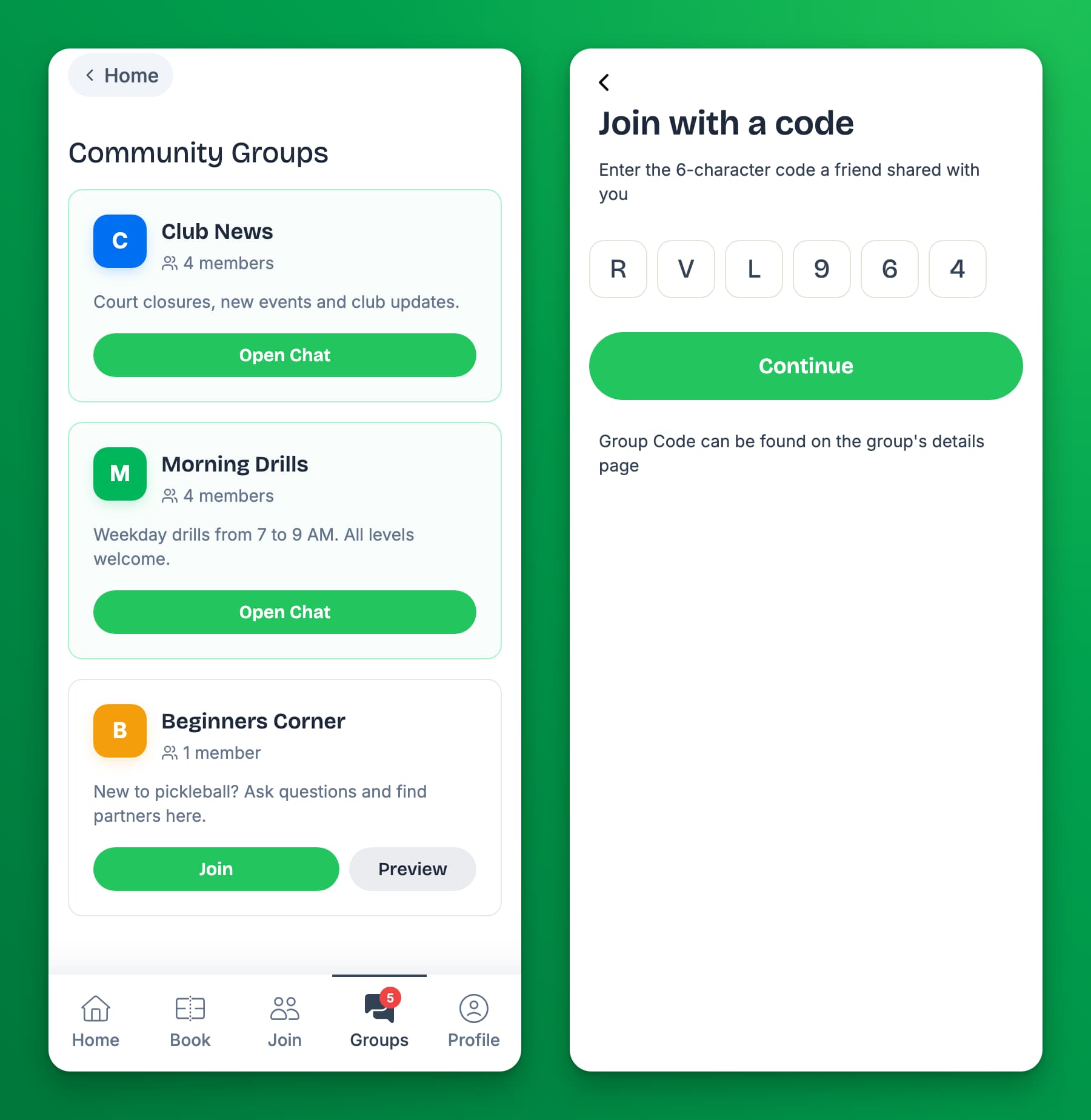
Join with a code
- Tap Groups at the bottom of the app.
- Tap Join with code.
- Enter the six-character code. Letters can be typed in lowercase.
- Tap Continue.
- Tap Accept Invite. The group's chat opens.
Join with an invite link or QR code
- Invite link: tap the link. If you are not signed in, sign in first. Then tap Accept Invite.
- QR code: scan it with your phone camera and tap the link that appears. Then tap Accept Invite.
If something goes wrong
- "Invalid or expired invite code" — check the code with the person who sent it. Codes have six characters; the dash in the middle is not part of the code. The group may also have been deleted.
- I do not see Find groups. Your club has no groups that are open to everyone. Ask your club or a friend for a group code.
- I cannot join a group I was in before. The group's admin may have blocked you from it. Ask your club.