

Auto-Cancellation for Events
The Auto-Cancellation feature makes it easy for clubs to manage events that depend on a minimum number of participants, such as clinics and open plays. If an event doesn’t reach the required number of sign-ups by a set time, it will be automatically canceled, and refunds will be issued to participants.
How It Works
When creating an event (e.g., open play, clinic), admins can enable Auto-Cancellation:
- Create an Event as usual
- Enable Auto-Cancellation
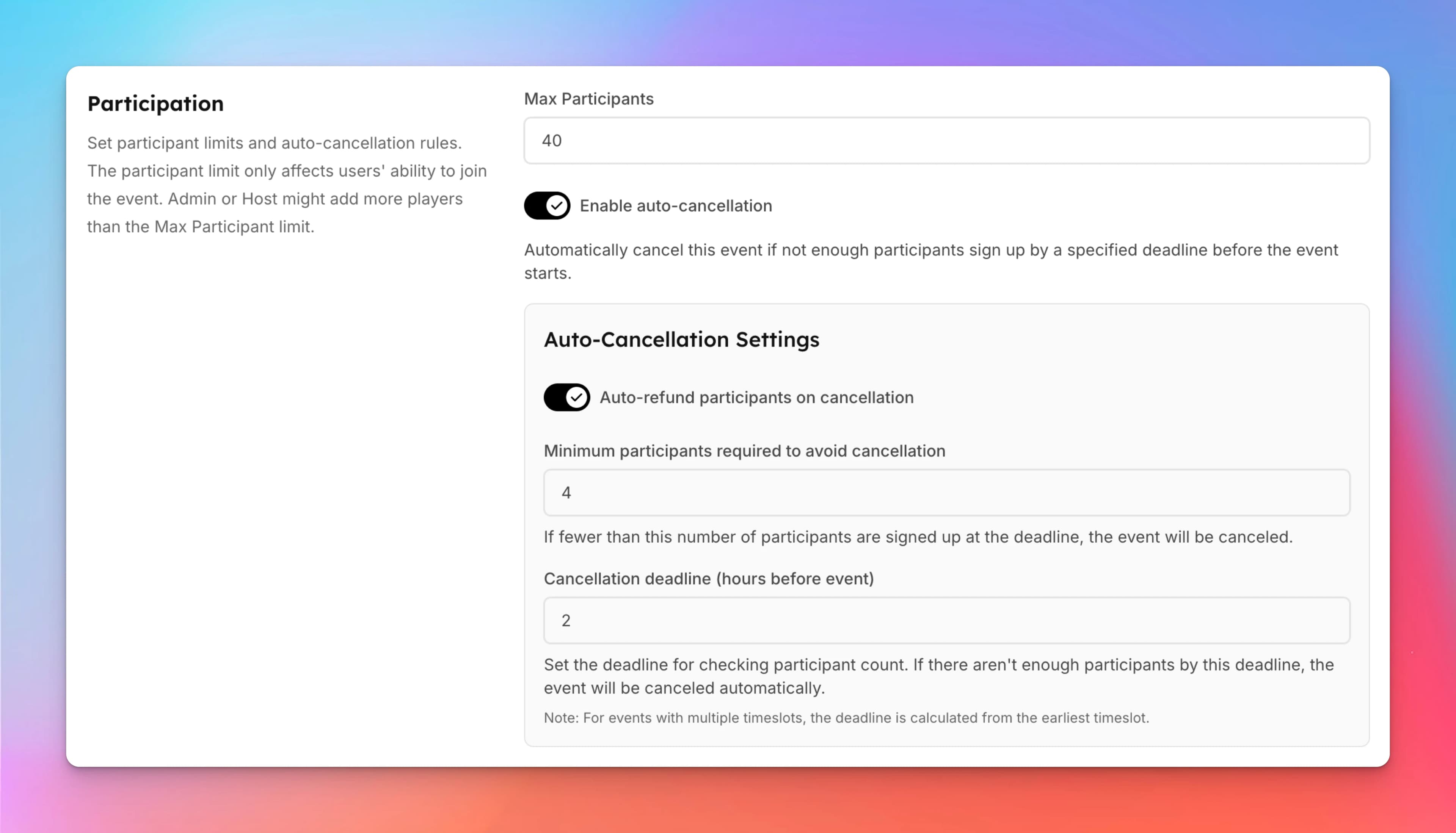
- In the Participation block toggle on Enable Auto-Cancellation.
- Set the minimum number of participants required for the event.
- Example: 4 participants minimum.
- Set the Cancellation Check Time — Choose how many hours before the event the system should check registrations.
- Example: Check 2 hours before start time.
- Example: Check 2 hours before start time.
- Save the Event
- Once created, the event will display a warning for both admins and users that it may be canceled if minimum participation is not met.
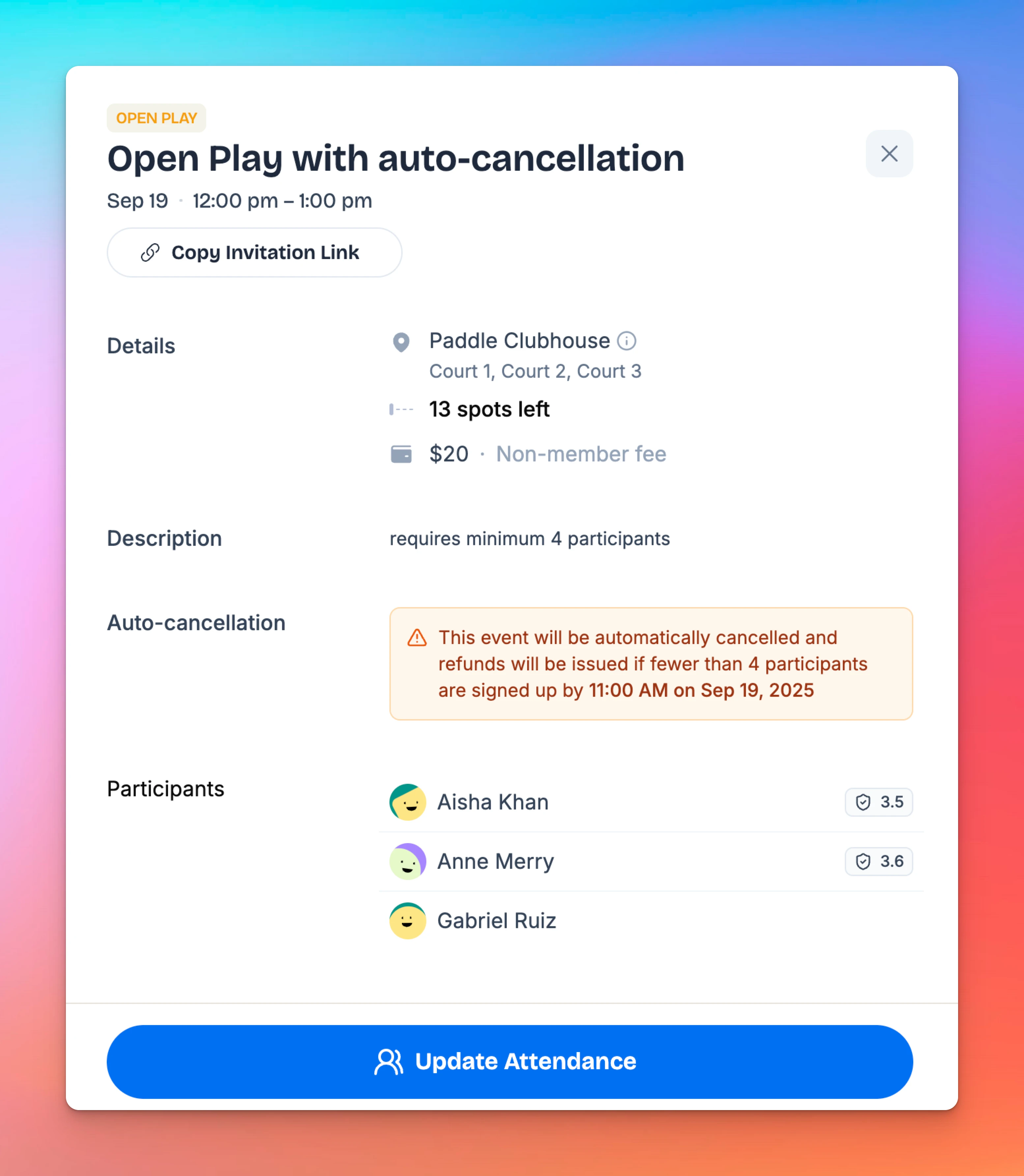
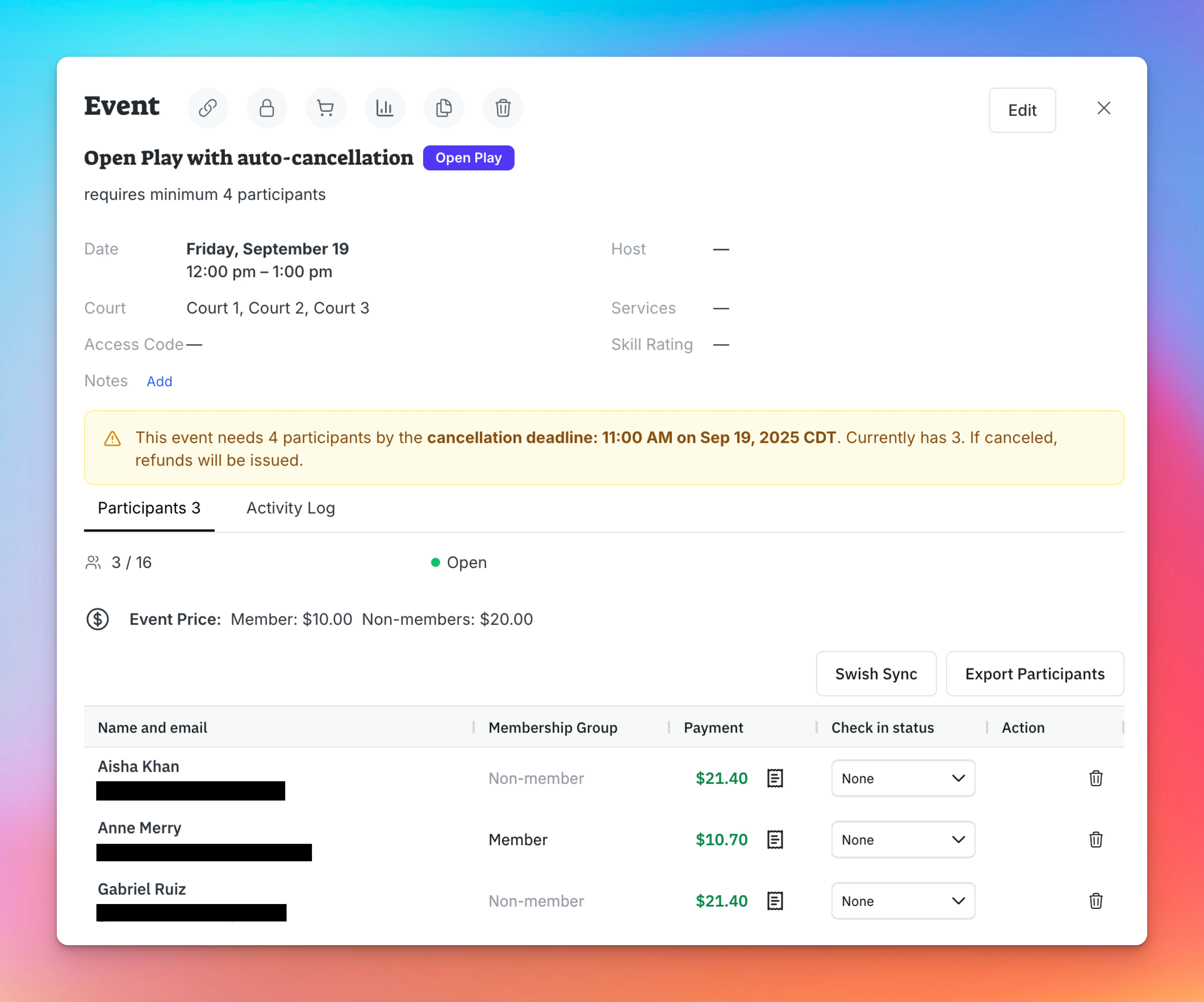
- Once created, the event will display a warning for both admins and users that it may be canceled if minimum participation is not met.
What Happens if the Event is Canceled?
- If the participant requirement is not met by the cancellation check time:
- The event will be automatically canceled.
- Participants who already registered and paid will receive a refund.
- Any door code issued for the event stops working.
- Users will no longer see the event in the schedule.
- Admins will see it on Events & Programs page
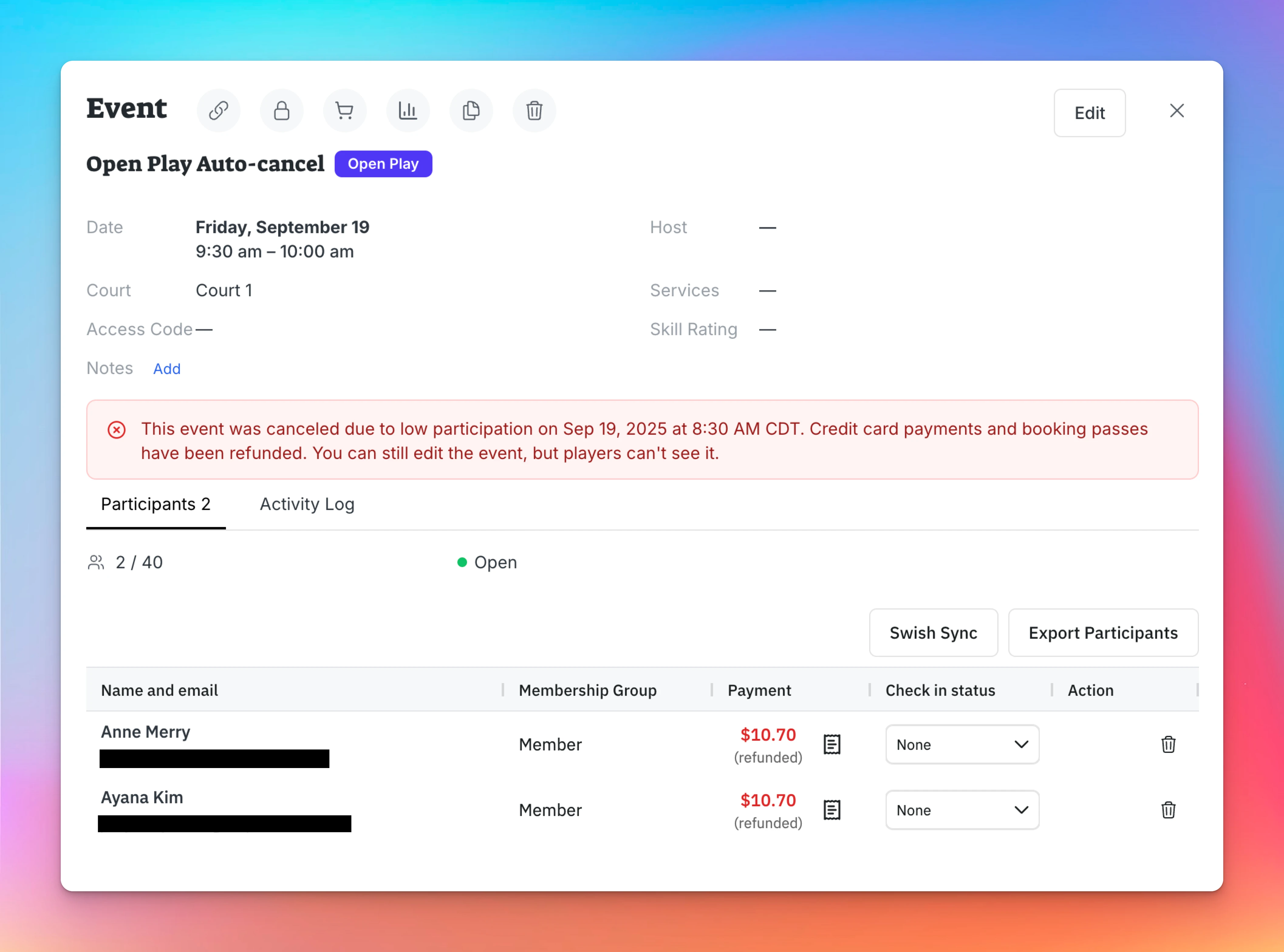
Example
- You create an Open Play requiring at least 4 players.
- Auto-cancellation is set to 2 hours before start time.
- By the check time, only 3 players have registered.
- The system automatically cancels the event and issues refunds to those 3 players.
Key Notes
- Admins see a warning on the event page that auto-cancellation is enabled.
- Players also see a warning before registering, so they know the event might be canceled if it doesn’t meet the minimum sign-ups.
- Everything else in event creation (pricing, courts, time slots) works as usual.
Set up a waitlist for an event
Let customers join a waitlist when an event is full, and choose who gets a spot when one opens: everyone at once, or the people in line first, with a head start.
Event Reminders
The Event Reminders feature helps clubs reduce no-shows by automatically sending reminders to participants before an event starts. You can configure reminders by event type (for example, leagues, tournaments, clinics) or customize them for individual events. This is especially useful for events people sign up for well in advance—such as leagues or tournaments—where reminders help ensure players don’t forget to attend.