

Creating Events with Divisions
The Event Divisions feature lets you organize participants into groups within the same event—such as men’s and women’s brackets for a tournament, or different skill level brackets. This is especially useful when you want balanced participation or specific limits for each group.
How to Create an Event with Divisions
- Start a New Event as usual
- Go to Events & Programs and click Create Event.
- Enter your event name and choose the event type.
- Set capacity (total number of participants) and pricing as usual
- Enable Divisions
-
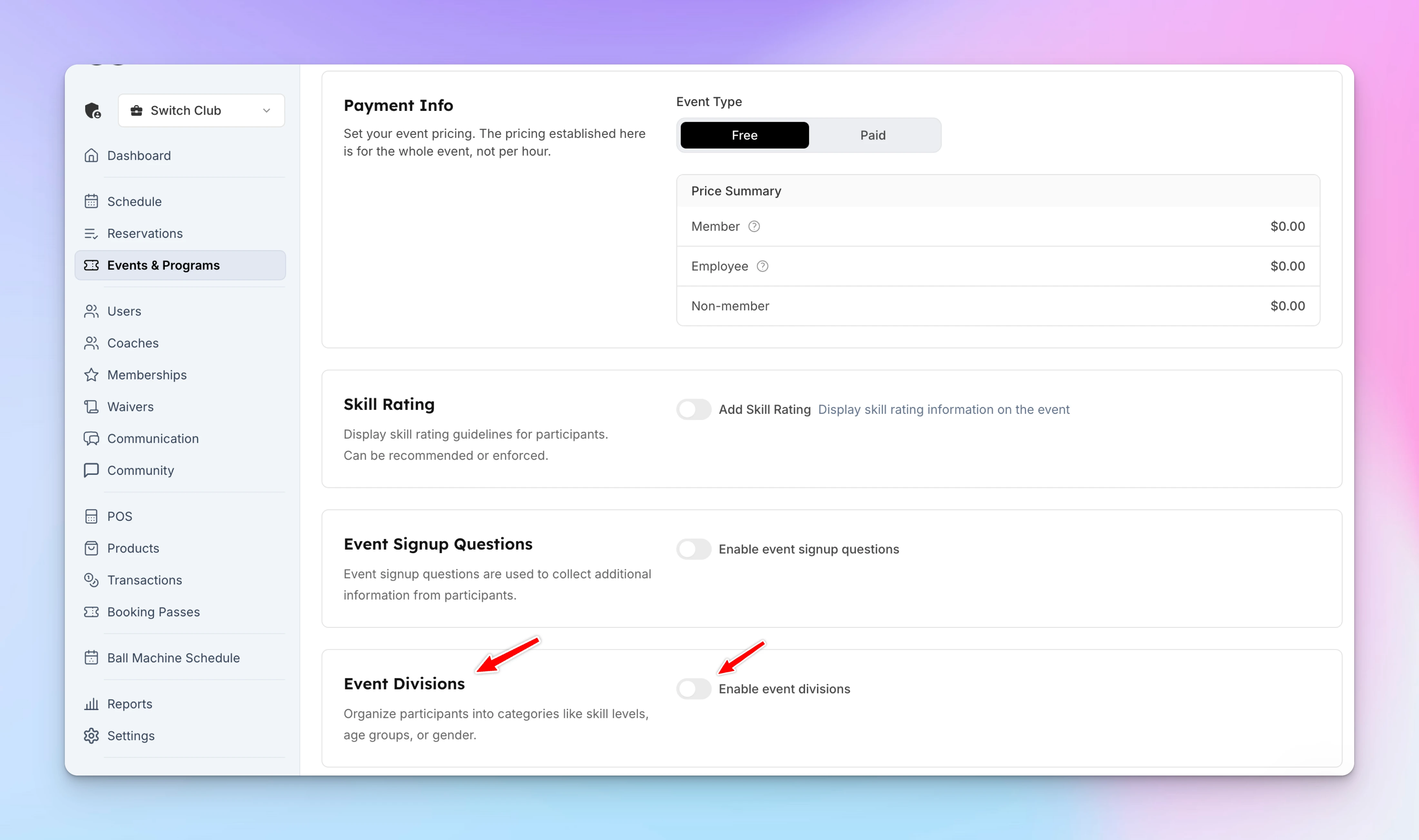
Under the Pricing block, you’ll see a section for Event Divisions.
-
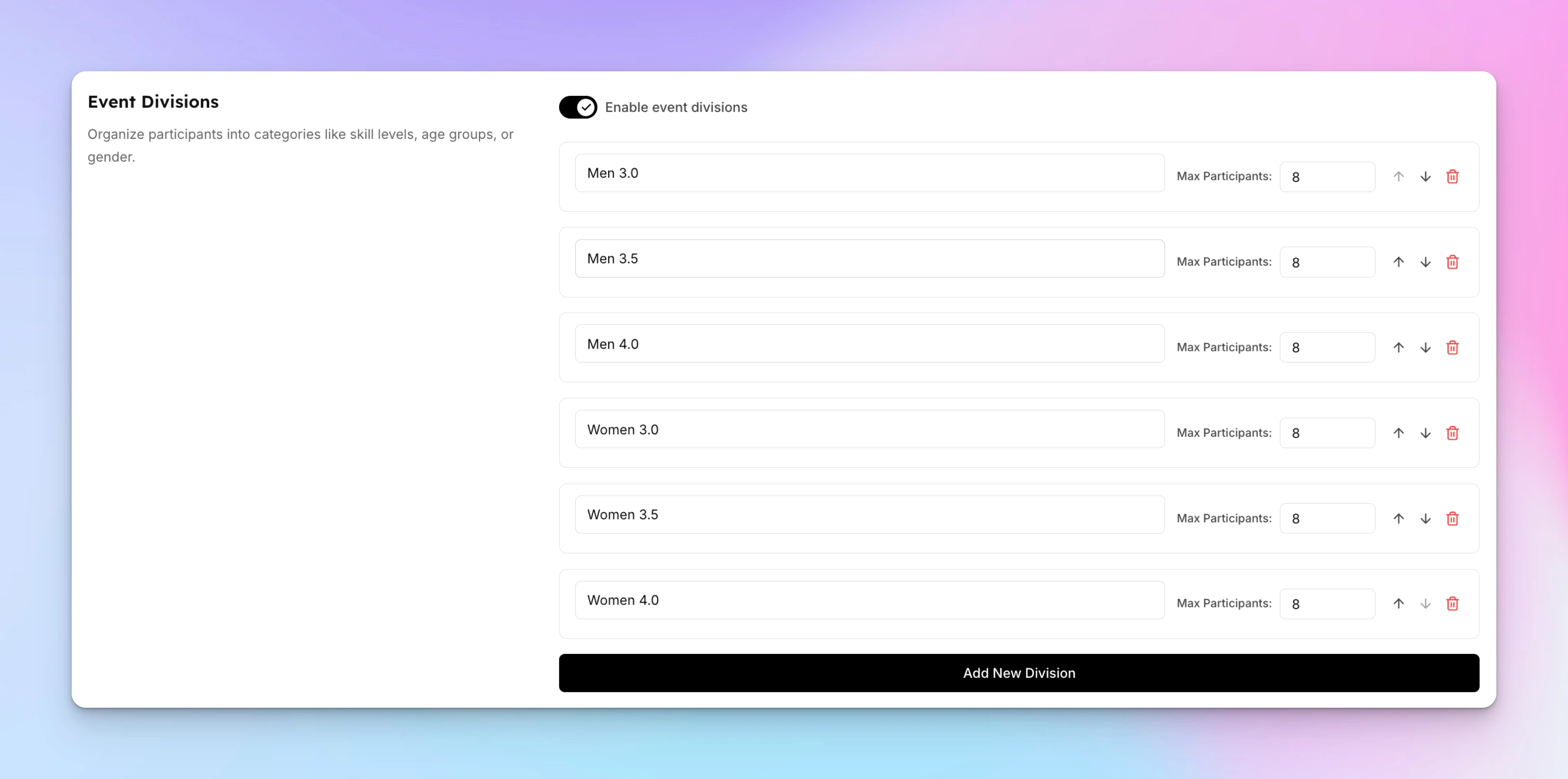
Toggle Event Divisions on and click Add New Division.
-
Create each division and set participant limits for each.
-
- Add Time Slots
- Choose the date and time for your event, then click Create Event.
Managing Participants as an Admin
-
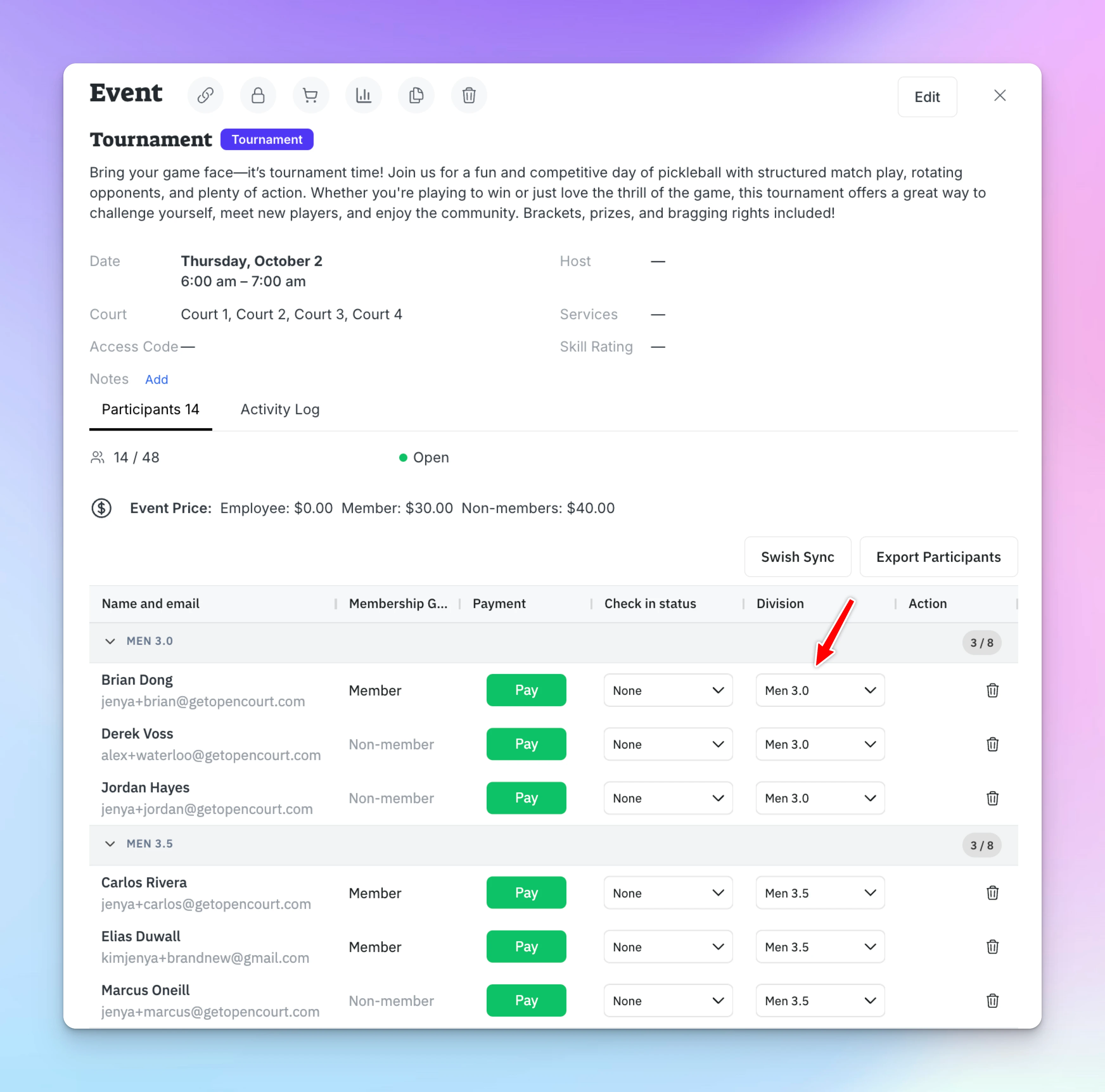
When adding participants, you’ll now see a Division column with a dropdown menu.
-
Select which division each participant belongs to.
User Experience
-
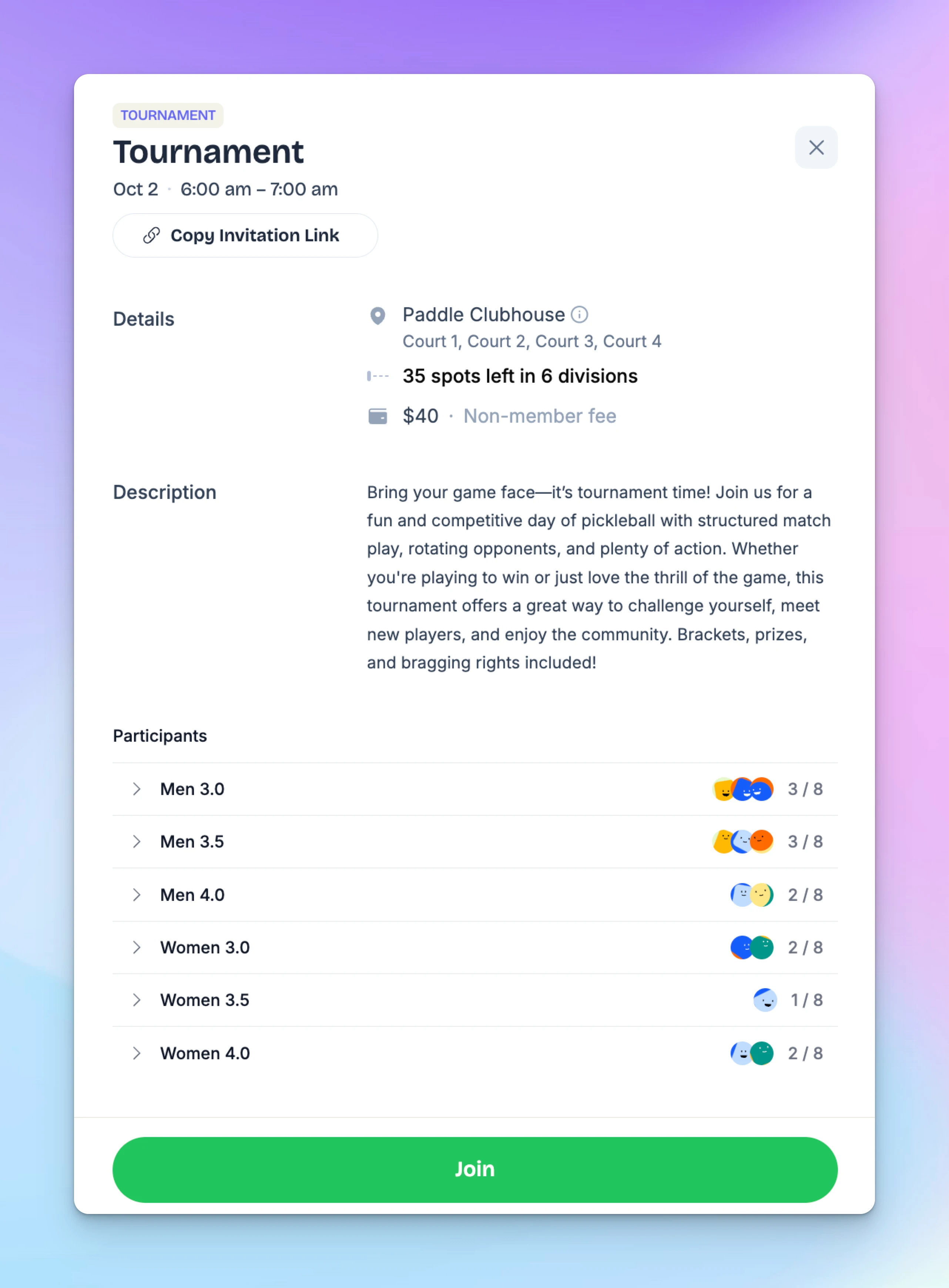
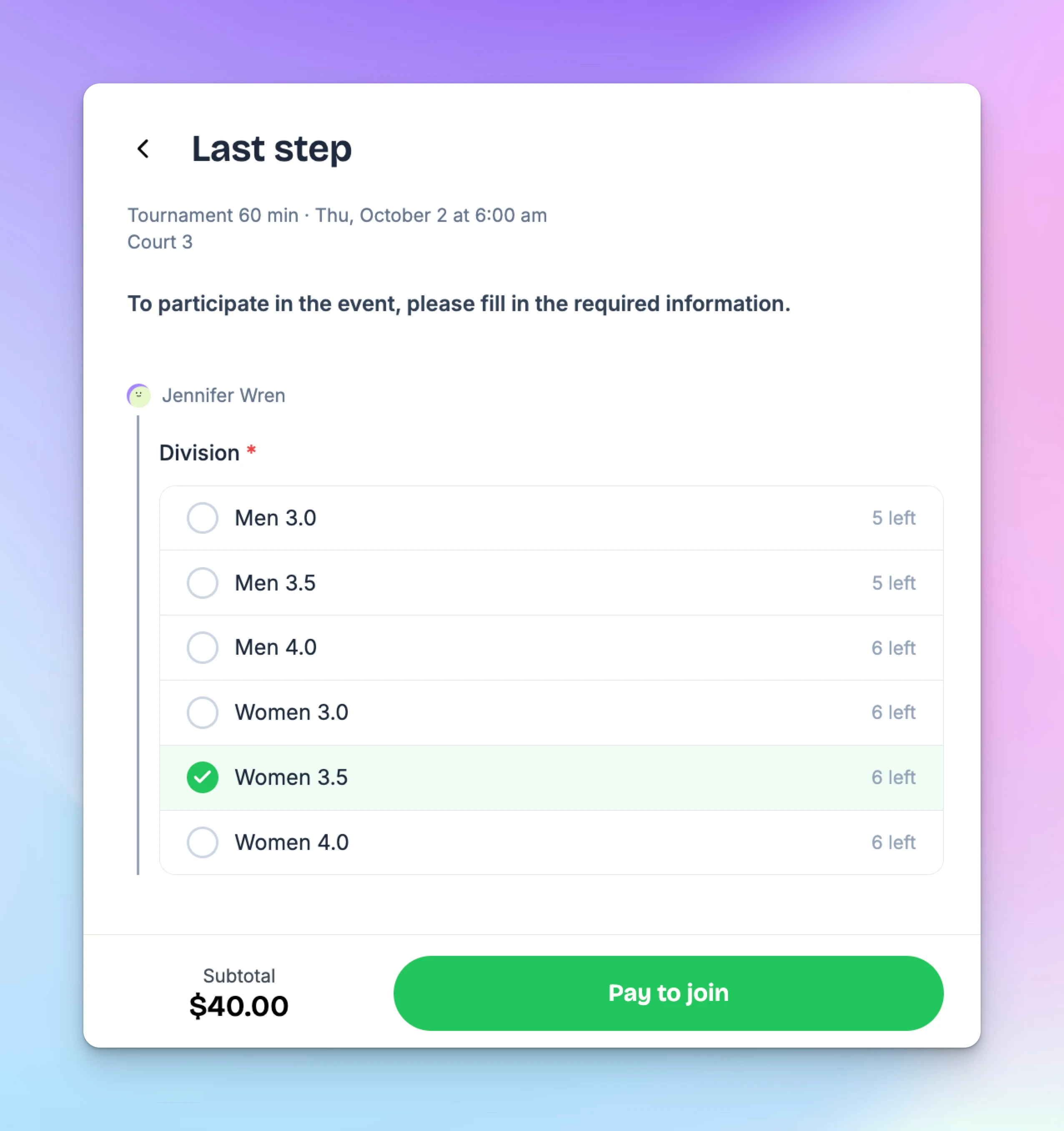
When signing up, participants will see the number of spots left in each division.
-
During registration, they must select a division before completing payment.
-
Each participant will be listed under their chosen division once registered.
✅ That’s it! Your event is now organized with clear divisions, making it easier for players to join the right group and for admins to manage balanced events.
Run a monthly academy or youth program
Sell an academy, junior program or recurring clinic as a monthly subscription that covers every session, keep a single-session drop-in price for everyone else, and give each child their own subscription.
Event Tags
Event tags let you organize and categorize your events with custom labels like "Beginner", "Advanced", "Ladies Night", "Youth", or anything that fits your club. Tags show up as colored badges on events in the admin panel, and — more importantly — they can replace the default event type tabs on the user-facing Join page with your own custom filters. Tags also integrate with booking passes, so you can create passes that only work for events with certain tags (e.g., a "Beginner Clinic Pass" that only applies to events tagged "Beginner").