

Schedule Configuration Customizations
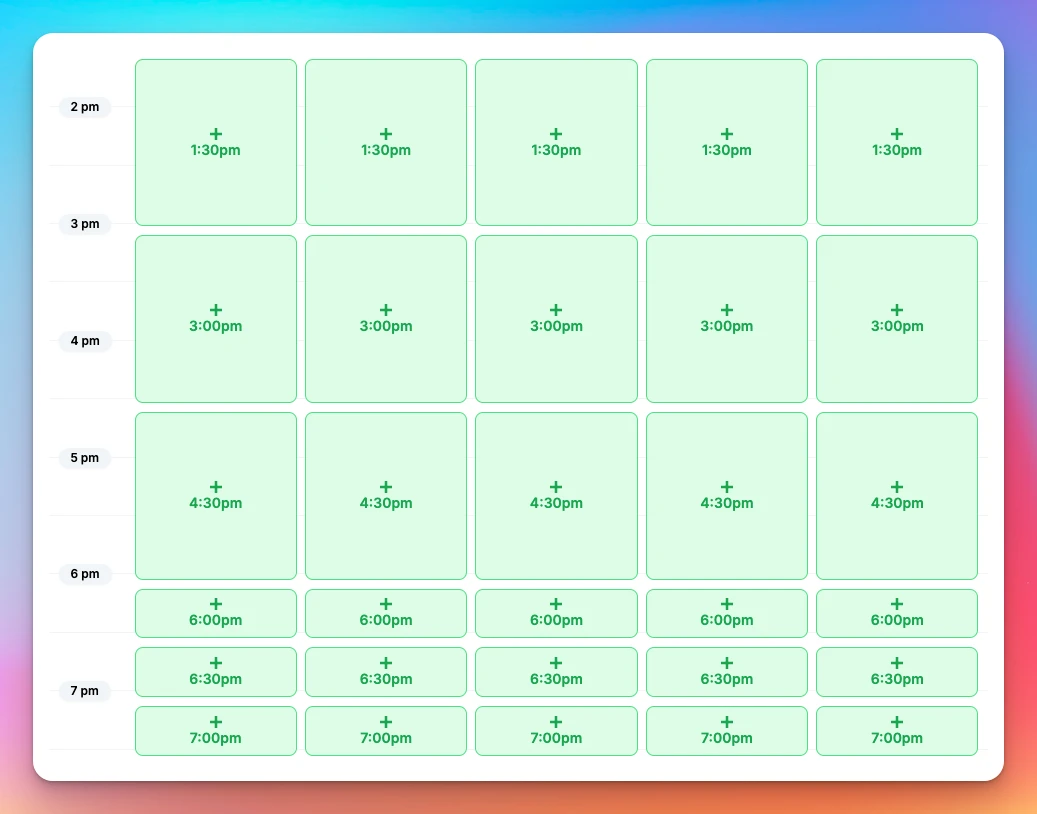
We allow configuring your court sheet schedule in a variety of different ways, including setting up varying schedule time segment durations for the whole day or in different portions of the day.
What you can control
- Daily hours: Set a Start Time and End Time per day of the week.
- Audience targeting: Apply any specific schedule configuration to a specific membership group.
- Booking availability: per membership group, court booking can be enabled for the entire day from the Start Time to the End Time, or can cover only portions of it (for example, for a membership that only allows booking before 5pm).
- Time segments (time slot length):
- Default: 30 minutes.
- Custom: often 60 minutes or 90 minutes, but could be anything
- Mixed day: Combine segments (e.g., 90-minute blocks in the morning, 30-minute blocks later).
How to request schedule configuration change
Contact your OpenCourt representative to request changes, or email us at club-support@getopencourt.com. Make sure to provide information on how you would like the schedule to be customized.
See who changed a booking or event
Find out who created, moved, edited or cancelled a booking, event or program, when they did it, from where, and why. Includes the Activity tab, the club Activity Log and Program History.
Set your space word, sales tax and card rule for free bookings
Choose what customers call your spaces, set your sales tax rates, and ask for a card when a booking is free — all in Settings → General.