

Creating a Guest Pass
Give your members a set number of free guest visits per month. When a member adds a guest to a reservation or event, the guest's fee is automatically waived — one pass is consumed per guest visit.
Example: Gold members get 3 free guest passes per month.
Step 1: Create the booking pass
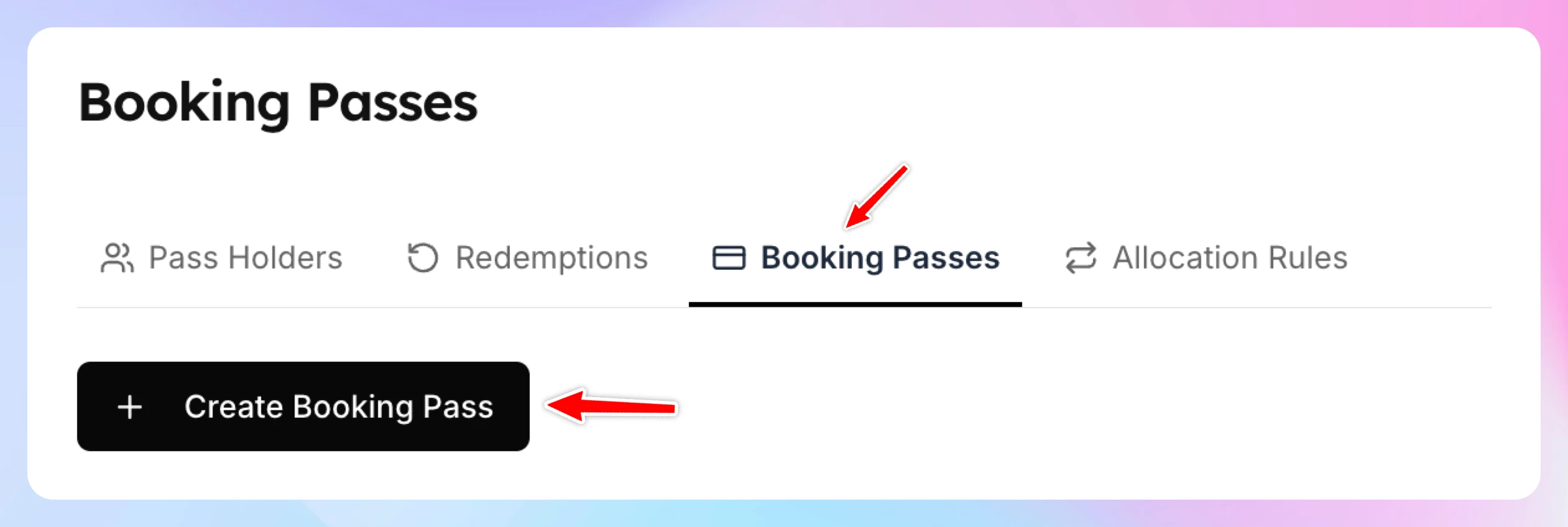
- Go to Booking Passes and open the Booking Passes tab.
- Click Create Booking Pass (Create Your First Booking Pass if your club has no passes yet).
- Enter a Name. Display Name (Optional) and Description are optional.
- Under Pass Applies To, choose Event.
- Under Redemption Mode, choose Whole Event/Reservation.
- Under User Type, choose Guest Only.
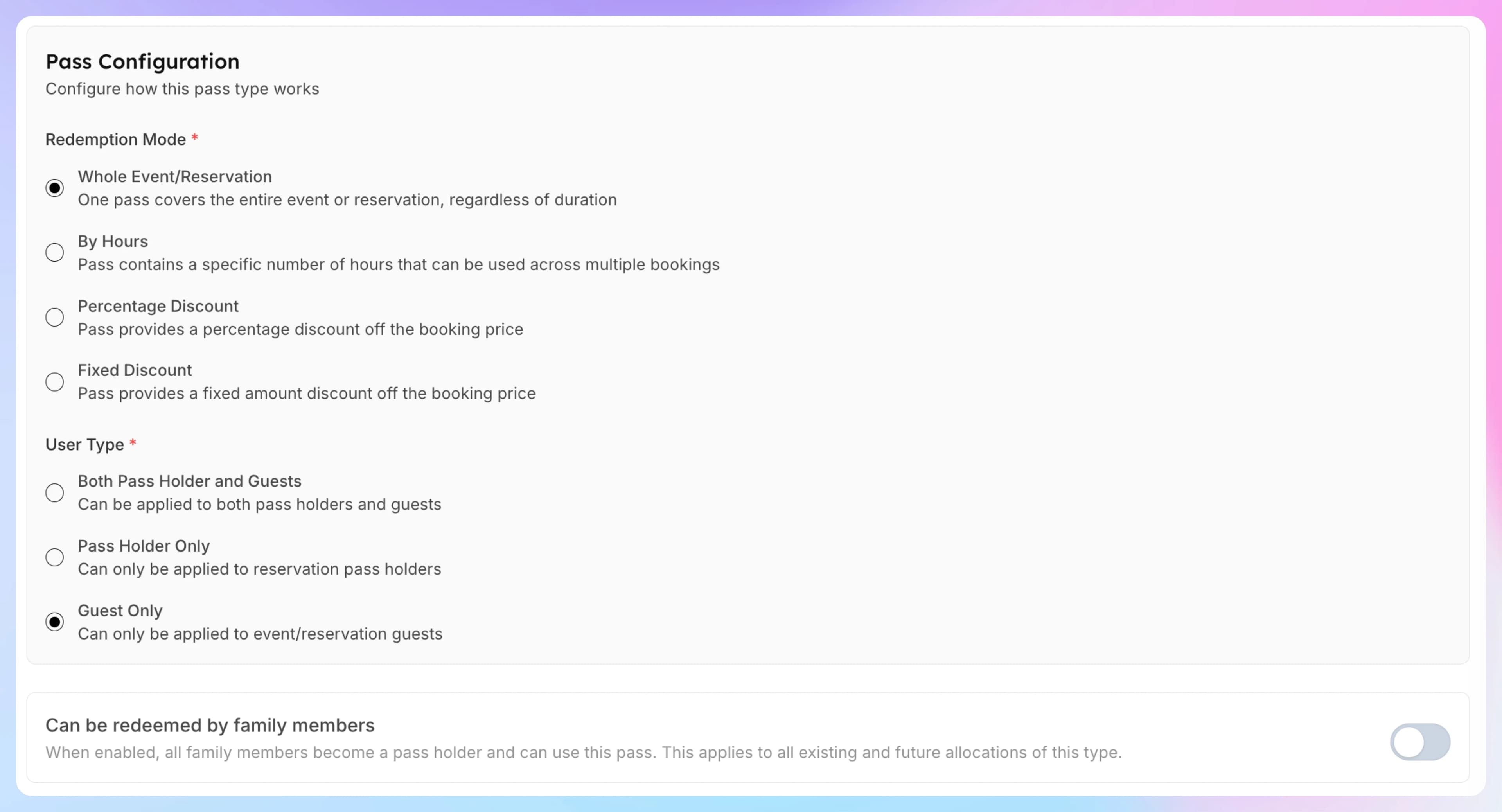
- Leave Can be redeemed by family members off — guest passes cover guests, not family members.
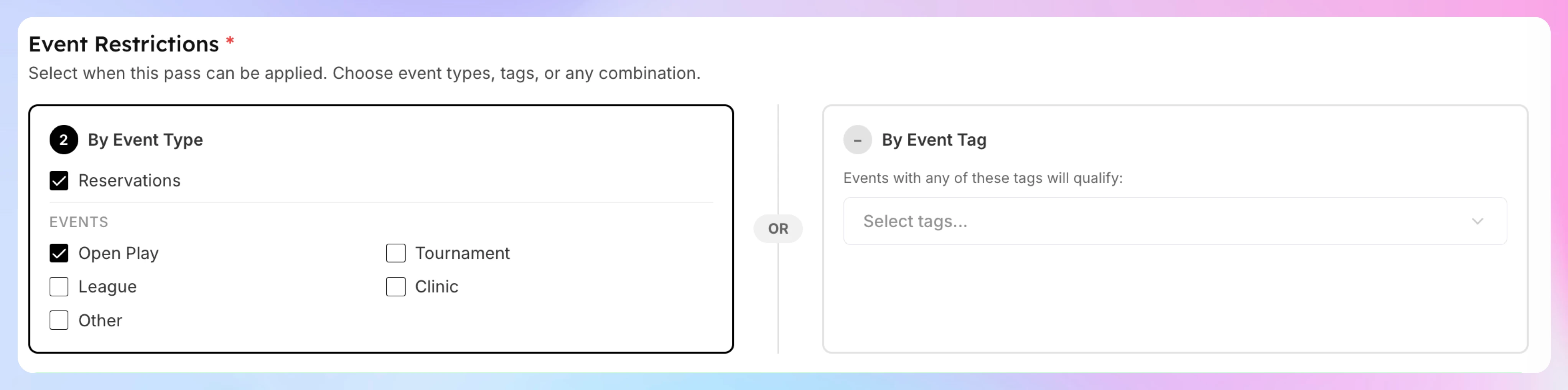
- Under Event Restrictions, select which event types guests can attend — for example, check Reservations and Open Play.
Click Create Booking Pass.
Step 2: Add the pass to the membership
Add the pass to the membership so members get their guest passes when the membership starts and again each cycle.
- Go to Memberships → Catalog, open the membership and click Edit.
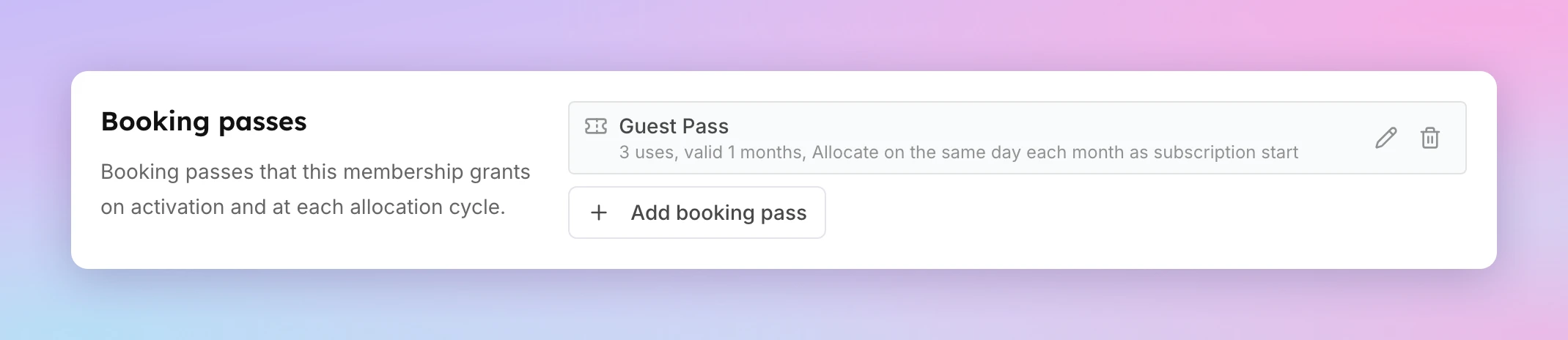
- In the Booking passes section, click Add booking pass.
- Under Booking pass, pick the pass you created in Step 1.
- Set Uses per Cycle to 3.
- Set Valid for to 1 Months. Turn on Never Expires only if unused passes should carry over. Unused passes then roll over every cycle and add up: the form shows how many a member who uses none holds after a year, and the pass gets a Rolls over badge.
- Set Allocate every to 1 Month(s) and choose an Allocation anchor: Renewal date or Calendar date.
- Optional: set a Lead Time that matches how far ahead members can book.
- Click Confirm, then Save Changes. If the membership already has members, choose New subscribers only or Apply to all subscribers, then click Confirm and Save.
For every field and option, see Give booking passes with a membership.
How It Works for Members
- A Gold member creates a reservation and adds a guest
- The system checks for available guest passes
- If the member has passes remaining, the guest's fee is waived
- One pass is consumed — remaining uses go down (e.g., 3 → 2)
- If all 3 passes are used up, the guest pays full price
- On the 1st of next month, 3 new passes are allocated automatically
Key Points
- Guest Only user type means the pass only covers guests — the member's own participation is unaffected
- Unused passes expire at the end of the month (based on the 1-month validity period)
- To let unused passes carry over, turn on Never Expires when you add the pass to the membership — those passes then add up every cycle until they are used (see Should a pass expire?)
- Guest passes work for both reservations and events — control which types via the Event Restrictions checkboxes
Grant booking passes by hand
Give one customer or a group of customers a booking pass outside their membership, choose when it expires, and see how many unused passes your customers hold.
Creating a Free Reservation Pass
Give your members a set number of free court reservations per month. Each time a member books a court, one pass is consumed and the booking fee is waived. Example: Premium members get 4 free court reservations per month.