

Redeeming Booking Passes / Guest Passes
There are 3 types of booking passes:
There are 3 types of booking passes:
- Passes for you only — they allow you a certain number of free court reservations and/or participations in Open Plays, Clinics etc. or a certain number of hours.
- Passes that you can share with your family members
- Guest Passes — they allow to bring certain number of guests for free.
Let’s see how to redeem them with one click.
Using a booking pass for yourself
-
First, you choose the time and the court as usual or sign up for an event.
-
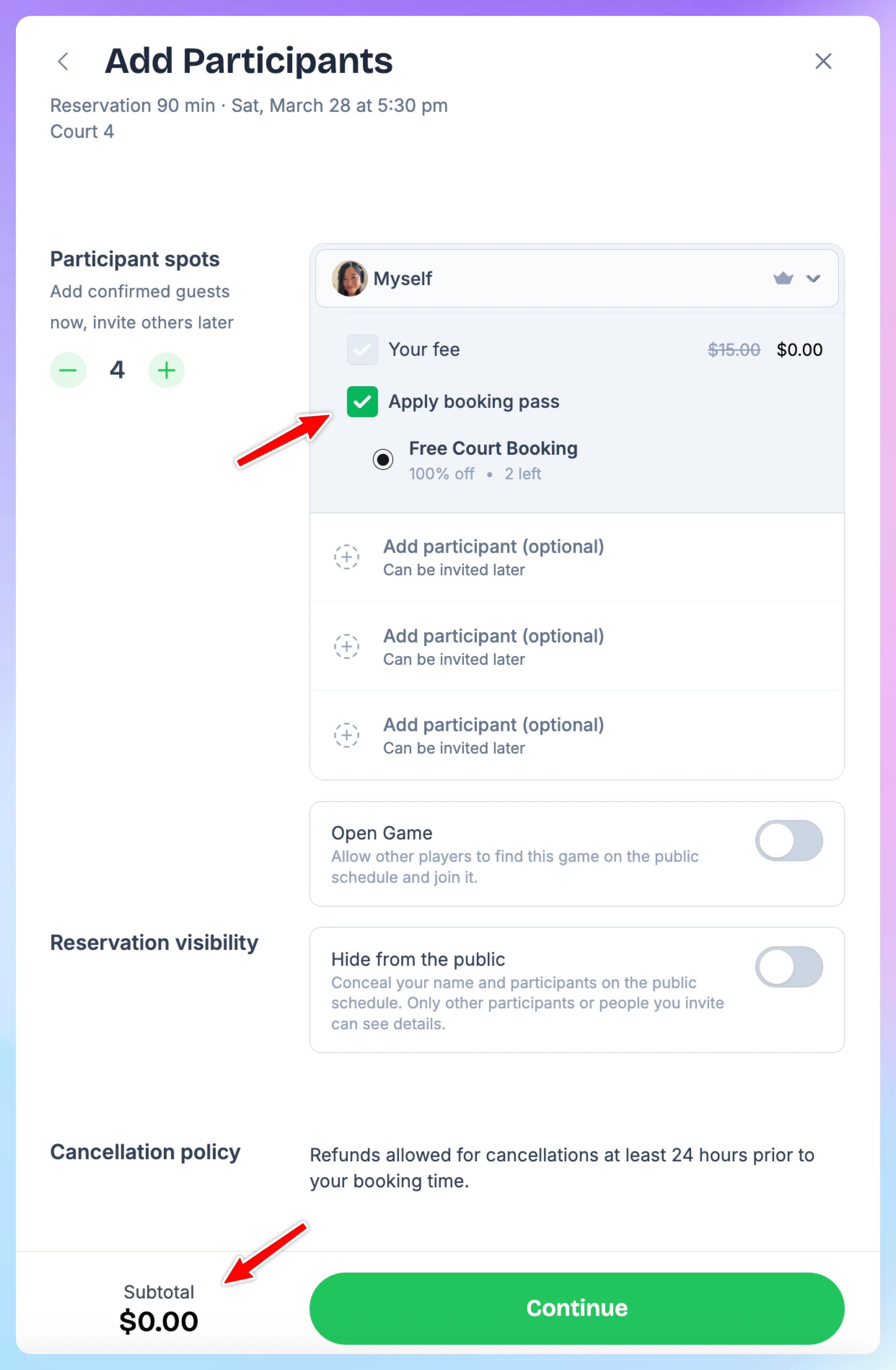
If you have any passes applicable to the reservation or this event you’ll see "Apply Booking Pass" checkbox. You can uncheck it if you prefer to not use it this time.
-
Once selected, the total will update to $0 (or reduced if partial coverage).
-
The booking pass usage count will update automatically.
Using a booking pass for you family member
- First, you choose the time and the court as usual or sign up for an event.
- If you have family members linked to your account, you’ll see a dropdown menu that lets you select either yourself or a family member when signing up for an event or making a reservation.
- Pick any family member and the booking pass will be applied automatically if it can be shared with the family
Using guest passes
-
Pick the time and the court as usual
-
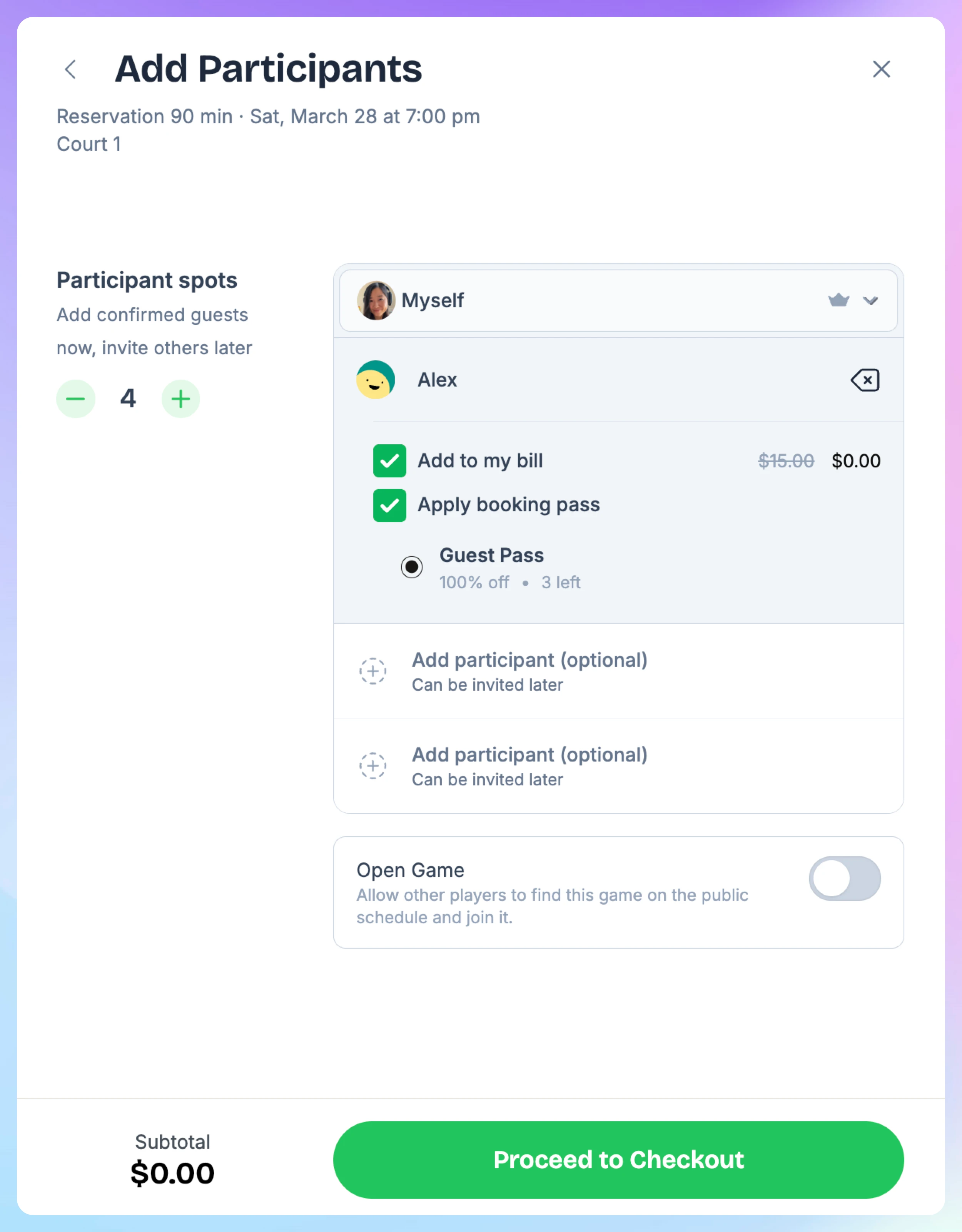
Add guests
-
If you have any guest passes, they’ll be applied automatically. You can always uncheck those boxes if you don’t want to use your guest pass this time
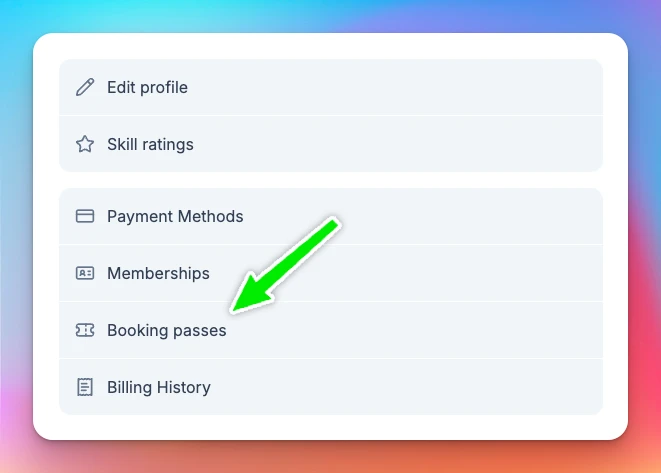
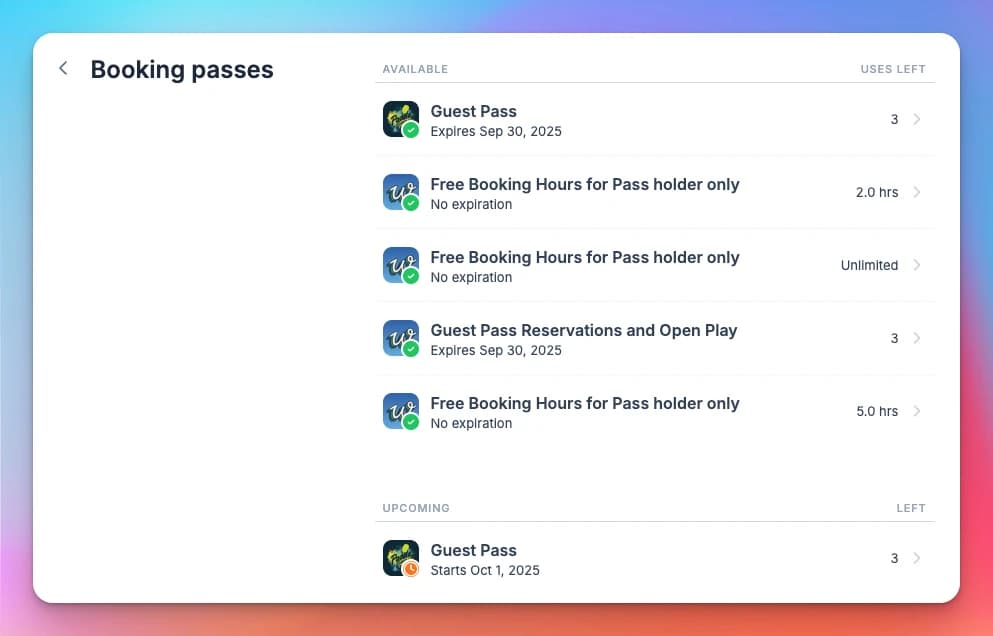
See how many booking passes left
You can always see how many booking passes you have left, and the redemption history in your profile.
That’s it!
Booking passes make it easy for you and your guests to enjoy free or discounted play with just one click. You’ll always see how many passes you have left, and everything updates automatically at checkout.
If you ever have questions about your booking passes or run into issues, feel free to contact your club or reach out to OpenCourt Support support@getopencourt.com
What Are Booking Passes?
Booking passes are benefits that members receive as part of their membership — things like "4 open play sessions per month", "10 hours of court time", "20% off clinics", or "unlimited drop-in access". Instead of manually tracking what each member is entitled to, booking passes handle it automatically. Each pass has a specific value (number of uses, minutes, or a discount), validity dates, and rules about what it can be used for. When a member books an event or reserves a court, the system checks their available passes and applies the right one.
Creating Booking Passes
This guide walks you through creating a booking pass template step by step. Once a template is created, you can grant it to customers by hand or add it to a membership so members get it automatically.