

When a membership or subscription payment fails
What happens when a renewal payment fails: the Past Due status, automatic retries, what the customer keeps and receives, how to collect the payment, and what happens if it is never paid.
When a membership or subscription renewal payment fails, the subscription becomes Past Due. OpenCourt tries the card again on a schedule. If a payment succeeds, the subscription becomes Active again. If no payment succeeds, it ends as Expired. This article explains each stage and what you can do.
What happens, step by step
- The renewal payment fails. The status changes to Past Due. The customer gets an email and a push notification. Your team gets an alert email if you set one up (see Get an email when a payment fails).
- OpenCourt retries the card. With the default settings, it tries again 1 day, 3 days and 6 days after the first failure. No email goes to the customer on each retry.
- A retry succeeds. The status returns to Active, and the next renewal date moves forward.
- Every retry fails. The invoice becomes Uncollectible, and OpenCourt stops trying.
- The grace period ends. If the subscription is still unpaid 7 days after the first failure, it becomes Expired. If a retry is still scheduled, OpenCourt waits for that retry first.
Some declines stop the retries at once, because the bank has said not to try again. Examples are a card reported lost or stolen, a "do not honor" decline, or suspected fraud. Ask the customer for a different card.
What the customer keeps while past due
While the status is Past Due, the customer keeps everything:
- their rule set (member prices and booking rules)
- their booking passes, including new passes that are due during this time
- their family members' benefits on a family membership
When the subscription becomes Expired, all of this stops. The customer books at Non-Member prices, and their booking passes from the subscription are archived.
This is different from a freeze. A frozen member loses their rule set until the freeze ends. A Past Due subscription cannot be frozen.
What the customer receives
When the first payment fails, the customer gets:
- An email with the subject Payment failed for your subscription at (your club name). It shows the amount, the invoice number, the reason the bank gave, and an Update Payment Method button.
- A push notification: Payment failed at (your club name), if they use the app.
They get nothing more on later retries, and nothing when the subscription expires. If the payment matters to you, contact the customer yourself.
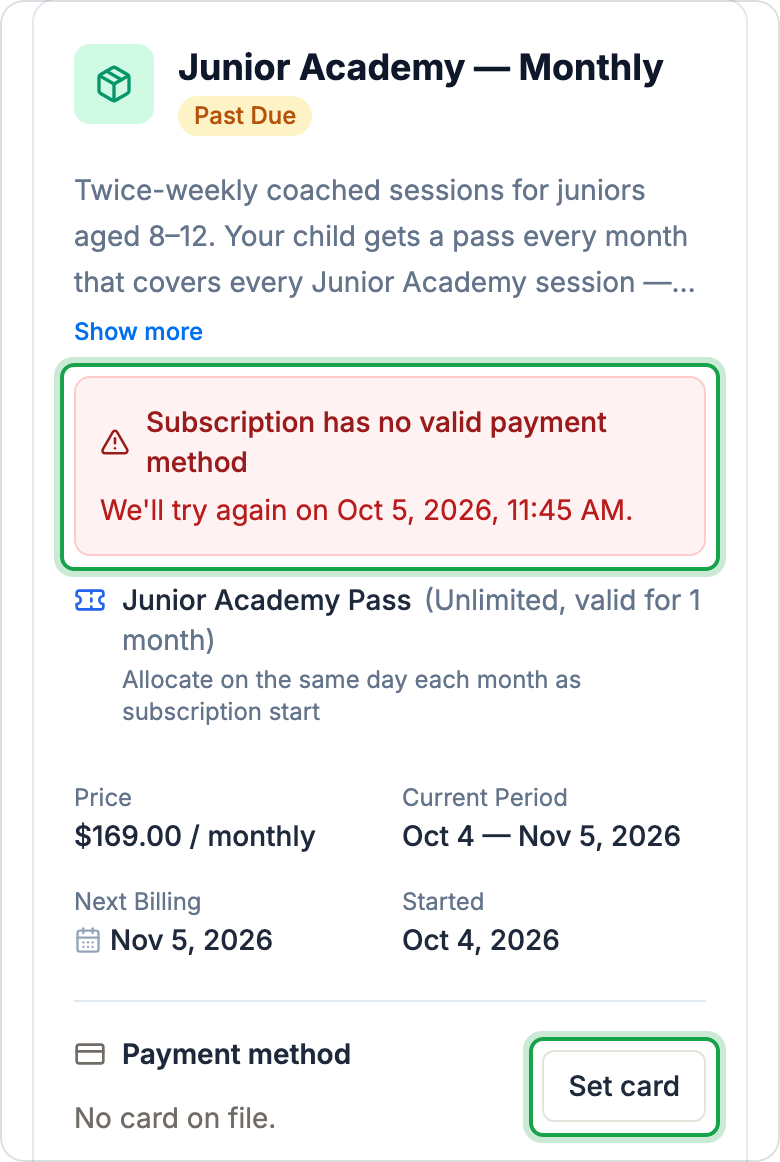
On their subscription page in the app, the customer sees a red notice with the reason, and when the next try is.
What to ask the customer
You can send customers this guide: My membership payment failed.
- Ask them to update their card. In the app, they open their profile, then Memberships (or Subscriptions), open the one that is past due, and click Change (or Set card if no card is saved) under Payment method. OpenCourt uses the new card at the next scheduled retry. It does not charge the card at once.
- If the reason is a decline, ask them to check with their bank, or to use a different card. A card the bank reported lost or stolen will not be retried.
- If they want it settled now, take the payment yourself (next section).
Find past-due customers
- Memberships → Members or Subscriptions → Subscribers: the Past Due card at the top shows how many there are. Click the Past Due filter to list them.
- The admin dashboard shows a past due count.
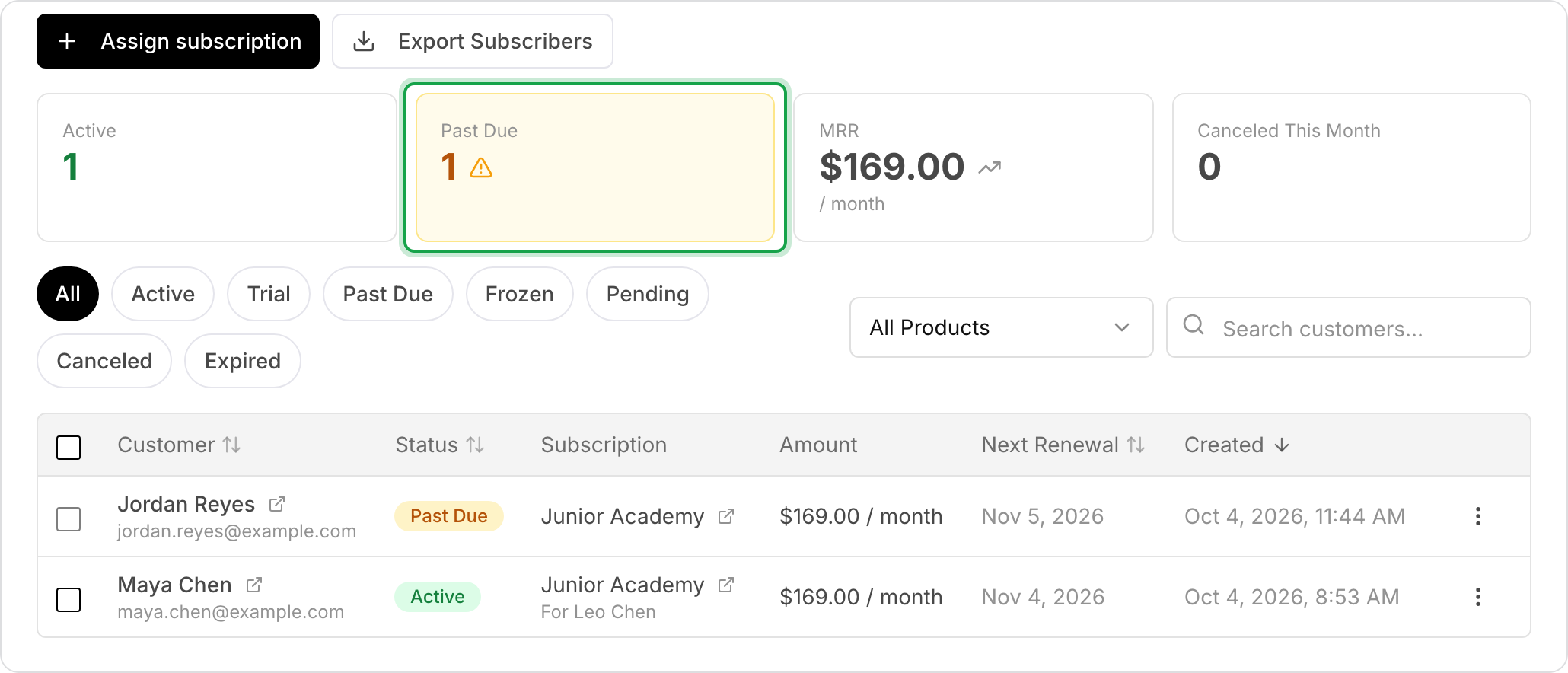
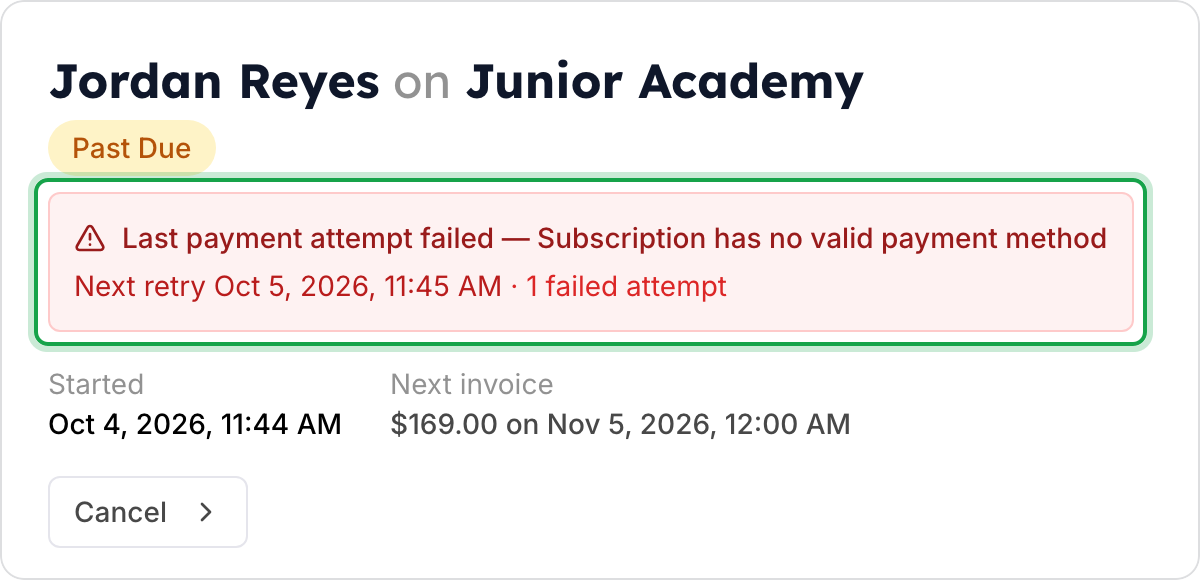
Open a subscription to see a red notice with the last error, the next retry date, and how many attempts failed. You can also add or change the customer's card there, under Payment method.
Take the payment now
You can collect a past-due payment yourself while the invoice is still open:
-
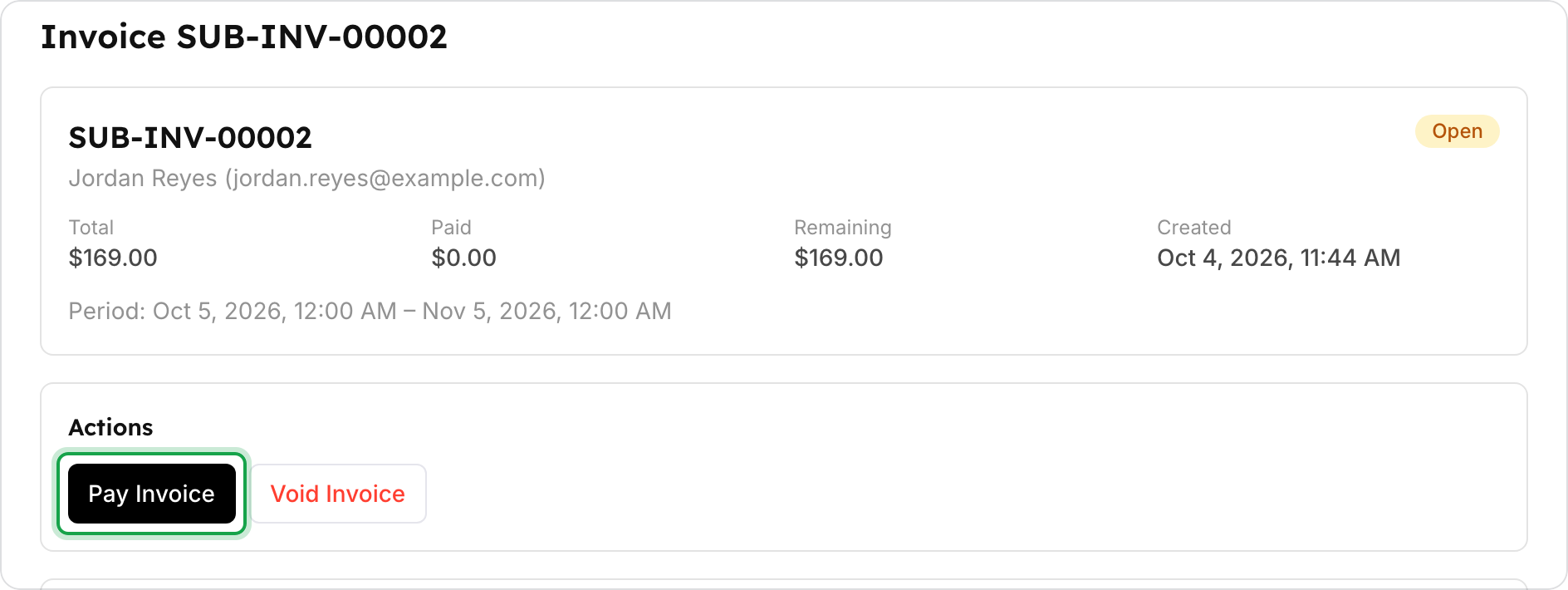
Go to Memberships → Invoices (or Subscriptions → Invoices) and open the customer's Open invoice.
-
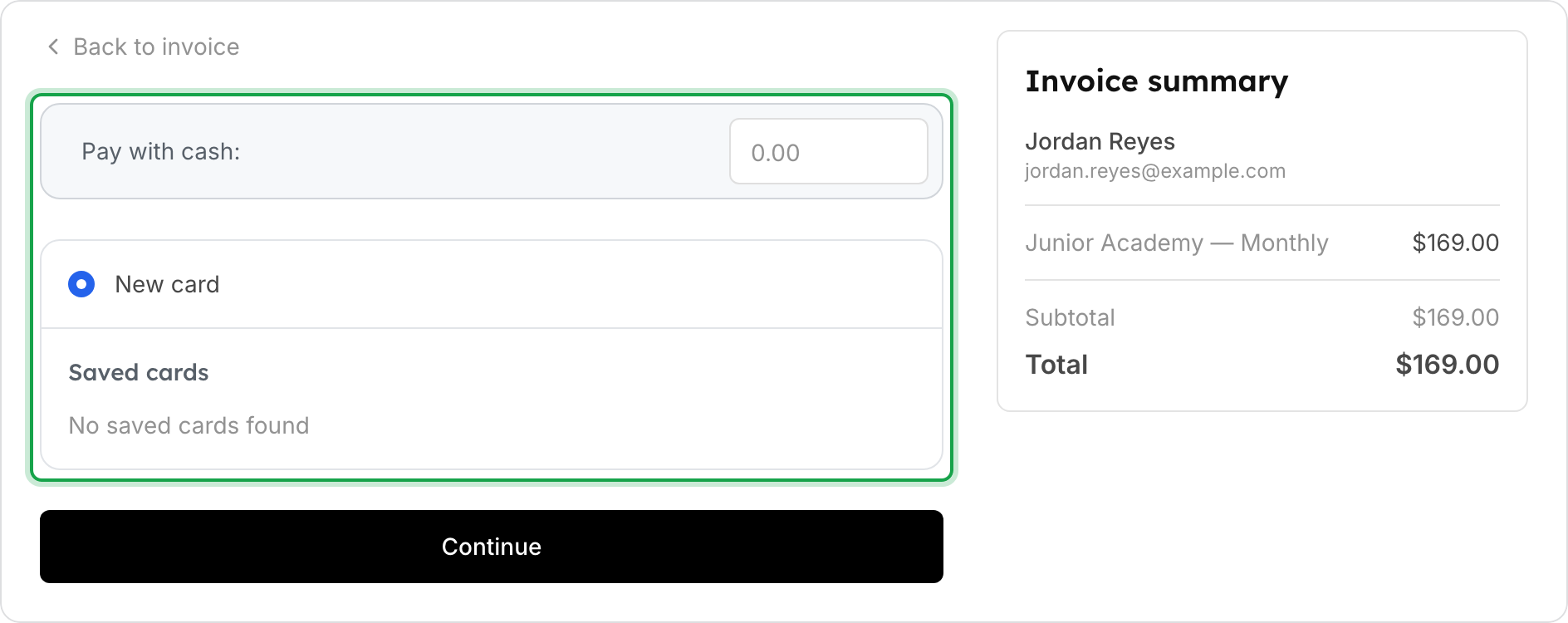
Click Pay Invoice.
-
Enter a cash amount next to Pay with cash:, choose New card, or choose a saved card.
-
Click Continue and complete the payment.
The subscription becomes Active again at once, and its next renewal date moves forward.
Change the retry schedule
- Go to Memberships → Settings (or Subscriptions → Settings).
- Under Payment Retry Configuration, set:
- Maximum Retry Attempts: the total number of tries, including the first payment. The default is 4.
- Retry Delays (hours): the hours between tries, separated by commas. The default is 24, 48, 72.
- Mark as Uncollectible: when on, the invoice becomes Uncollectible after the last try. It is on by default.
- Click Save Changes.
Memberships and subscriptions each have their own settings.
Get an email when a payment fails
- Go to Settings → Admin Team → Notifications.
- Add the email addresses that should get the Membership Past Due alert, and click Apply Changes.
No one gets this alert until you add an address.
Prevent failed payments
- Ask for a card that can renew. Interac debit cards cannot be saved for renewals. When a customer pays with one, OpenCourt shows a warning. Ask them to add a credit card before their next renewal.
- Avoid assigning without a card. When you assign a membership, Don't require a payment method lets you create it with no card. If no card is on file when the payment is due, the payment fails and the membership becomes Past Due, then Expired.
- Card authentication. Some banks ask the customer to approve a renewal (3-D Secure). The invoice then shows Awaiting Auth, and the customer sees Action Needed. OpenCourt tries again automatically after a day.
If something goes wrong
- The customer updated their card, but they are still Past Due. The new card is used at the next retry, not at once. To settle it now, use Pay Invoice.
- There is no Pay Invoice button. The invoice is no longer open, because every retry failed. Wait for the subscription to expire, then assign a new one.
- A member lost their member prices. Check their status. Past Due keeps the rule set. Frozen and Expired do not.
Related
Run a membership presale
Collect early signups for memberships before they go live — with an optional presale fee or deposit — then turn each signup into a real membership when you're ready.
How family memberships work
Let one customer share a single membership with their family — spouse, kids, and dependents — on one bill, with optional per-person rule sets and booking passes.