

Auto-Cancellation for Events
The Auto-Cancellation feature makes it easy for clubs to manage events that depend on a minimum number of participants, such as clinics and open plays. If an event doesn’t reach the required number of sign-ups by a set time, it will be automatically canceled, and refunds will be issued to participants.
How It Works
When creating an event (e.g., open play, clinic), admins can enable Auto-Cancellation:
- Create an Event as usual
- Enable Auto-Cancellation
- In the Participation block toggle on Enable Auto-Cancellation.
- Set the minimum number of participants required for the event.
- Example: 4 participants minimum.
- Set the Cancellation Check Time — Choose how many hours before the event the system should check registrations.
- Example: Check 2 hours before start time.
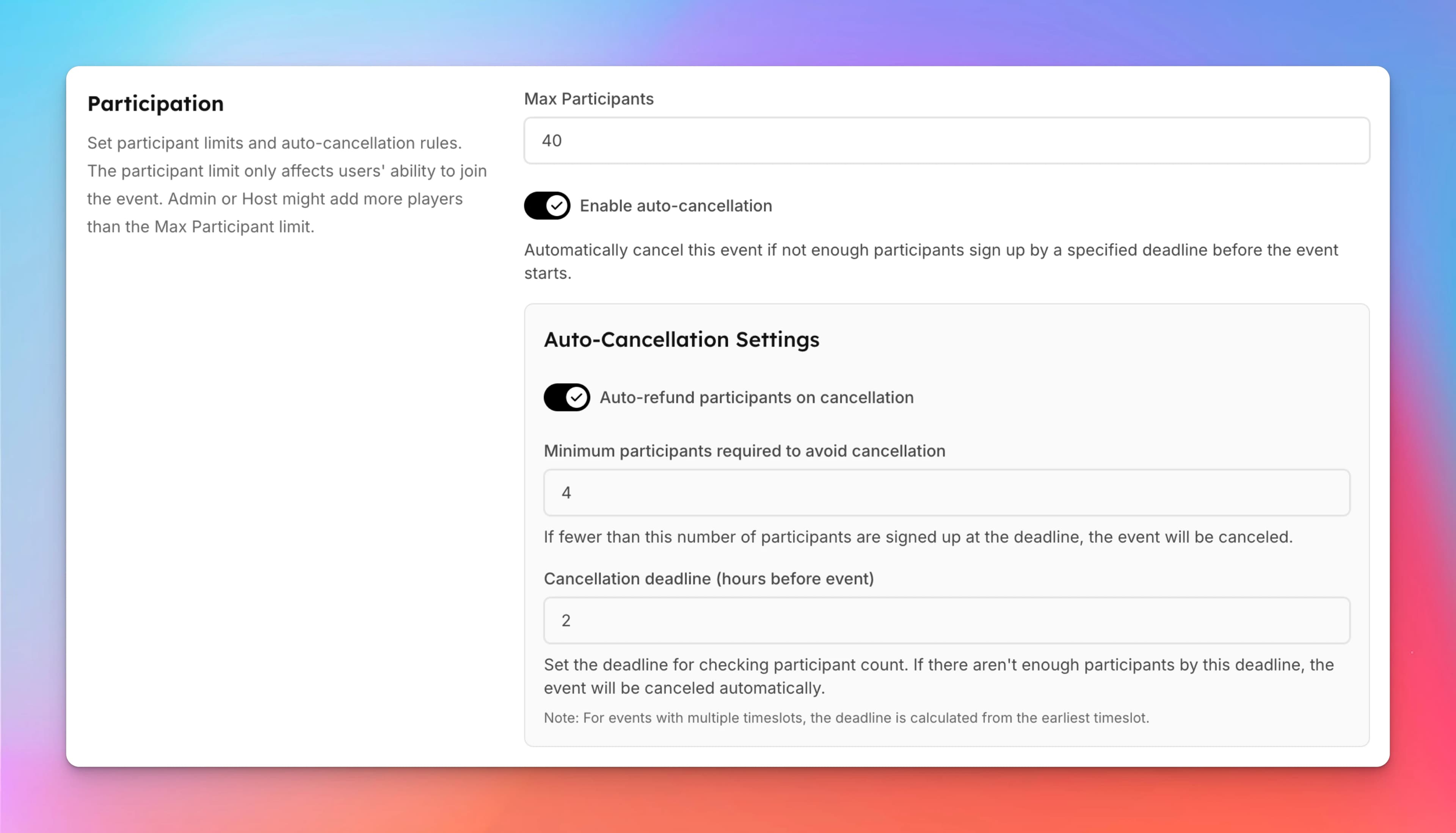
- Example: Check 2 hours before start time.
- Save the Event
- Once created, the event will display a warning for both admins and users that it may be canceled if minimum participation is not met.
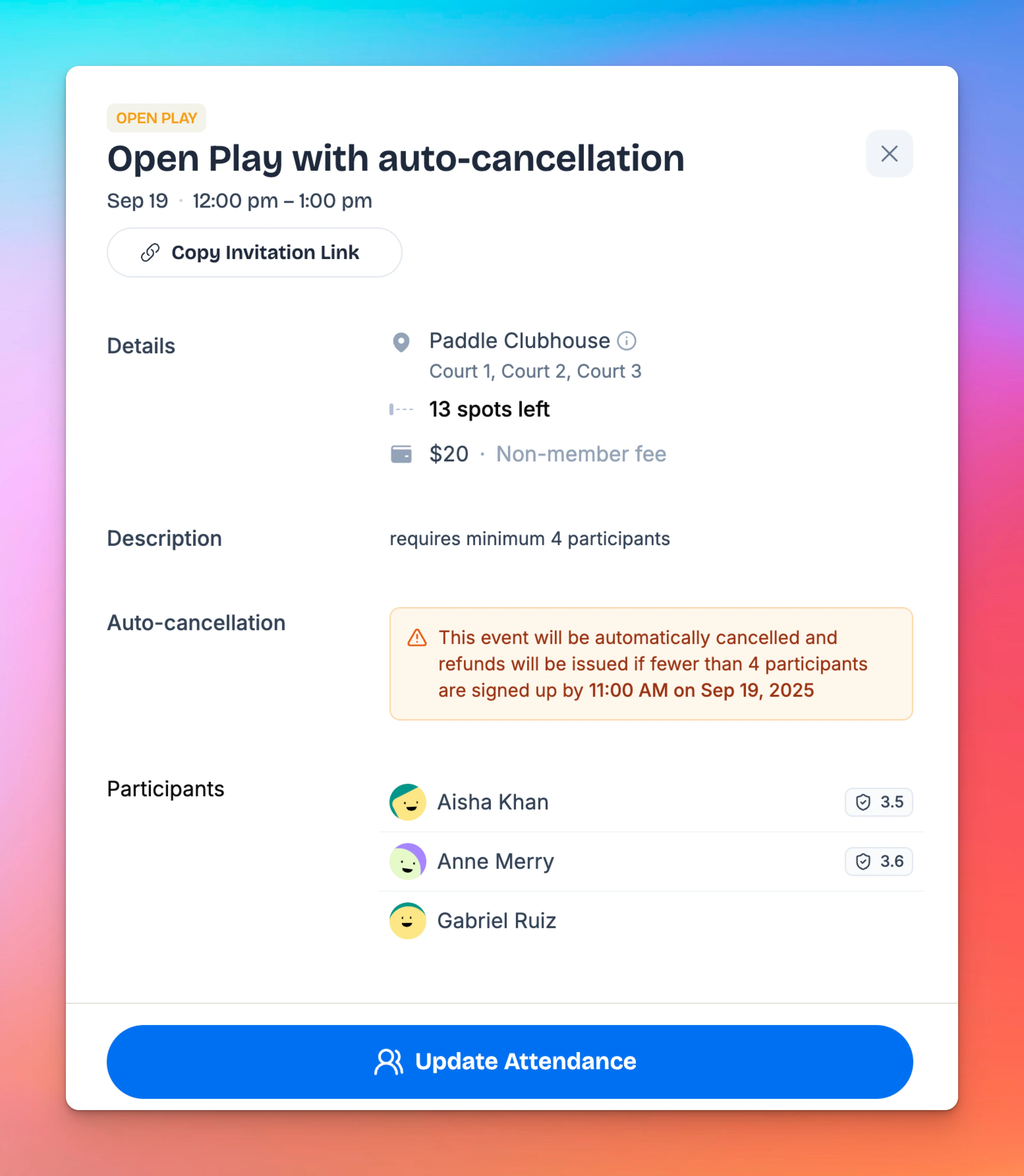
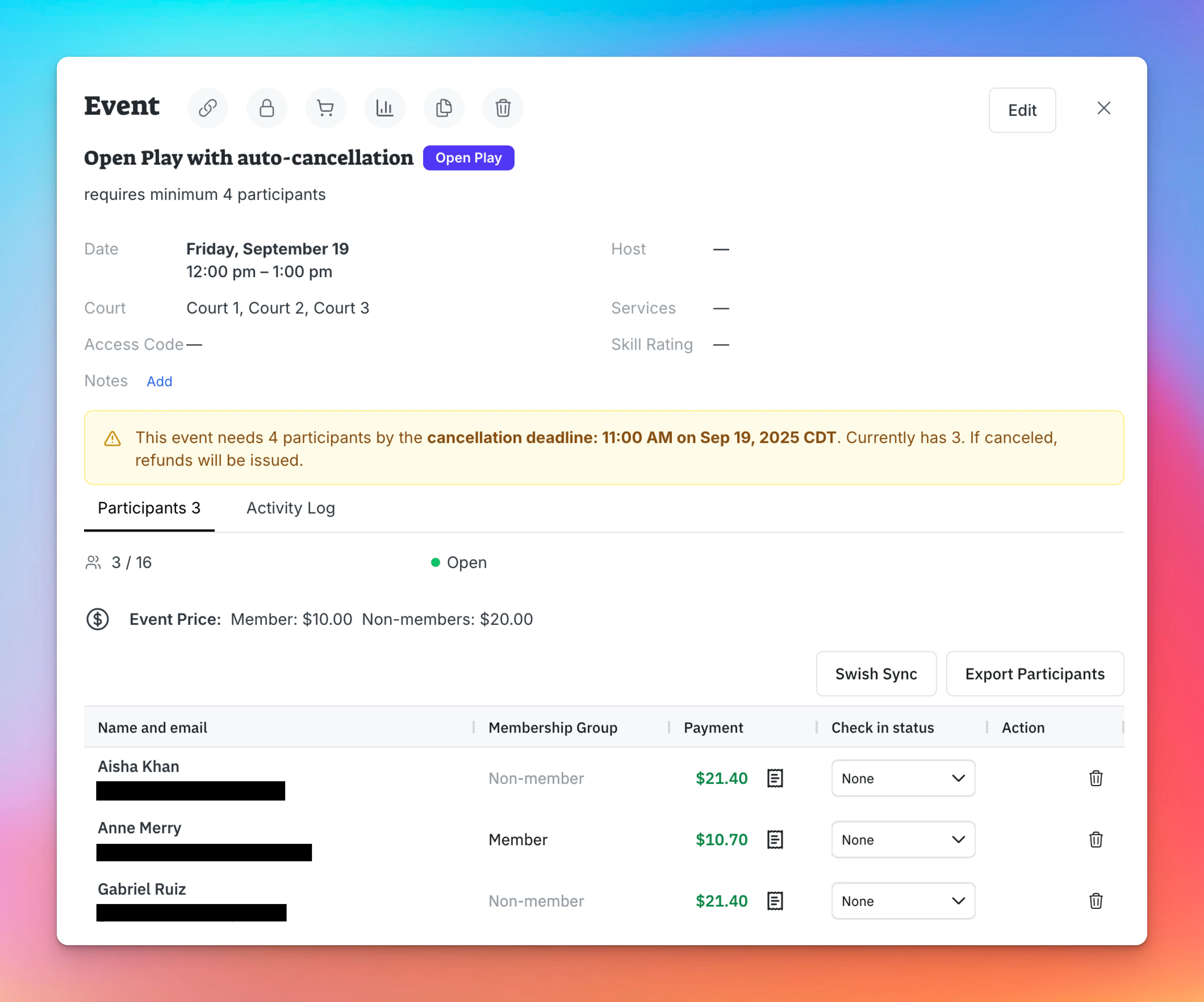
- Once created, the event will display a warning for both admins and users that it may be canceled if minimum participation is not met.
What Happens if the Event is Canceled?
- If the participant requirement is not met by the cancellation check time:
- The event will be automatically canceled.
- Participants who already registered and paid will receive a refund.
- Users will no longer see the event in the schedule.
- Admins will see it on Events & Programs page
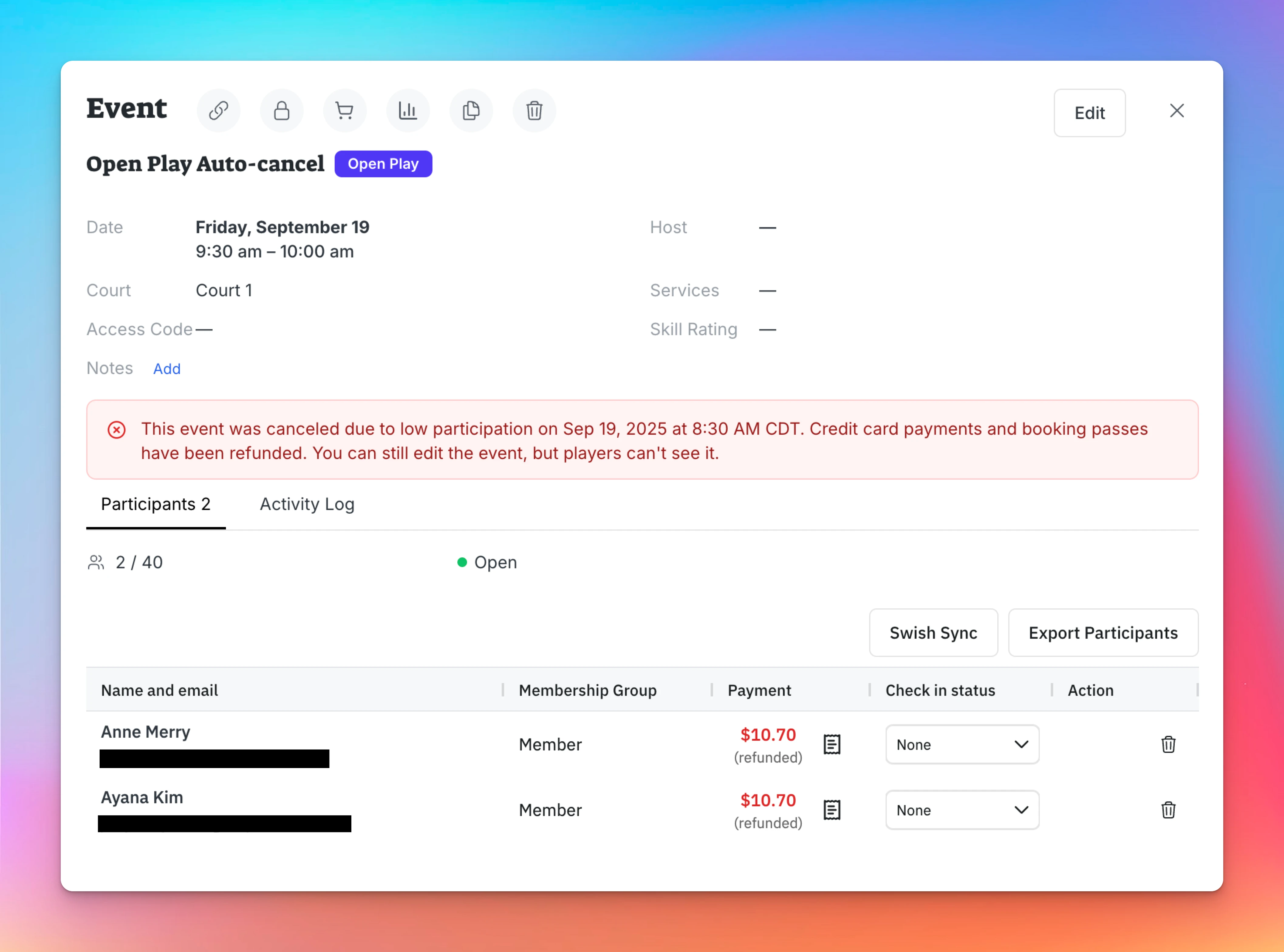
Example
- You create an Open Play requiring at least 4 players.
- Auto-cancellation is set to 2 hours before start time.
- By the check time, only 3 players have registered.
- The system automatically cancels the event and issues refunds to those 3 players.
Key Notes
- Admins see a warning on the event page that auto-cancellation is enabled.
- Players also see a warning before registering, so they know the event might be canceled if it doesn’t meet the minimum sign-ups.
- Everything else in event creation (pricing, courts, time slots) works as usual.
Creating a Multi-Date Event (e.g. League)
A league is a structured competition in which players or teams compete in multiple matches over a set period, often lasting several weeks or months. Unlike an Event Series, a league is created as one single event with multiple dates. Players register once for the entire league and make one payment that covers all dates.
Creating Events with Divisions
The Event Divisions feature lets you organize participants into groups within the same event—such as men’s and women’s brackets for a tournament, or different skill level brackets. This is especially useful when you want balanced participation or specific limits for each group.