

Event Reminders
The Event Reminders feature helps clubs reduce no-shows by automatically sending reminders to participants before an event starts. You can configure reminders by event type (for example, leagues, tournaments, clinics) or customize them for individual events. This is especially useful for events people sign up for well in advance—such as leagues or tournaments—where reminders help ensure players don’t forget to attend.
Setting Up Default Event Reminders (By Event Type)
Default reminders apply to all new events you create for a specific event type.
-
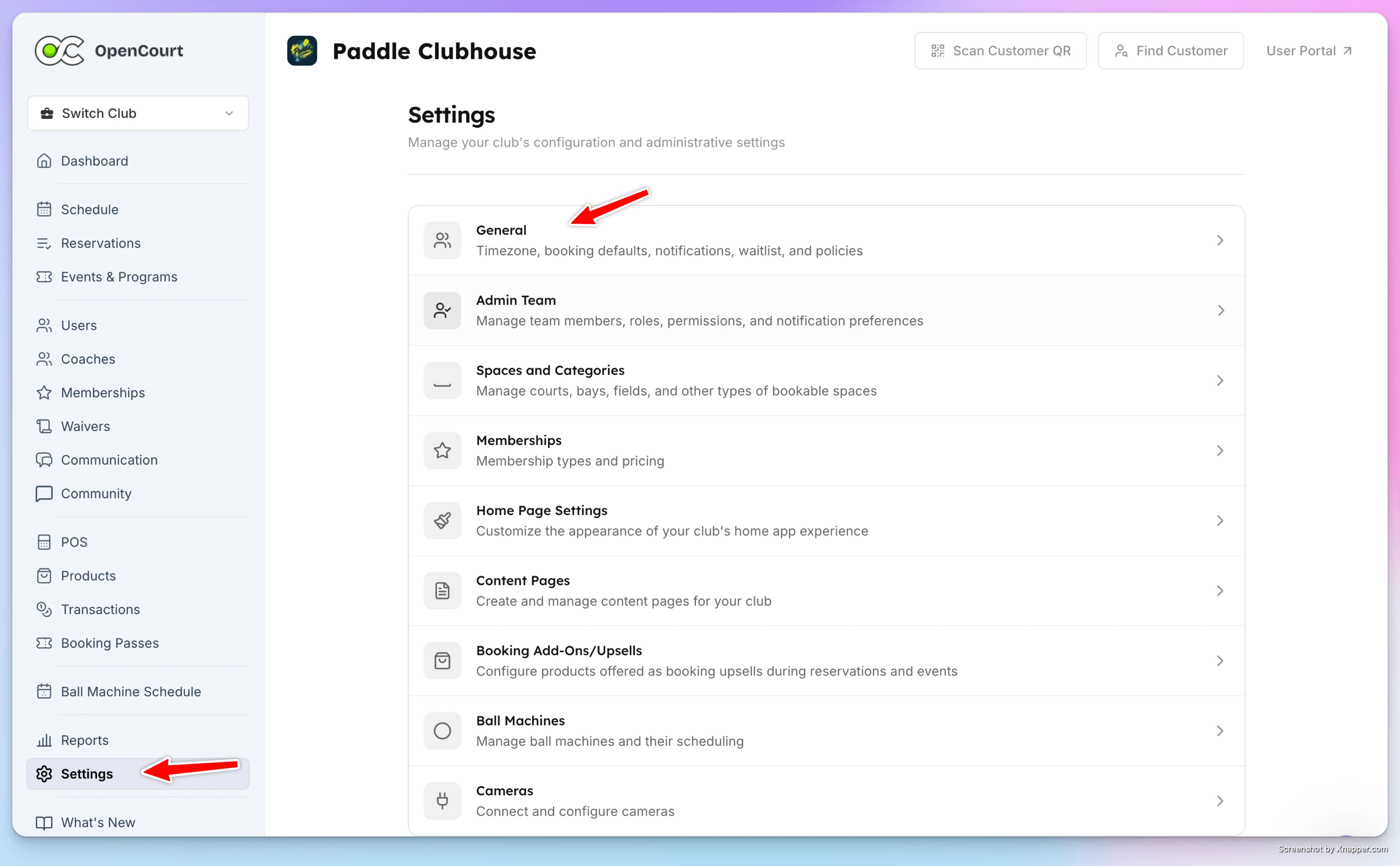
Go to Settings.
-
Open General Settings.
-
Scroll to Reservations & Event Reminders.
-
Choose which event types should have reminders (e.g. Open Play, Clinics, Leagues, Tournaments).
-
Set how long before the event the reminder should be sent:
- Minutes (e.g. 90 minutes before)
- Hours (e.g. 3 hours before)
- Days (e.g. 1 or 2 days before)
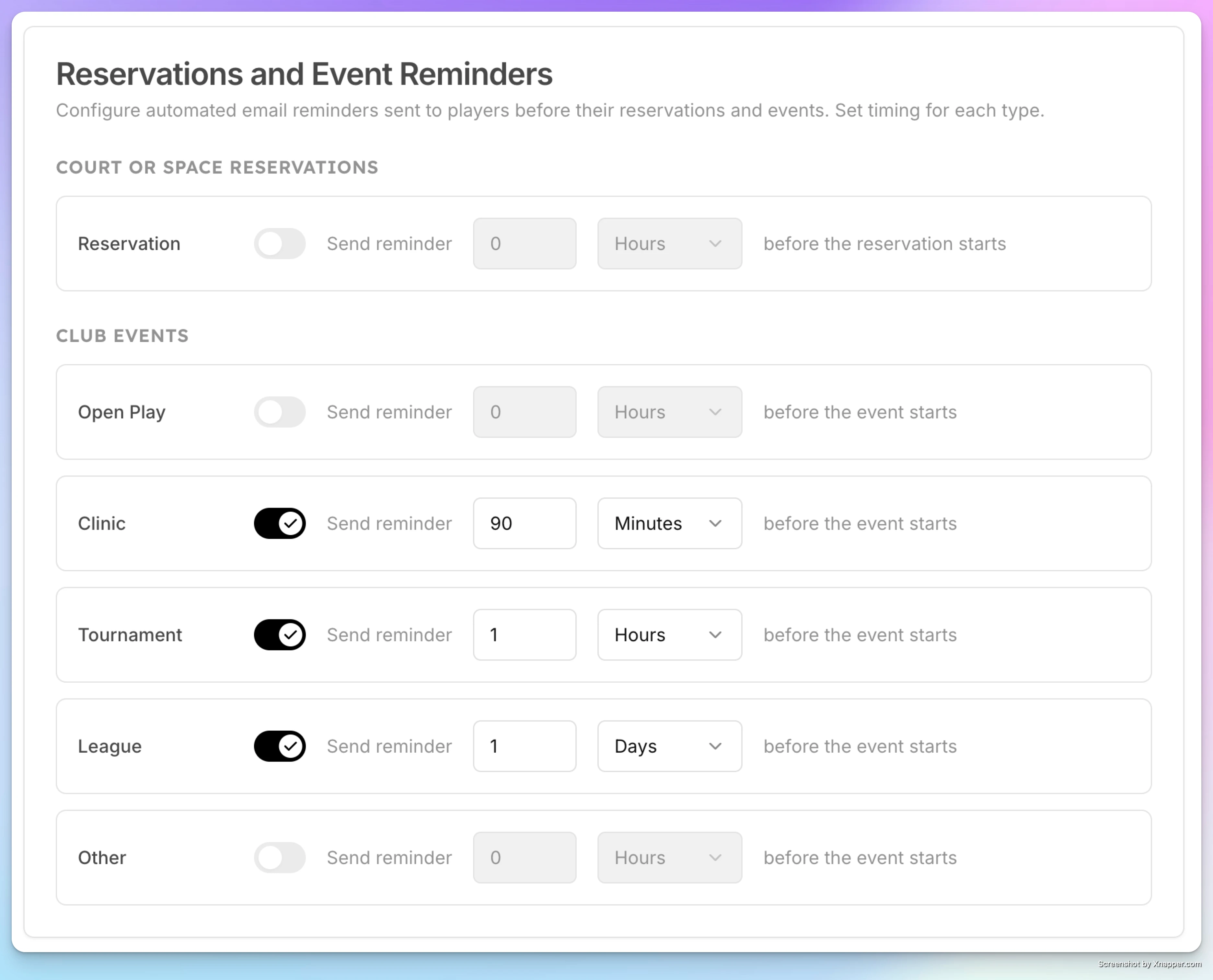
These settings will apply to all newly created events of that type going forward (they do not apply retroactively to past events).
Customizing Reminders for a Specific Event
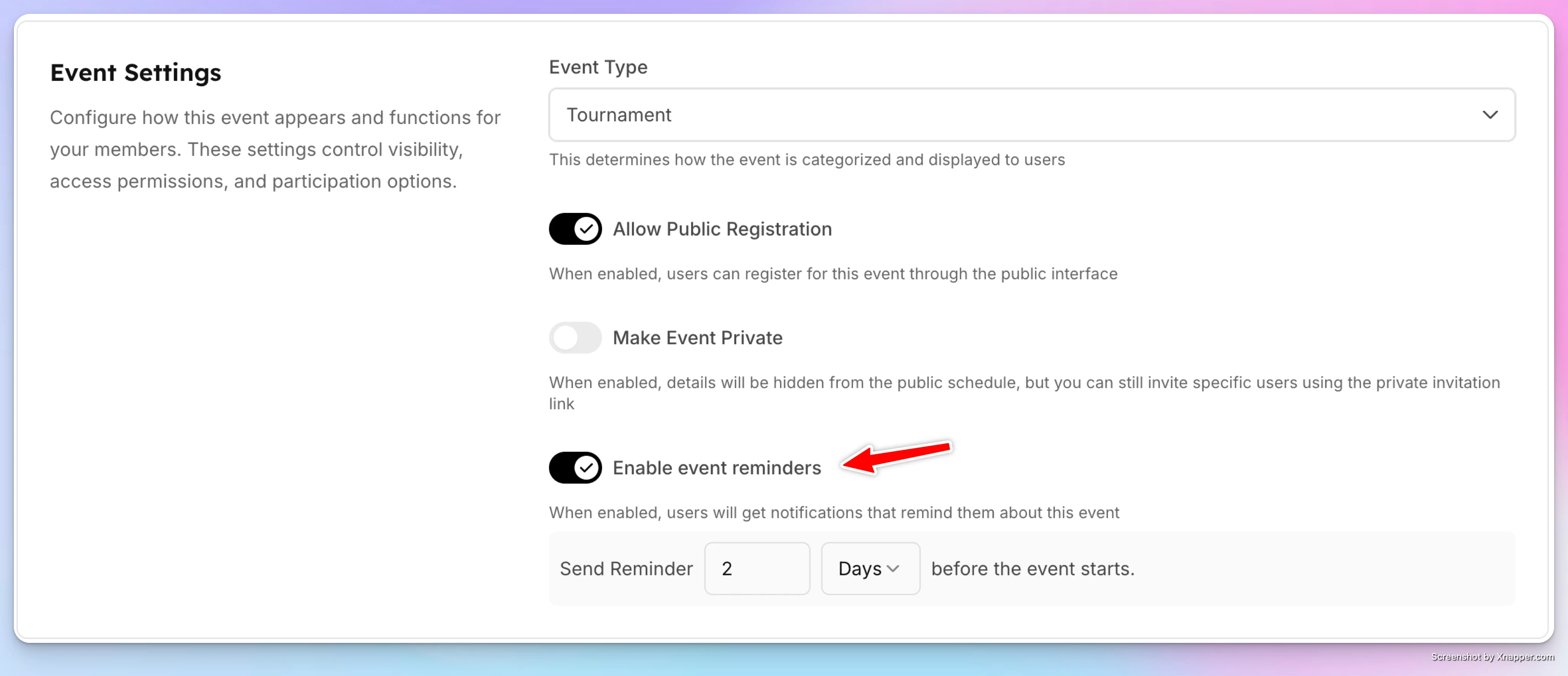
If you want different reminder behavior for one specific event you can do it when you create this event or when you edit it:
- In Event Settings, find Event Reminders (under the event type).
- Toggle reminders ON or OFF for that event.
- Adjust the reminder timing if needed.
This allows you to:
-
Enable reminders for one event only
-
Disable reminders for a specific event while keeping them on for others
-
Override the default timing for that event
How Reminders Are Sent
When reminders are enabled:
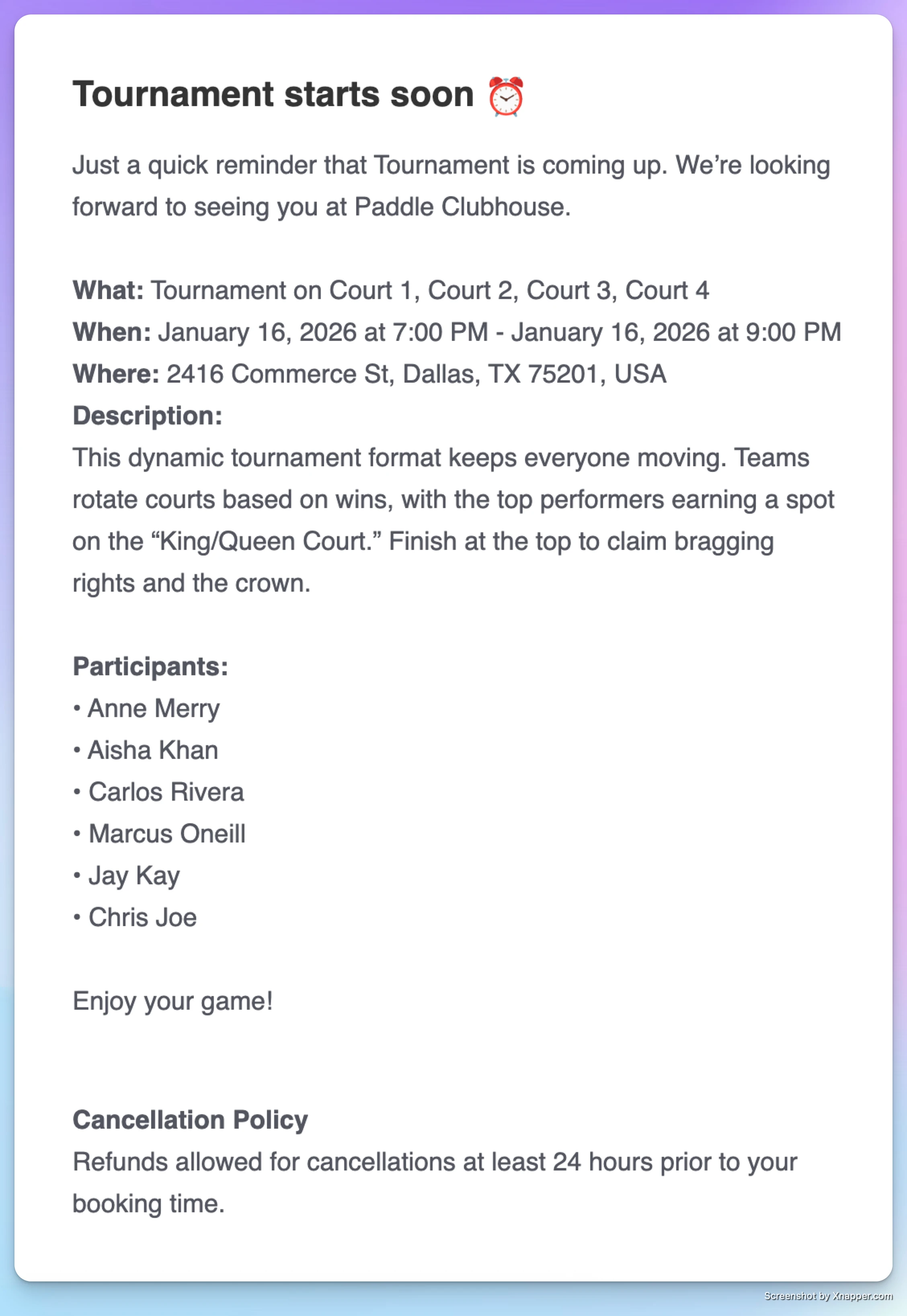
- Participants receive an email reminder
- The message includes:
- A friendly reminder
- Event name and type
- Date, time, and location
- Other relevant event details
Reminders are sent automatically based on the timing you set.
When to Use Event Reminders
-
Leagues or tournaments with long signup periods
-
Clinics that require advance registration
-
Events where attendance is critical
-
Any event where reducing no-shows improves the experience
Key Notes
- Event reminders can be controlled at both:
- The event type level
- The individual event level
- You can turn reminders on or off anytime before the event starts.
Event Reminders give clubs flexible control over communication and help ensure players show up informed and on time.
Creating and Managing Promo Codes
Promo codes let clubs offer discounts to players for court reservations and events. You can control what a promo code applies to, how much discount it gives, and when it’s valid, and how many times it can be used.
Sending Emails to Event Participants
Admins can send a custom email directly to the participants of any event — a clinic, open play, tournament, or any other event type. This is useful for sharing last-minute updates or any message that applies specifically to the people in that event.