

Blocking Off Courts or Marking Time as Unavailable
Sometimes, clubs need to make certain courts temporarily unavailable — for maintenance, cleaning, internal use, or private activities. The Unavailable option lets you block off time without creating a visible event or sharing any details with players.
When to Use It
Use this feature when you want to:
- Reserve a court for maintenance or repairs.
- Block time for internal meetings or staff use.
- Prevent bookings during special events or holidays.
- Keep certain time slots off-limits without showing event details.
How to Mark a Court as Unavailable
-
Go to the Schedule page.
-
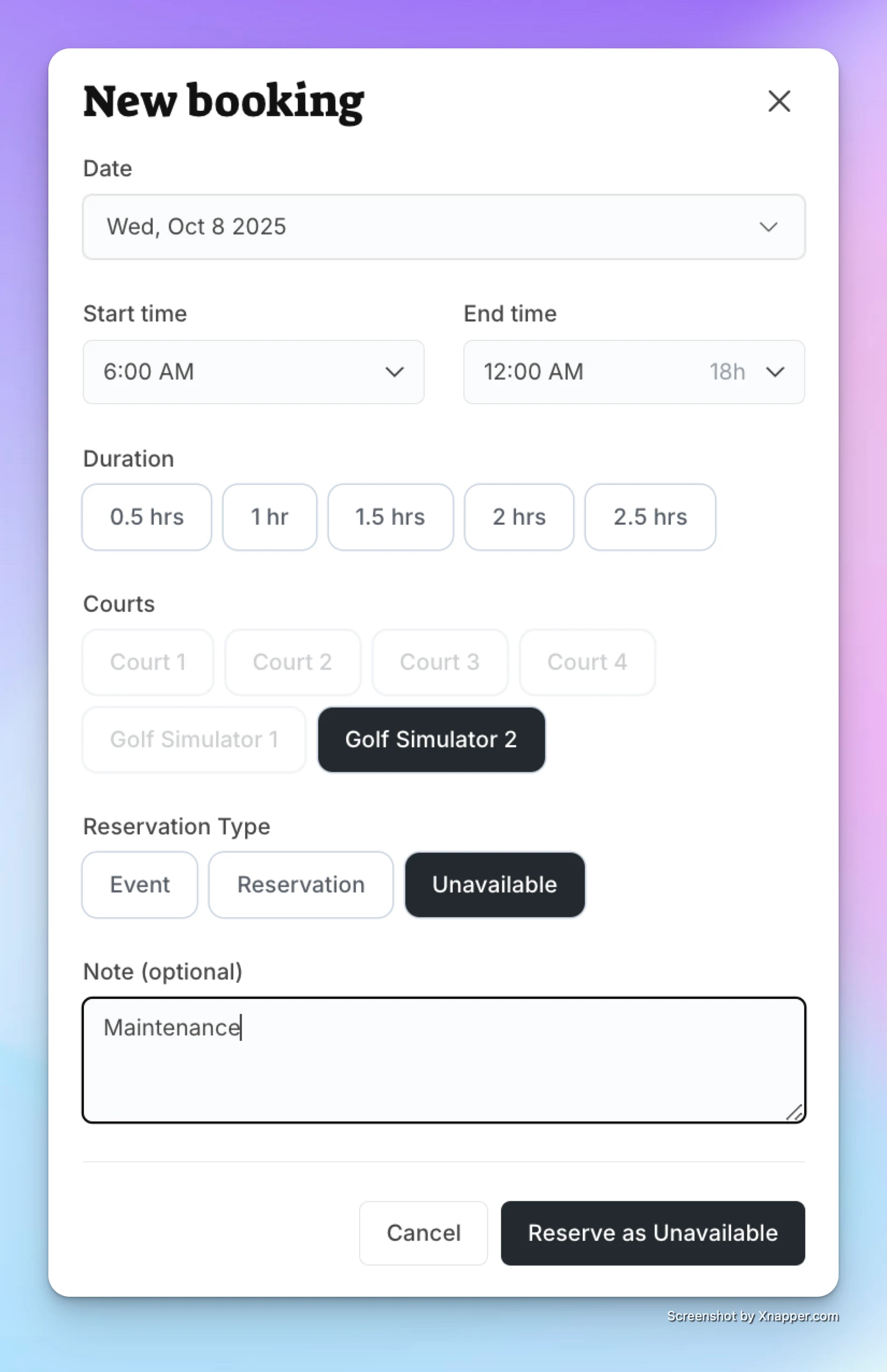
Click on the time slot you want to block.
-
Choose the “Unavailable” option.
-
(Optional) Add a short note (e.g., Maintenance, Reserved for Club Use).
-
Click Save.
What Players See
-
The blocked time appears grayed out on the schedule.
-
Players cannot book or view details for that time.
-
If you added a note (like Maintenance), they’ll see that label.
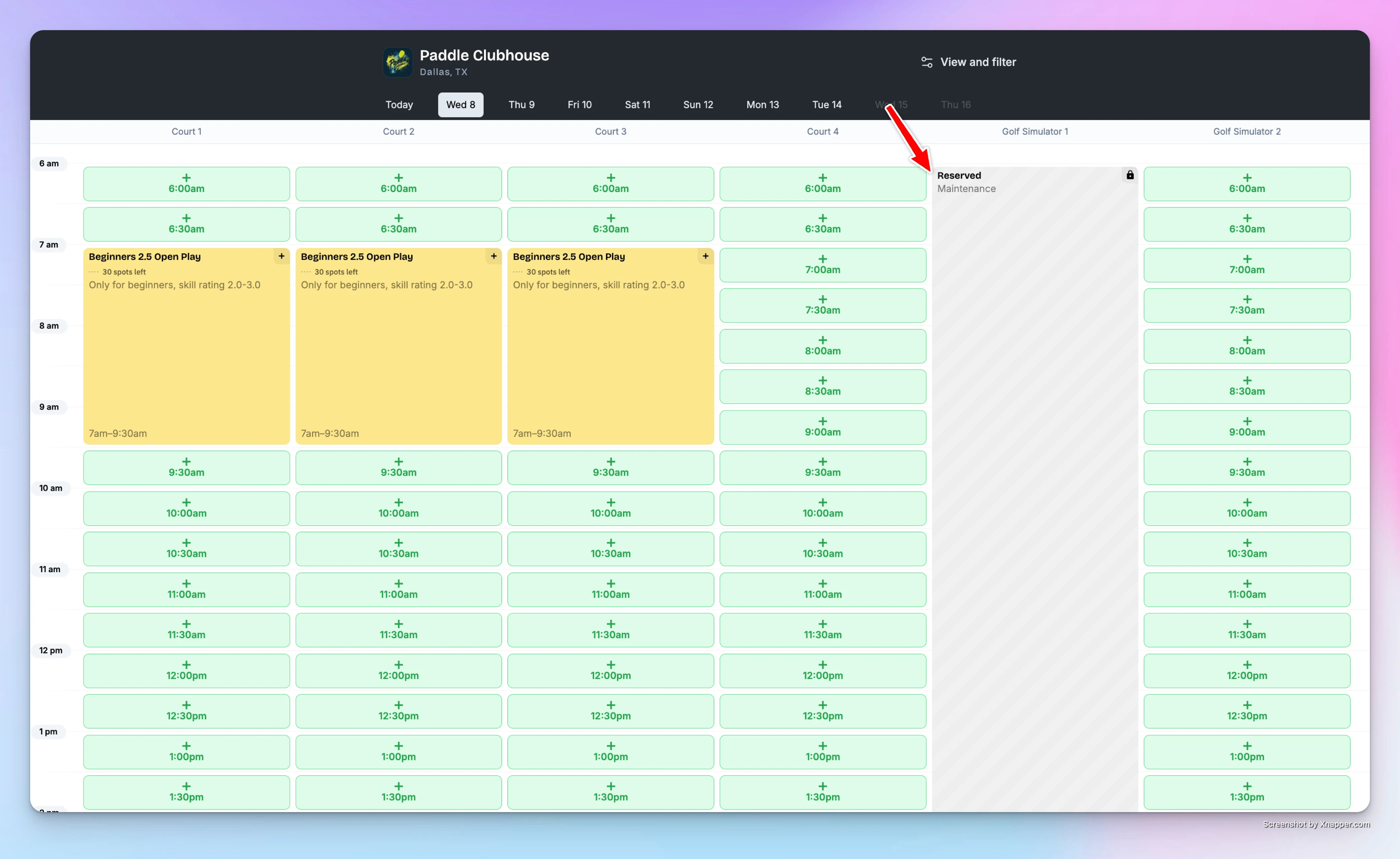
✅ That’s it! The court will stay unavailable for the selected time — keeping your schedule organized and avoiding accidental bookings.