

Booking Upsells
The Booking Upsells feature lets your club offer add-on products and services during court reservations or event sign-ups. It’s a great way to increase revenue while improving player experience — whether you’re renting paddles, selling balls, or offering food and beverage packages.
When to Use Booking Upsells
Use this feature to:
- Rent equipment (paddles, balls, towels, etc.) to new or visiting players.
- Sell add-ons such as drinks, snacks, or merchandise.
- Include upgrades for clinics, tournaments, or open plays (e.g., premium package, T-shirt, or extra session).
How to Set It Up
Step 1. Create or Select a Product
-
Go to Products in the left-hand menu.
-
Click Create New Product if it doesn’t exist yet.
-
Fill in the product name, description, and price.
(Example: “Paddle Rental – $5”) -
Save the product.
More about adding a new product find here.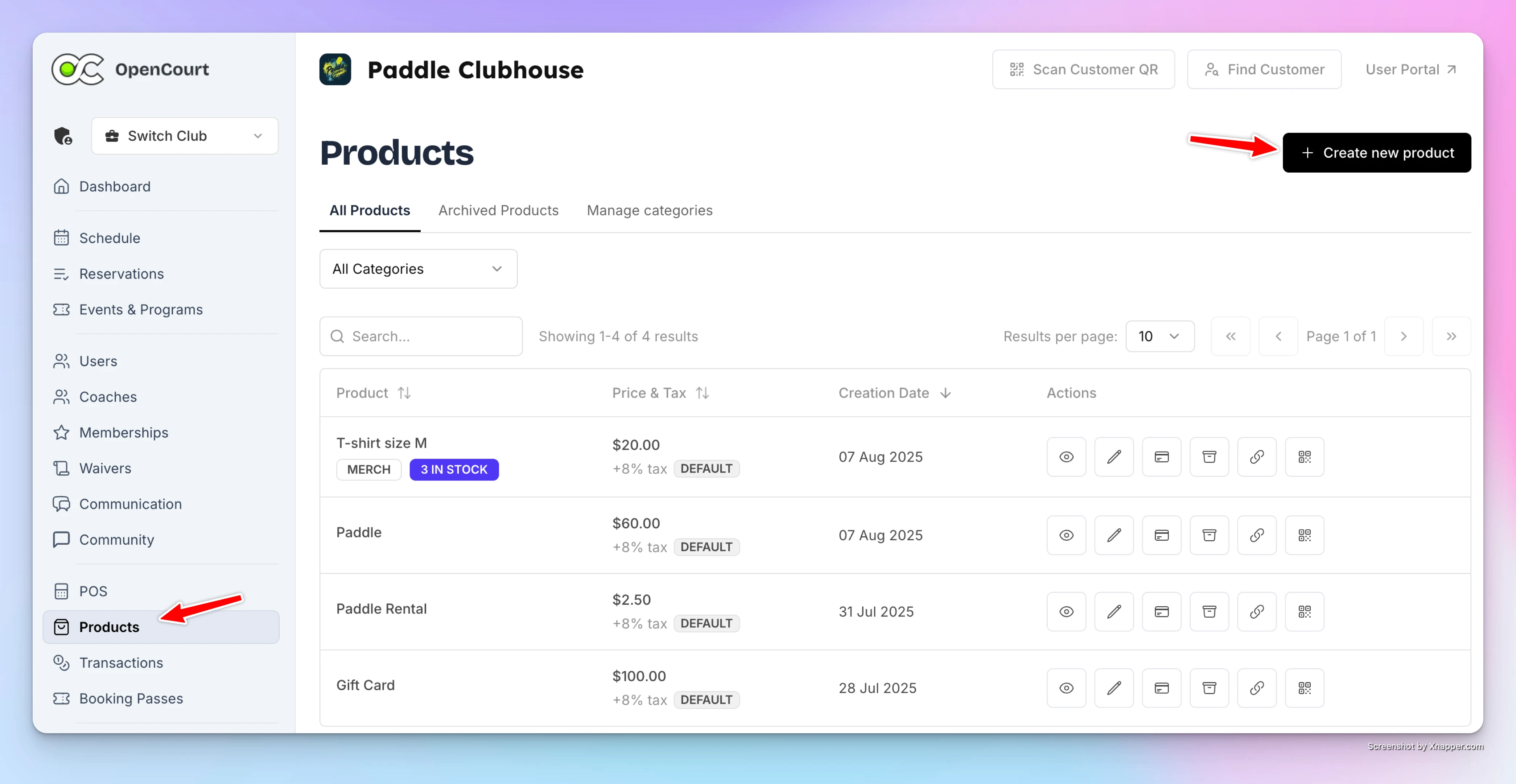
Step 2. Add It as a Booking Upsell
-
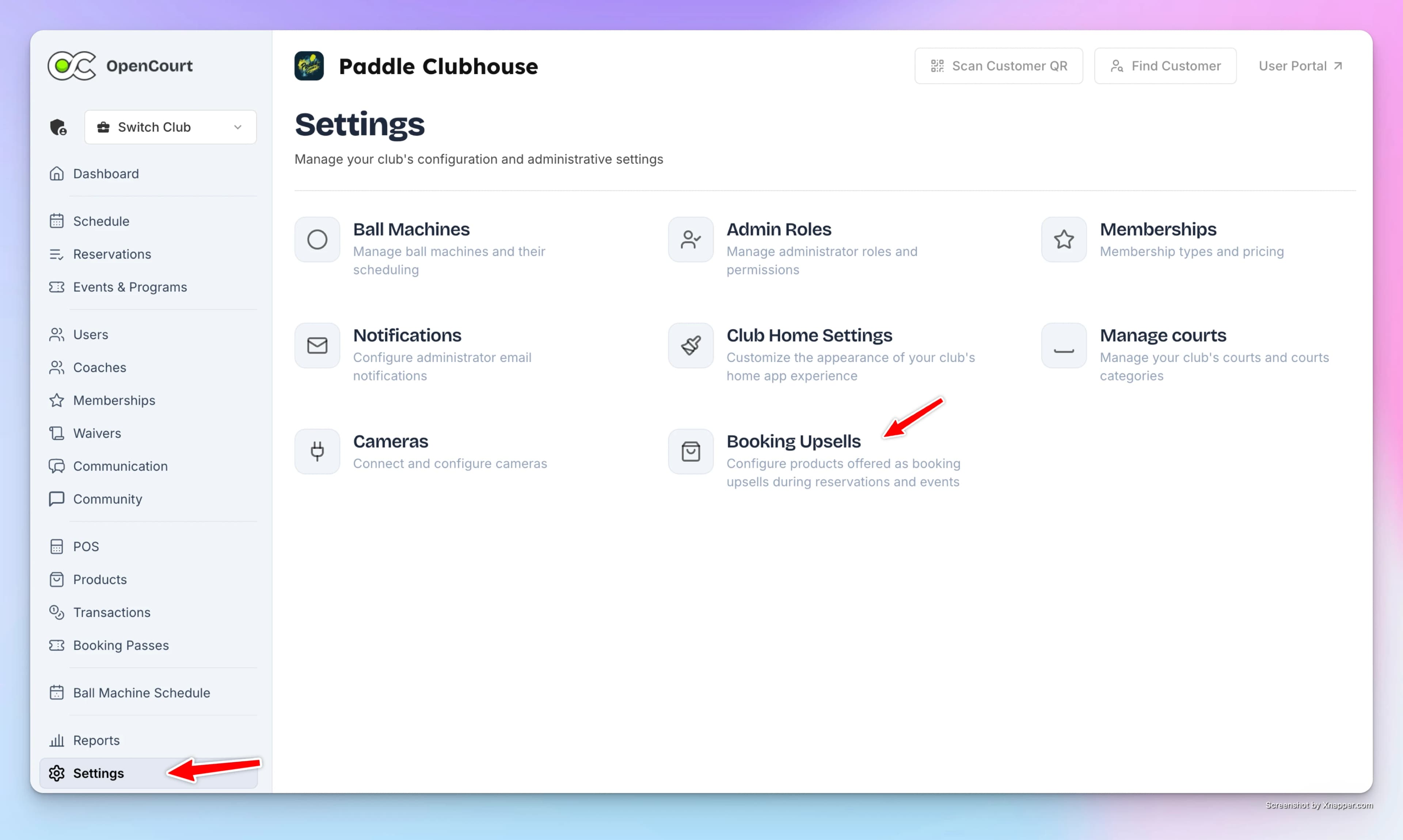
Go to Settings → Booking Upsells.
-
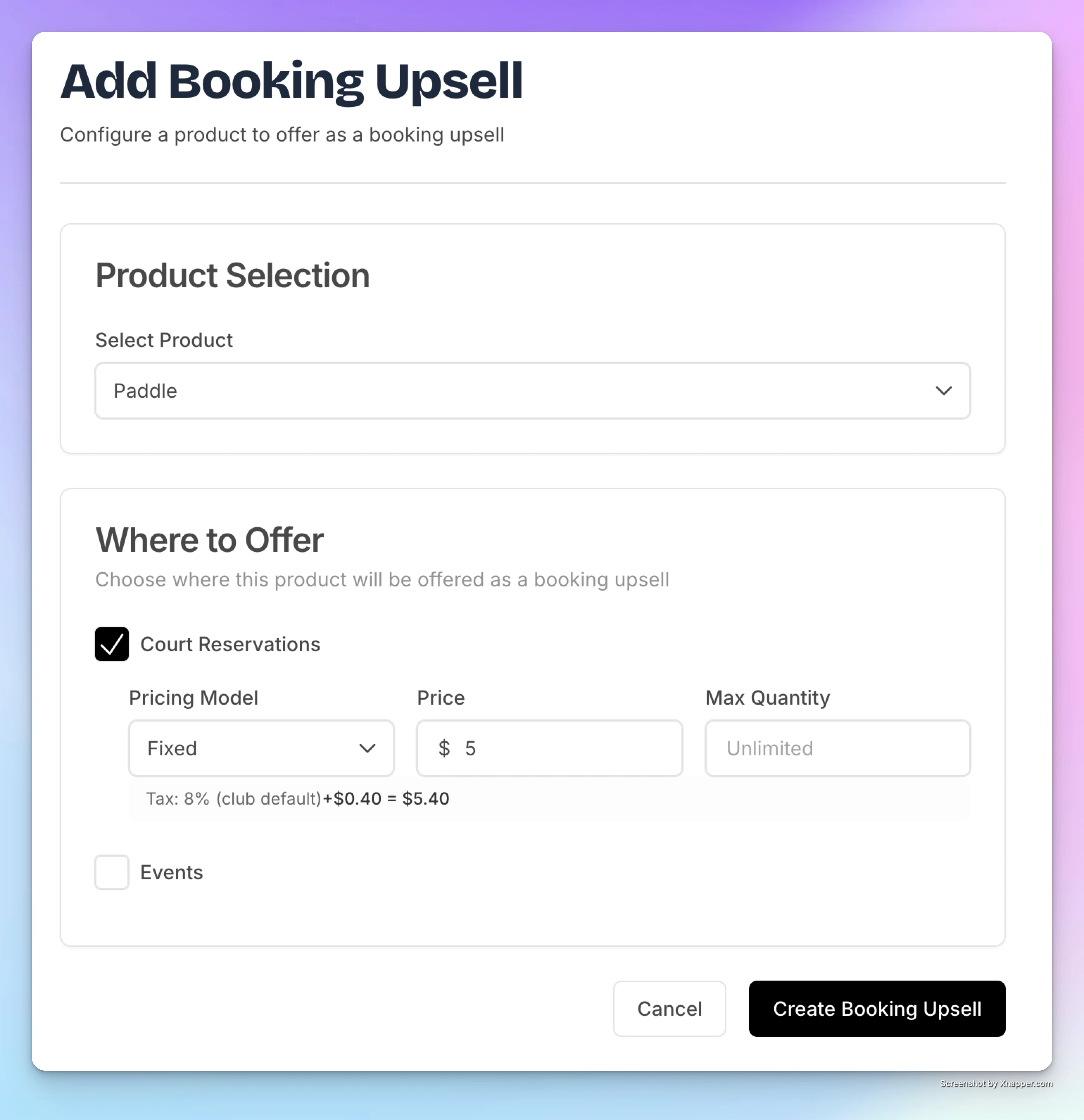
Click Add Booking Upsell.
-
Choose a product from the dropdown list.
-
Select where it should appear:
- Court Reservations
- Events (like Open Play or Clinics)
-
Set the price (fixed per item or per hour).
-
(Optional) Add a max quantity if you want to limit how many can be purchased.
-
Click Create Booking Upsell and confirm.
What Players See
When players book a court or join an event:
-
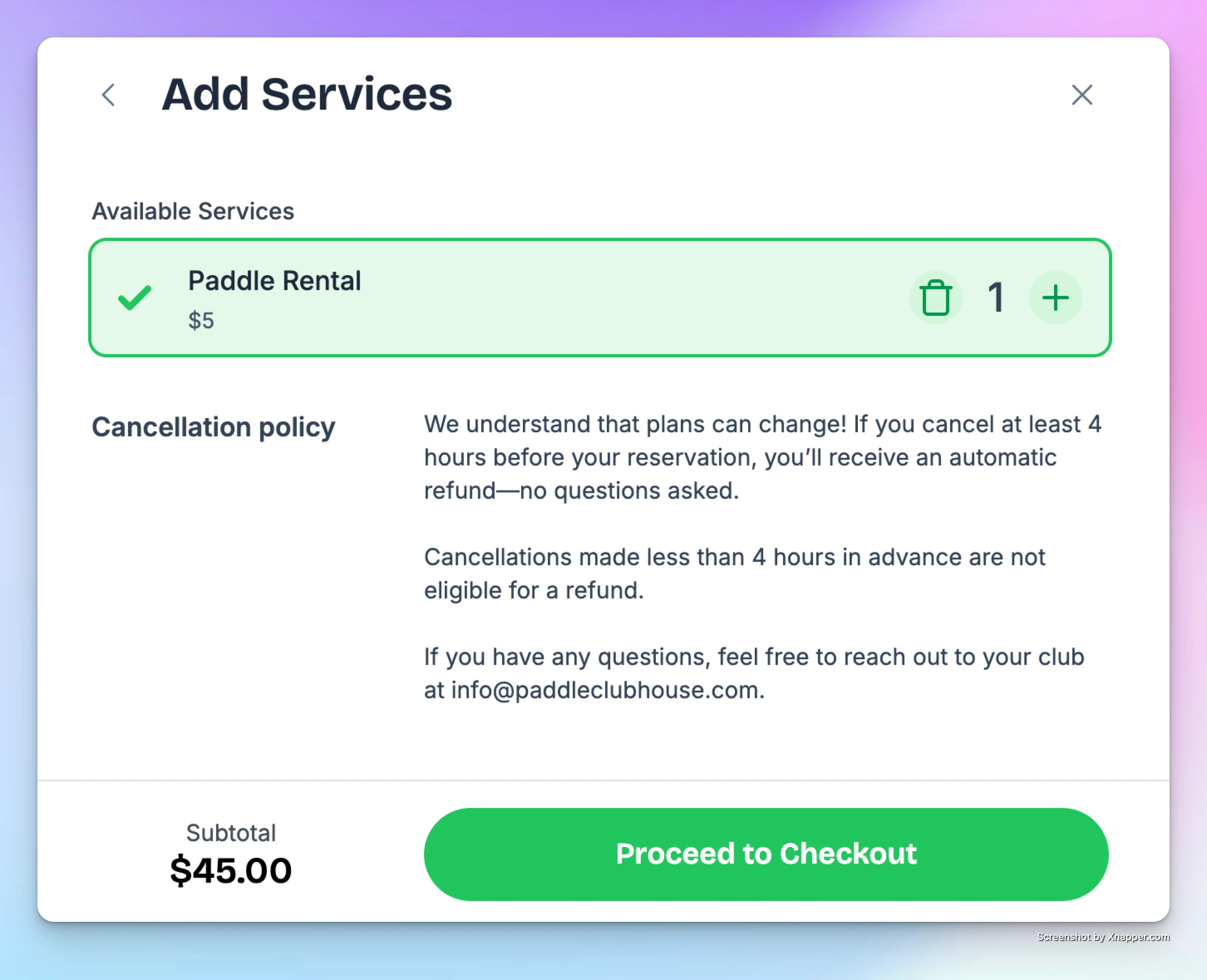
They’ll see an “Add Services” section before checkout.
-
Available upsells (like Paddle Rental) will appear there.
-
They can select one or more items and continue to payment.
-
The upsell cost is automatically added to their total.
What Admins See
-
In the Admin Panel, reservations with upsells show a “+” icon next to the booking.
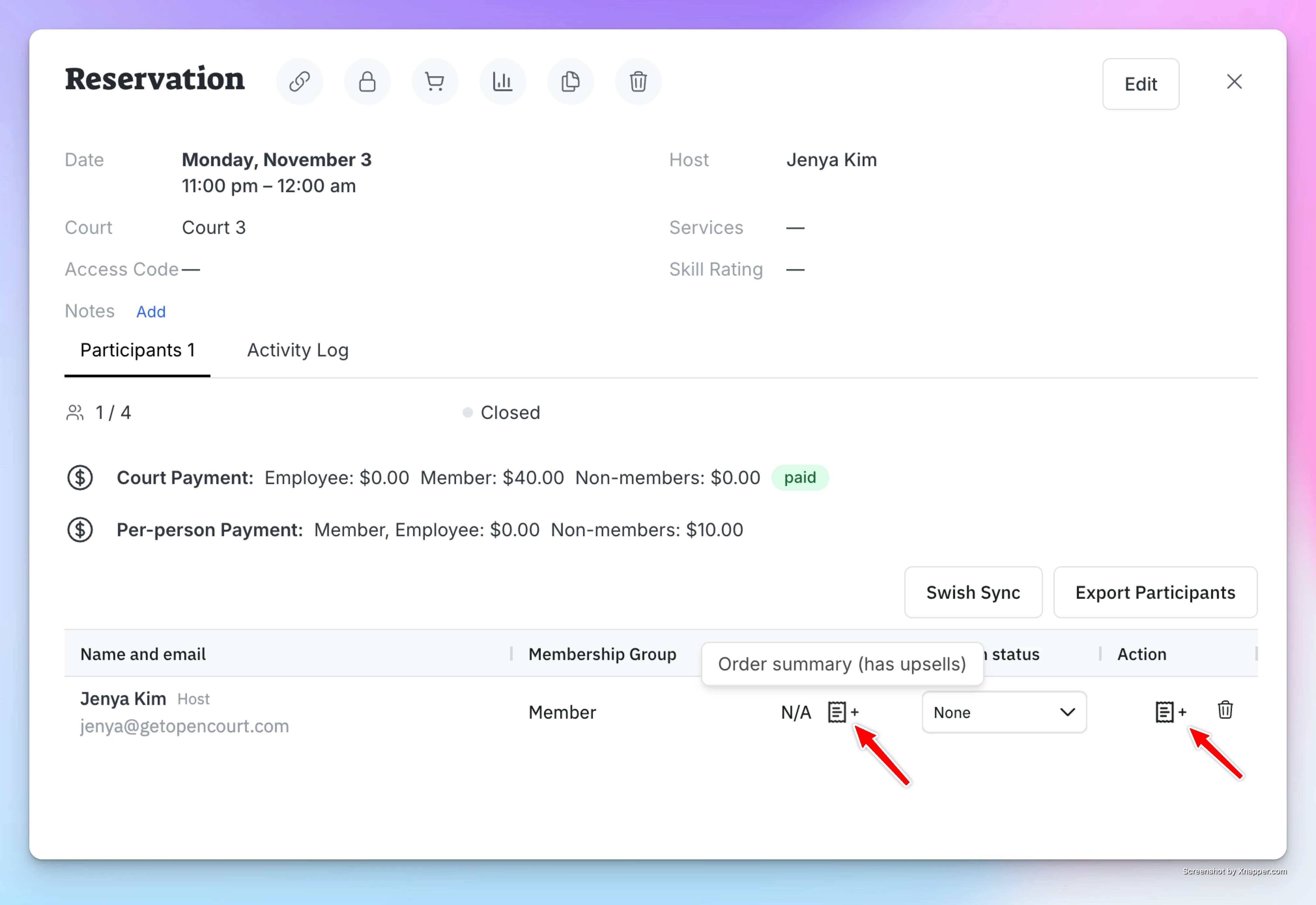
-
Click it to view which items were added and how many.
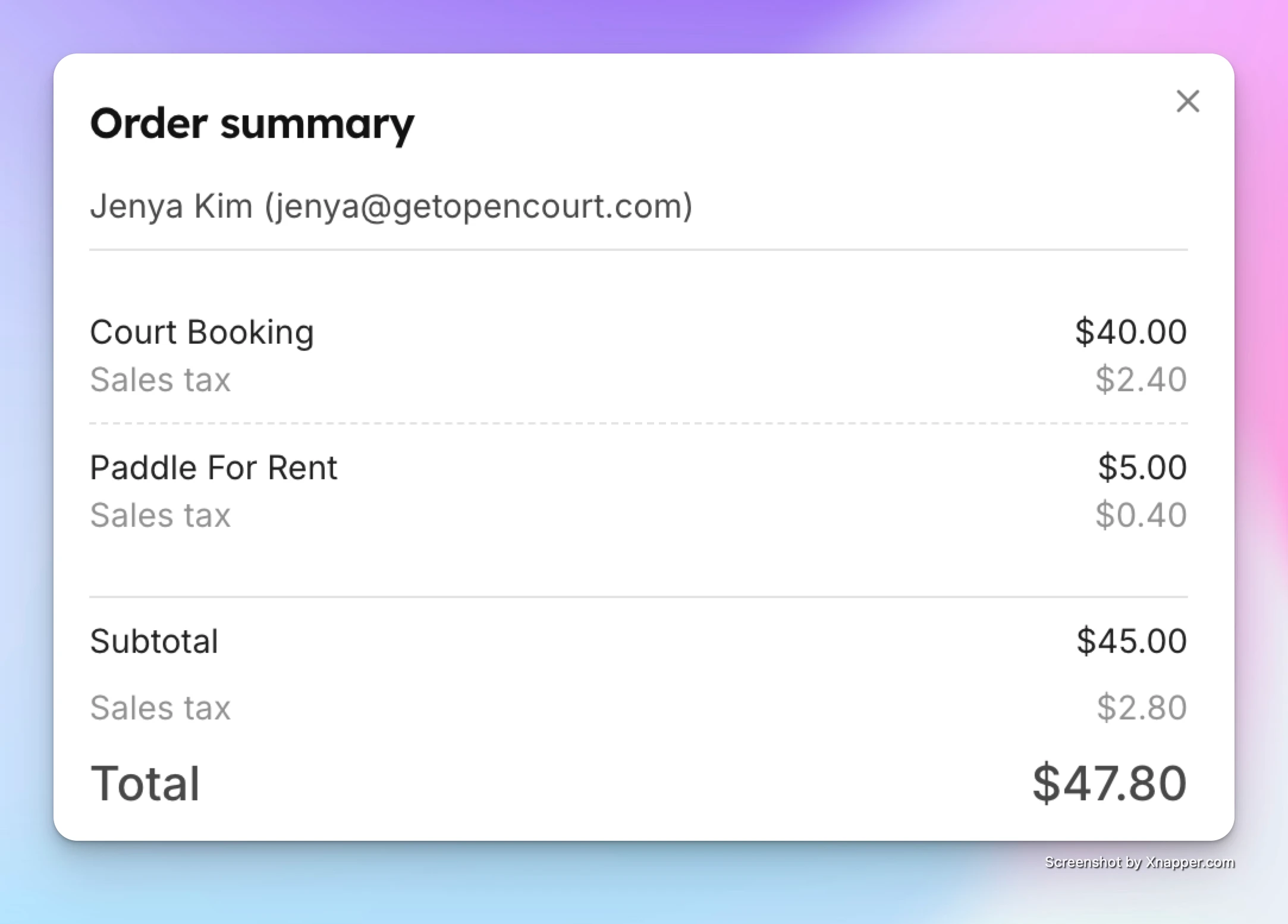
-
At check-in, staff can quickly confirm which upsell items to provide (e.g., 2 paddle rentals).
✅ With Booking Upsells, you can streamline rentals, increase revenue, and offer a smoother experience for both players and staff — all without leaving the booking flow.
Schedule Configuration Customizations
We allow configuring your court sheet schedule in a variety of different ways, including setting up varying schedule time segment durations for the whole day or in different portions of the day.
Pricing Models
OpenCourt supports a wide range of pricing models so clubs can charge for court time in the way that best fits their policies and membership structure. You can combine different pricing rules — such as per-court fees, per-person fees, fixed reservation pricing, day passes, and guest fees — and apply them differently to members, non-members, and specific membership tiers.