

Creating a Multi-Date Event (e.g. League)
A league is a structured competition in which players or teams compete in multiple matches over a set period, often lasting several weeks or months. Unlike an Event Series, a league is created as one single event with multiple dates. Players register once for the entire league and make one payment that covers all dates.
When you create a league in OpenCourt, you’ll use the multi-date event feature so all matches are scheduled under one event.
Step 1 — Start a New Event
- In the left-hand menu, click Events & Programs.
- Click New Event.
- Enter your Event Name (e.g., Ladder League) and a Description.
- Fill out the rest of the event details (capacity, pricing, etc.) as you would for any regular event.
Step 2 — Add Multiple Dates
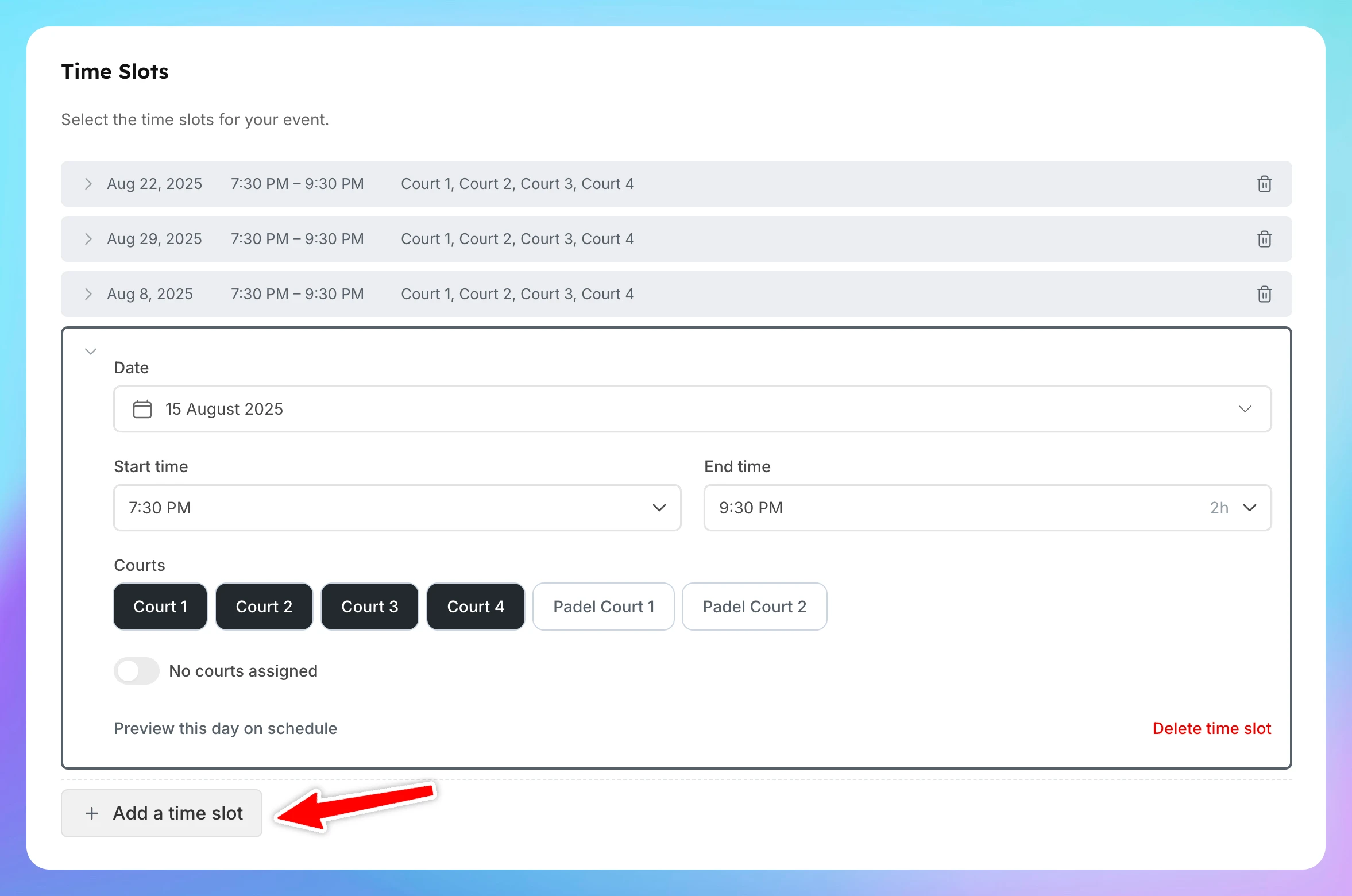
- In the Time Slot section choose the day, time, and courts for the first match.
- Example: Saturday, 7:30 PM – 9:30 PM, Courts 1–4.
- Right under that block you’ll see Add Time Slot button. Click it to add the next date.
- Repeat for every date in the league schedule — these can be at the same time each week or different days/times as needed.
Step 3 — Create the Event
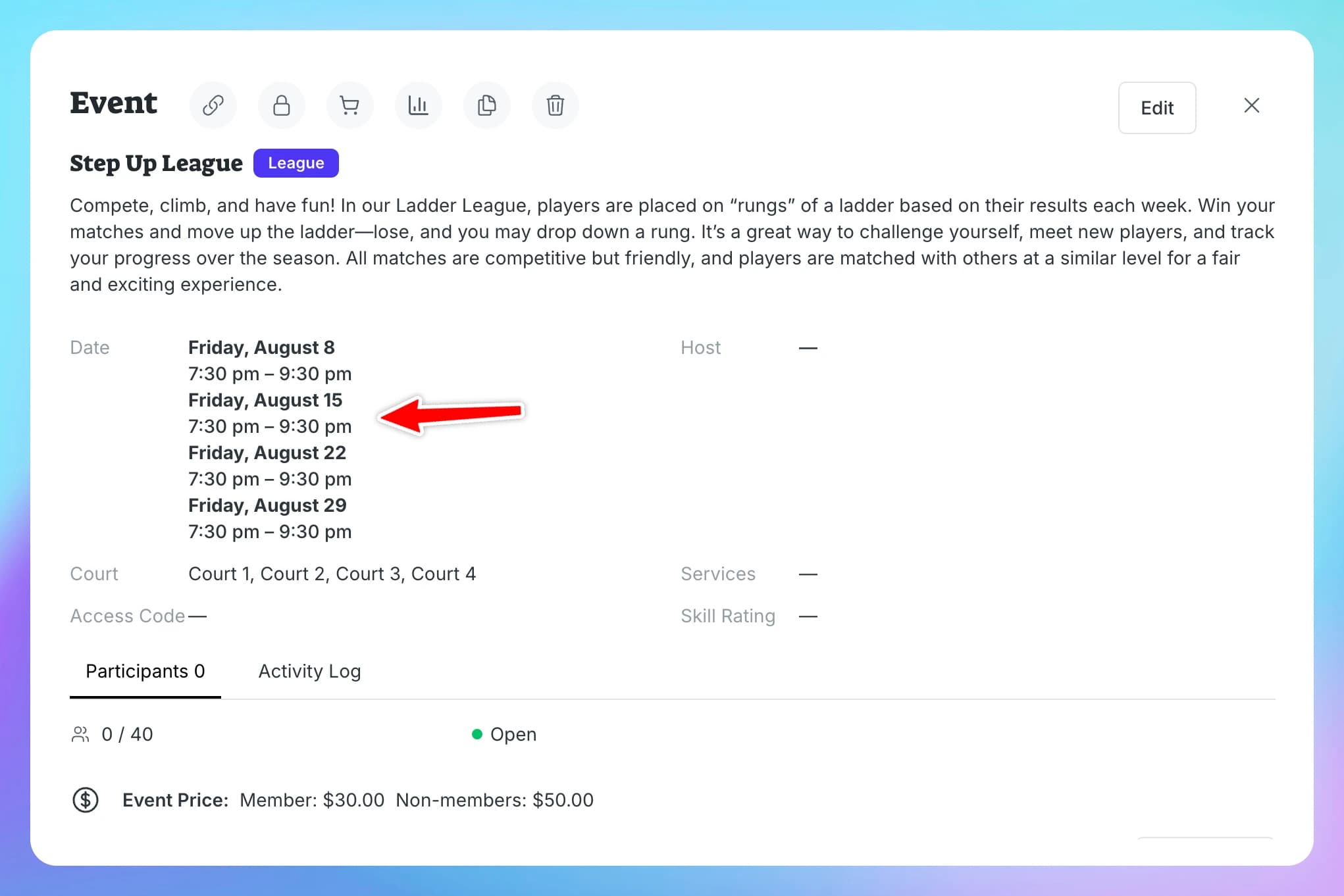
- Review all dates to ensure the schedule is correct.
- Click Create Event.
- Your league will now show all scheduled matches under one event
Important
Participants who register for this multi-date event will be automatically enrolled in every match for the entire duration of the league.
Creating recurring event series
Recurring events are ideal for activities that take place on a regular schedule, such as weekly Open Plays, clinics, or other programs. Instead of creating each event individually, you can set up a recurring series to save time. Each session in the series will still be created as a separate event, with its own sign-up list and payment. This means customers will register and pay for each session individually.
Auto-Cancellation for Events
The Auto-Cancellation feature makes it easy for clubs to manage events that depend on a minimum number of participants, such as clinics and open plays. If an event doesn’t reach the required number of sign-ups by a set time, it will be automatically canceled, and refunds will be issued to participants.