

Creating recurring event series
Recurring events are ideal for activities that take place on a regular schedule, such as weekly Open Plays, clinics, or other programs. Instead of creating each event individually, you can set up a recurring series to save time. Each session in the series will still be created as a separate event, with its own sign-up list and payment. This means customers will register and pay for each session individually.
Step 1 — Start a New Event
- In the left-hand menu, click Events & Programs.
- Click New Event.
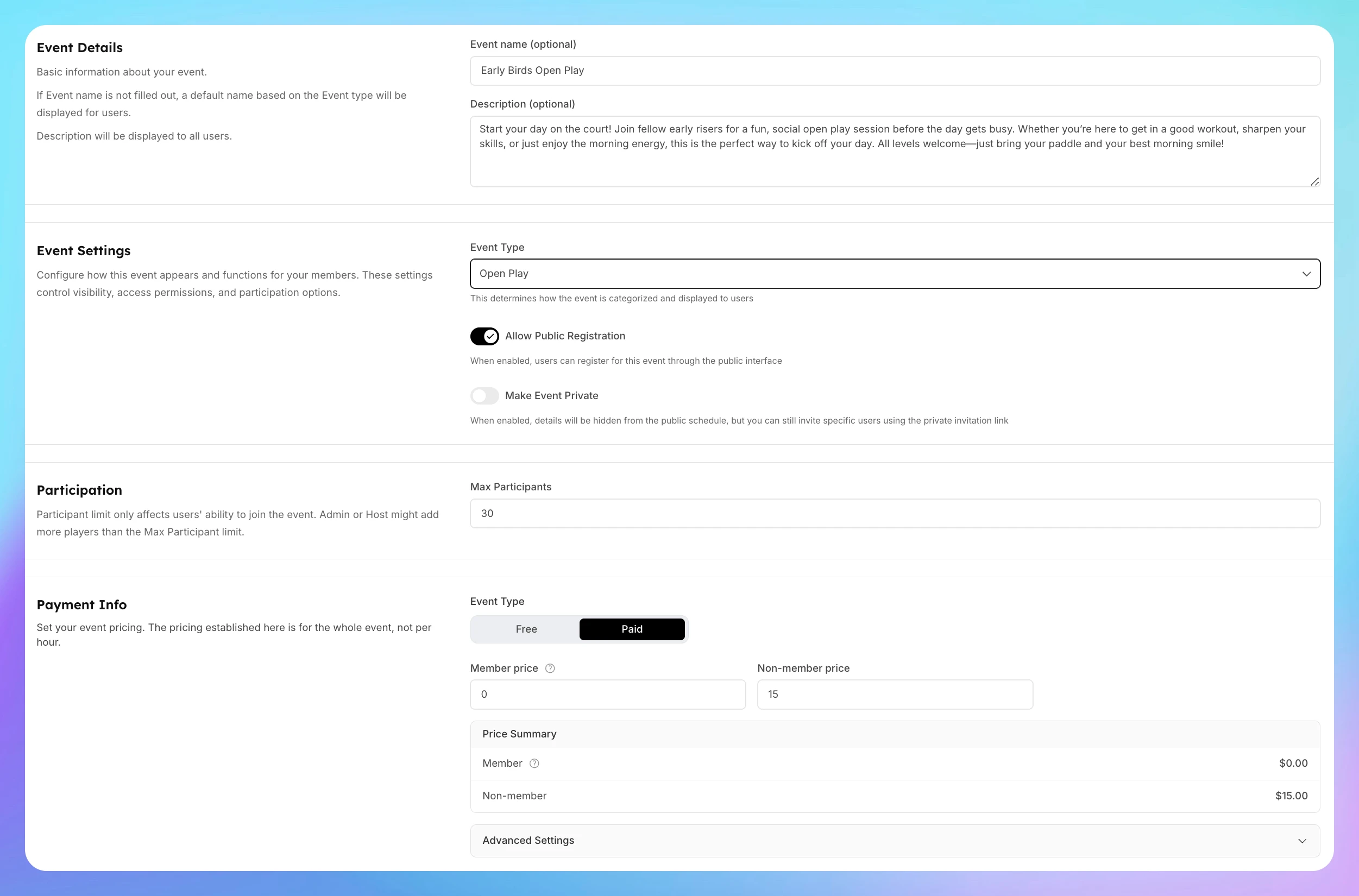
Step 2 — Add Event Details
Enter all the event details like in a regular event.
Step 3 — Set Up the Recurring Schedule
-
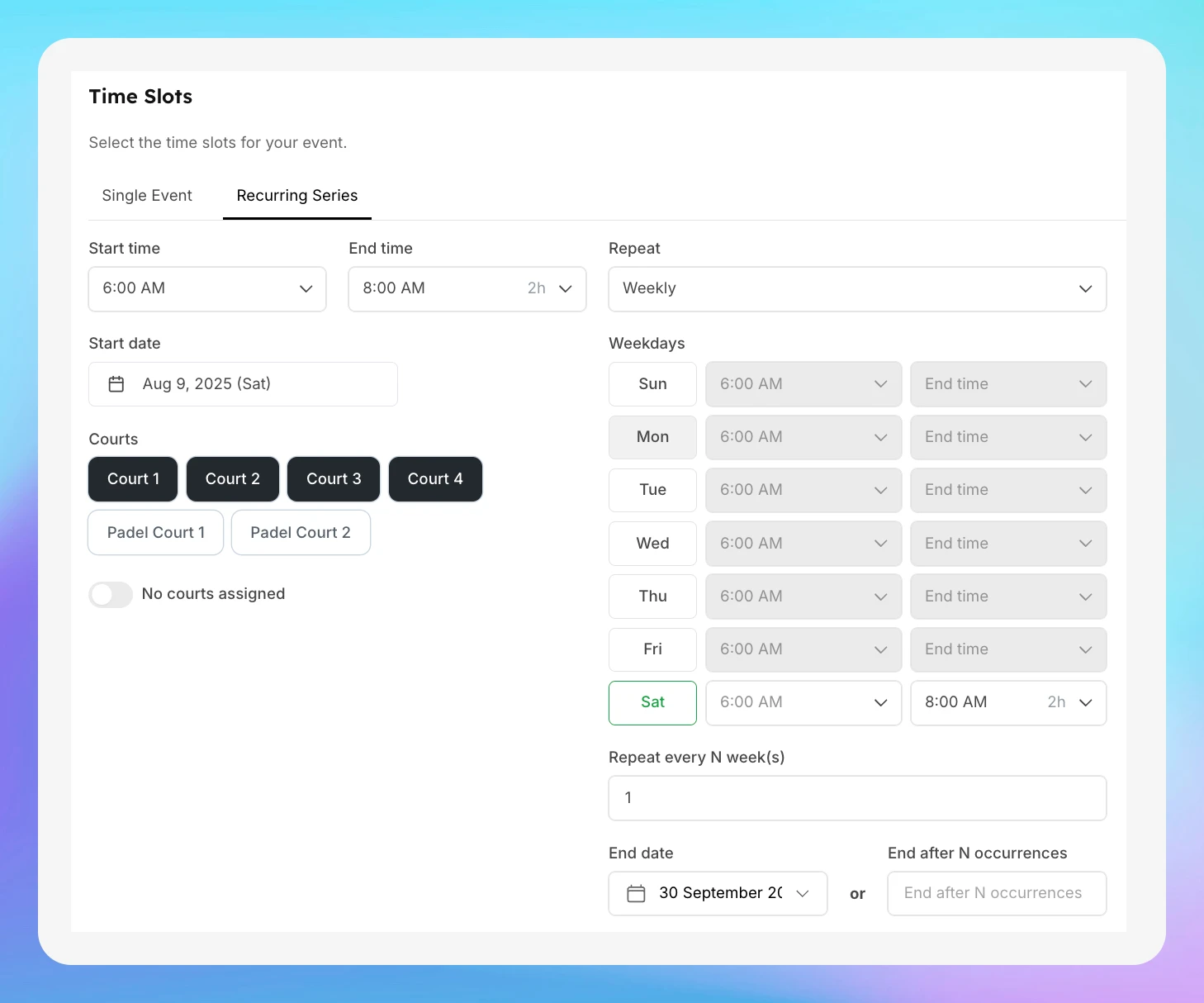
In the Time Slot section, click the Recurring Series tab.
-
Choose your day and time — for example:
- Day: Saturday
- Time: 6:00 AM – 8:00 AM
-
Select the Courts — e.g., Courts 1 to 4.
-
Set the End Date — for example, until the end of September.
Step 4 — Create the Event Series
- Once all details are set, click Create Event Series.
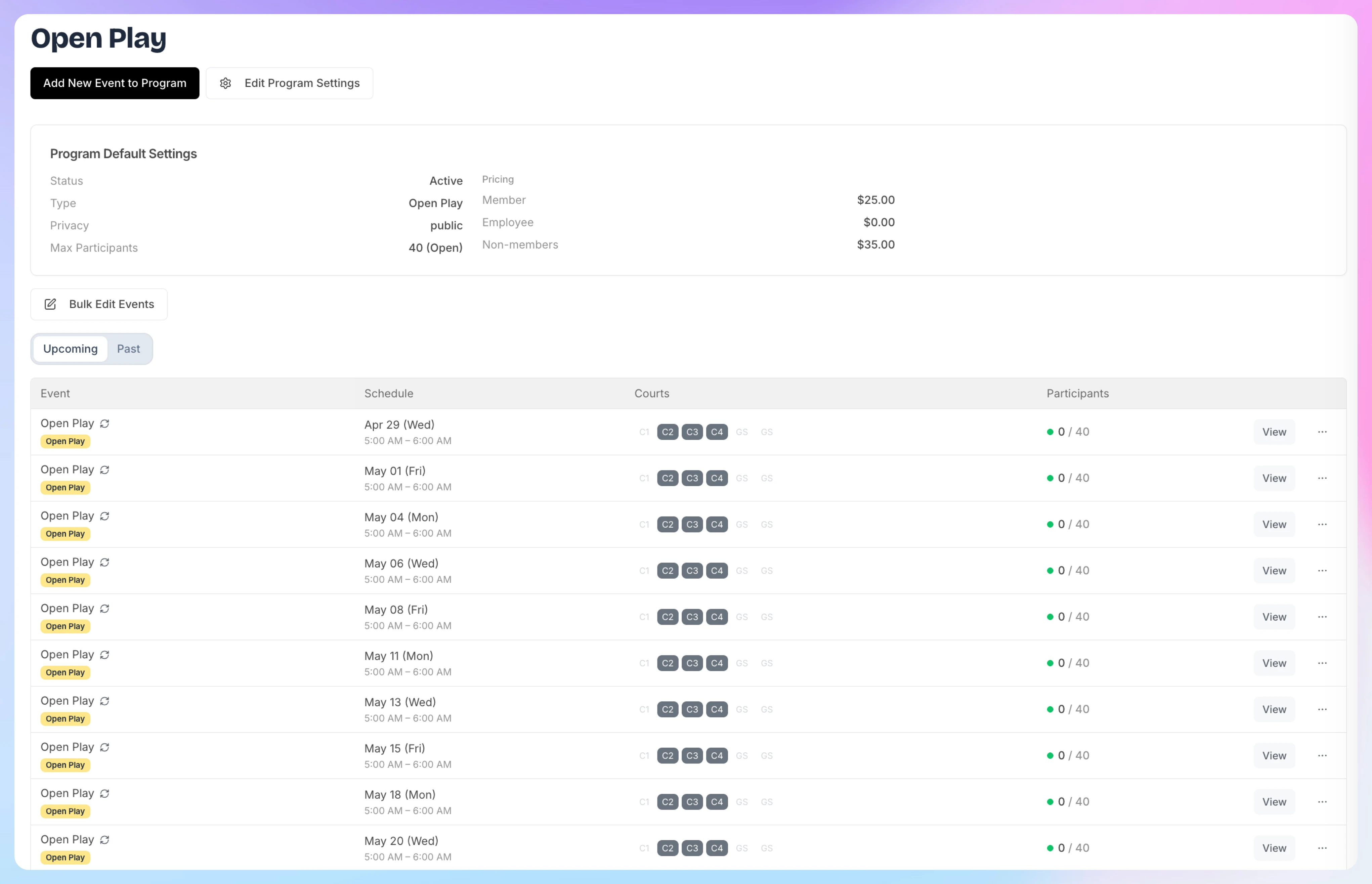
- Your events will now appear in your Events & Programs list and on the Schedule.
Step 5 — Manage Individual Events in the Series
- Each event in the recurring series is treated as a separate event.
- You can open any date in the series to:
- View participants
- Add players
- Edit event (for that specific date)
How time slots work for various types of events
When you create a reservation or an event, you’ll inevitably have to deal with the concept of Time Slots.
Creating a Multi-Date Event (e.g. League)
A league is a structured competition in which players or teams compete in multiple matches over a set period, often lasting several weeks or months. Unlike an Event Series, a league is created as one single event with multiple dates. Players register once for the entire league and make one payment that covers all dates.