

Schedule Configuration Customizations
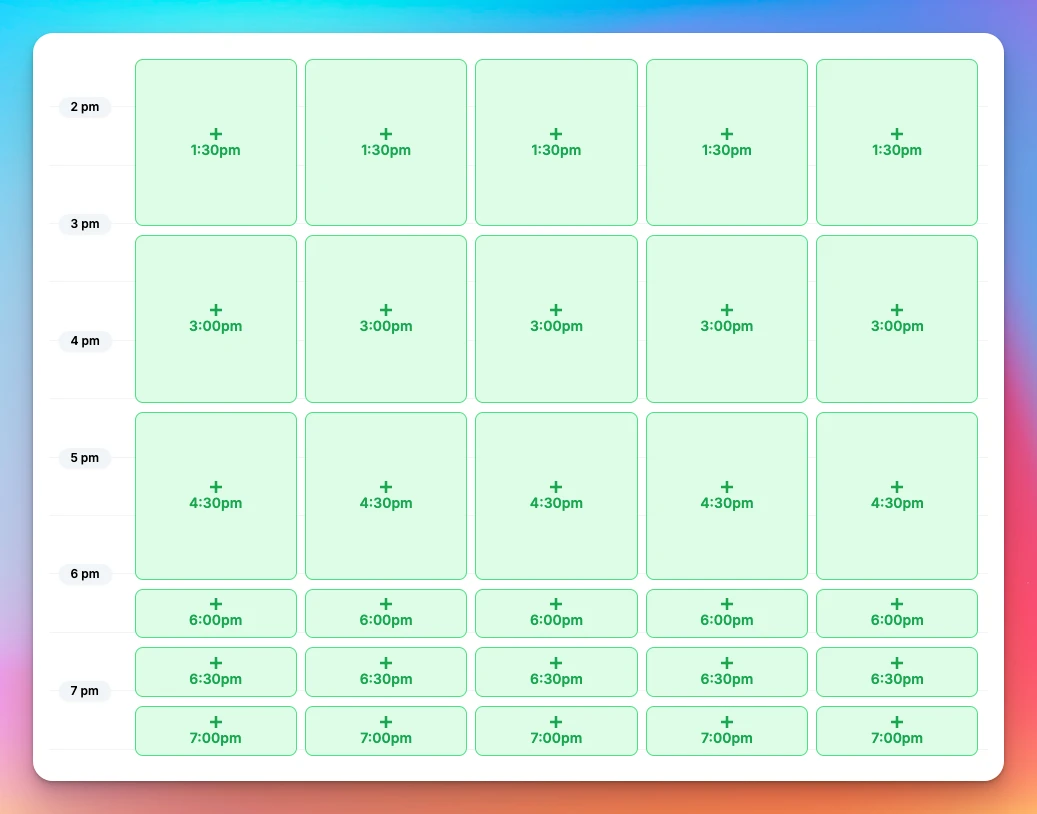
We allow configuring your court sheet schedule in a variety of different ways, including setting up varying schedule time segment durations for the whole day or in different portions of the day.
What you can control
- Daily hours: Set a Start Time and End Time per day of the week.
- Audience targeting: Apply any specific schedule configuration to a specific membership group.
- Booking availability: per membership group, court booking can be enabled for the entire day from the Start Time to the End Time, or can cover only portions of it (for example, for a membership that only allows booking before 5pm).
- Time segments (time slot length):
- Default: 30 minutes.
- Custom: often 60 minutes or 90 minutes, but could be anything
- Mixed day: Combine segments (e.g., 90-minute blocks in the morning, 30-minute blocks later).
How to request schedule configuration change
Contact your OpenCourt representative to request changes, or email us at club-support@getopencourt.com. Make sure to provide information on how you would like the schedule to be customized.
Swish Integration - Effortless Game Management
Swish is a platform that makes it very easy for you to run leagues, tournaments, and a variety of other types of organized games, such as round robins, king…
Booking Upsells
The Booking Upsells feature lets your club offer add-on products and services during court reservations or event sign-ups. It’s a great way to increase revenue while improving player experience — whether you’re renting paddles, selling balls, or offering food and beverage packages.